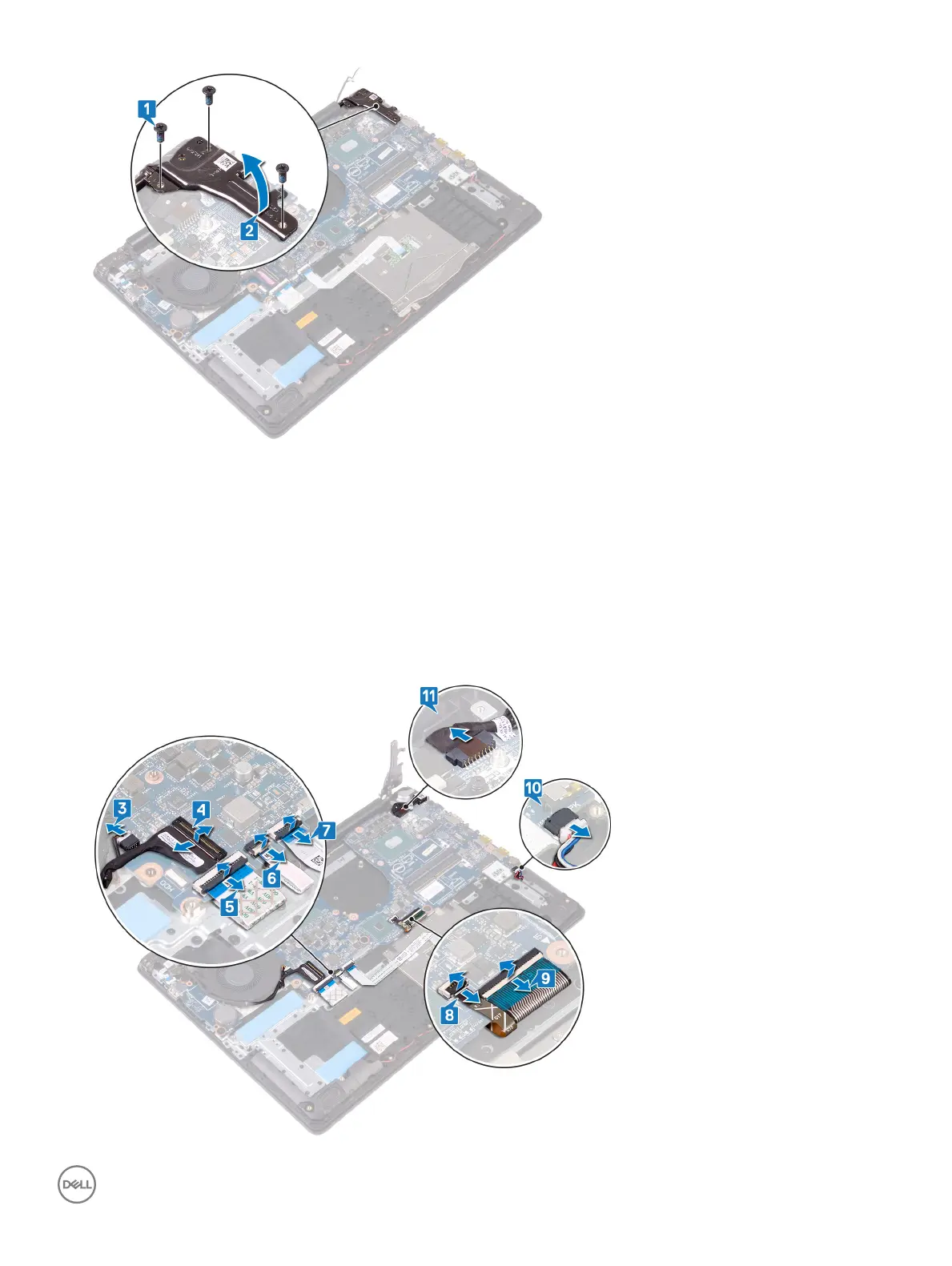
3 Disconnect the graphics-card fan cable.
4 Open the latch and disconnect the display-assembly cable.
5 Open the latch and disconnect the hard-drive cable.
6 Open the latch and disconnect the I/O-board cable.
7 Open the latch and disconnect the ngerprint-reader cable.
8 Open the latch and disconnect the touchpad cable.
9 Open the latch and disconnect the keyboard back-light cable.
10 Open the latch and disconnect the keyboard cable.
11 Disconnect the speaker cable.
12 Disconnect the power-adapter port cable.
Removing the system board
75



 To Next Page