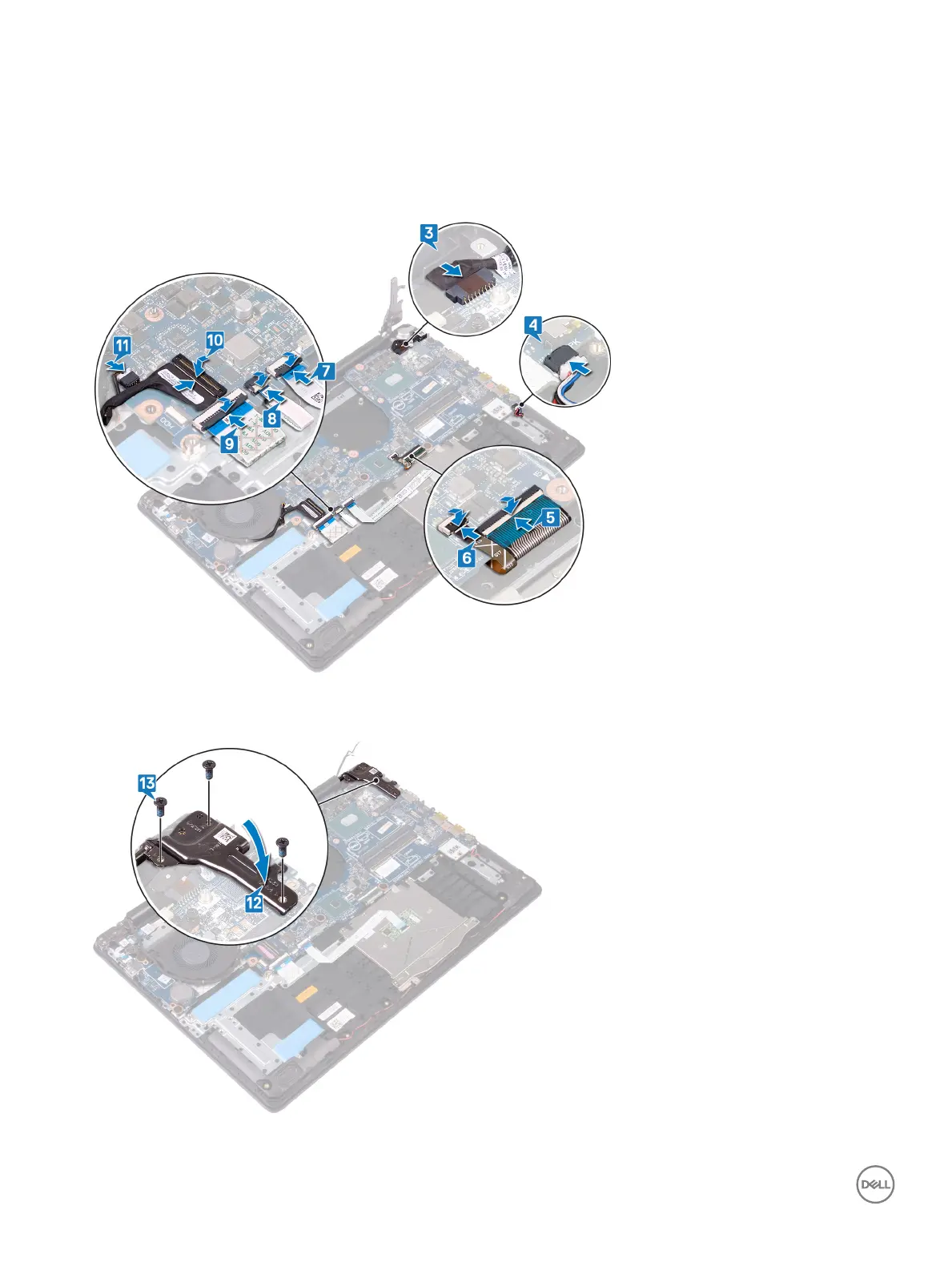
6 Close the latch and disconnect the keyboard back-light cable.
7 Close the latch and disconnect the touchpad cable.
8 Close the latch and disconnect the ngerprint-reader.
9 Close the latch and disconnect the I/O-board cable.
10 Close the latch and disconnect the hard-drive cable.
11 Close the latch and disconnect the display-assembly cable.
12 Connect the graphics-card fan cable from the system board.
13 Close the right display hinge.
14 Replace the three screws (M2.5x6) that secure the right hinge to the system board.
78
Replacing the system board



 To Next Page