
 Need help?
Do you have a question about the Dell PowerVault MD2412 and is the answer not in the manual?
Instructions on finding the system's unique Service Tag and Express Service Code for support.
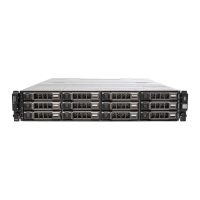
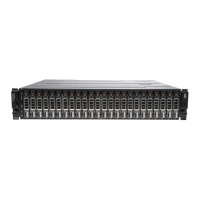
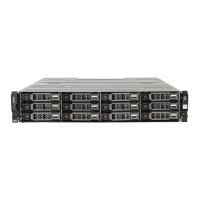
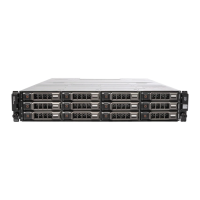
Description of the front panel, LEDs, and access to drives.
Details of components and ports on the rear of the enclosure.
Overview of all LED indicators on the enclosure for status monitoring.
Detailed explanation of front panel LED indicators and their status.
Explanation of LEDs on the drive carrier modules for drive status.
Description of the Enclosure Management Module (EMM) status indicators.
Details on the Power Supply Unit (PSU) status indicator light.
Crucial safety guidelines for setting up the equipment.
Guidelines and cautions for connecting power cables to the unit.
Warning about moving fan blades and potential for injury.
Safety guidelines for installing and handling the enclosure in a rack.
Step-by-step instructions for mounting the enclosure rails in the rack.
Procedure for physically placing the enclosure onto the installed rails.
Instructions for installing the optional front bezel.
Guidance on connecting SAS cables to the host system and enclosures.
Instructions for connecting power cables to the enclosure.
Methods to confirm that enclosures are properly connected to the system.
Steps to diagnose and resolve issues when the enclosure fails to start up.
Procedures for diagnosing and fixing problems with the PSU.
Steps to resolve issues related to the Enclosure Management Module (EMM).
Basic troubleshooting steps for disk drive issues.
Procedure to recover from issues caused by installing incorrect drive types.
Steps to diagnose and fix problems with enclosure connectivity.
Checks to perform if the enclosure is suspected to be damaged.
Essential precautions to prevent damage from electrostatic discharge.
Methods and guidelines for proper grounding during component handling.
Instructions for updating system firmware using Dell Update Package or CLI.
Procedures for replacing parts that customers can service.
Steps for removing and attaching the front bezel.
Information about supported SAS drives and their limitations.
Procedure for removing a drive blank from an empty slot.
Procedure for installing a drive blank into an empty slot.
Steps to remove the drive carrier from the enclosure for drive replacement.
Procedure for removing a drive from its carrier.
Instructions for installing a drive into its carrier.
Procedure for inserting a drive carrier into the enclosure slot.
Procedure for replacing the power supply unit (PSU).
Information about the Enclosure Management Module (EMM) and its replacement.
Steps to safely remove an Enclosure Management Module (EMM).
Procedure for installing a new Enclosure Management Module (EMM).
Information on fans within the EMM and how to replace them.
Steps to remove a fan from the EMM.
Procedure for installing a new fan into the EMM.
Information on how to contact Dell support for assistance.
How to use the Quick Resource Locator (QRL) for system information.
Specifications for the physical dimensions of the enclosures.
Weight specifications for various components and the system.
Ambient temperature and humidity requirements for operation.
Specifications for altitude, shock, vibration, and acoustics.
Information regarding system boot time after power-on or reset.
Technical specifications for the AC Power Supply Unit (PSU).
Information regarding FCC regulations and potential radio frequency interference.
Compliance statement for Canadian digital apparatus standards.
Guidelines for recycling electronic equipment at the end of its life.
 General
| Form Factor | 2U |
|---|---|
| Drive Bays | 12 |
| Supported Drive Types | SAS, SATA |
| RAID Levels Supported | 0, 1, 5, 6, 10, 50, 60 |
| Power Supply | Dual, Hot-swappable |
| Cooling | Hot-swappable fans |
| Maximum Raw Capacity | 192TB (with 16TB drives) |
| Management | Dell OpenManage |
| Storage Type | Direct Attached Storage |


 To Next Page