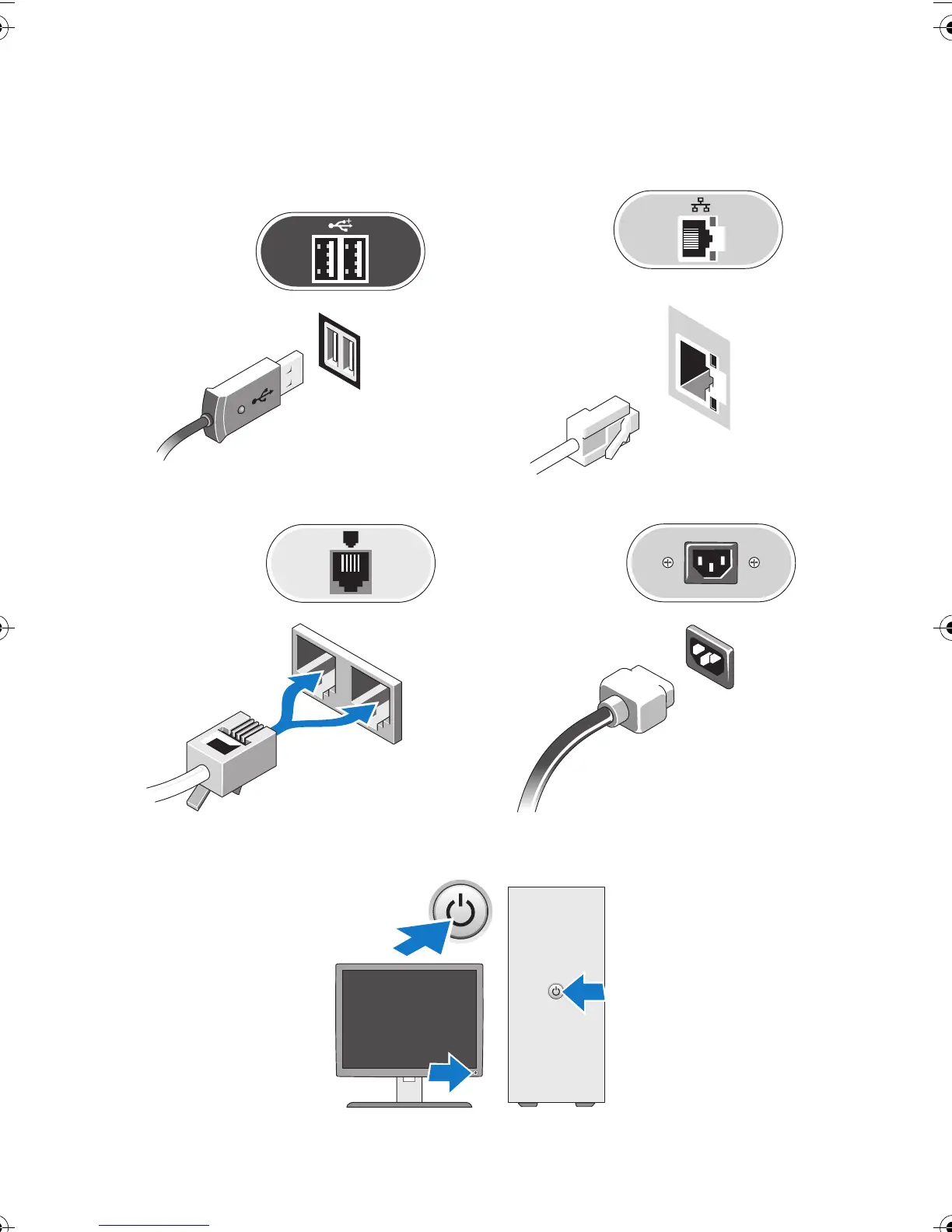
2
Connect the USB keyboard or mouse
(optional).
3
Connect the network cable (optional).
4
Connect the modem (optional).
5
Connect the power cable(s).
6
Press the power buttons on the monitor and
the computer.
Y1PC7Aam2.fm Page 4 Friday, July 2, 2010 3:50 PM











 To Next Page