Quick Setup
WARNING: Before you begin any of the procedures in this section, read the safety
information that shipped with your computer. For additional best practices information,
see www.dell.com/regulatory_compliance.
NOTE: Some devices may not be included if you did not order them.
1
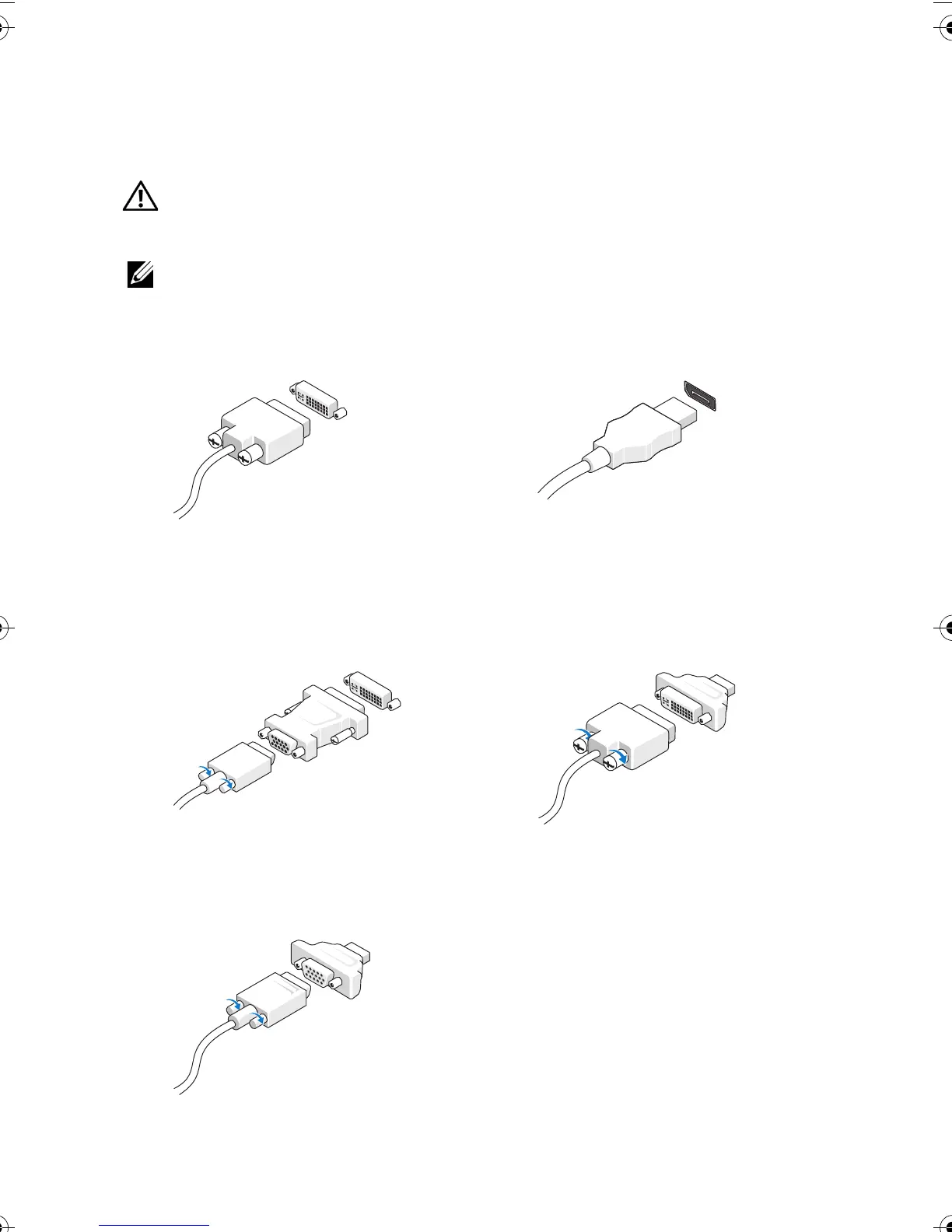
Connect the monitor using only one of the following cables:
a
The white DVI cable
b
The DisplayPort cable
c
The VGA cable to DVI adapter
d
The DVI cable to DisplayPort adapter
e
The VGA cable to DisplayPort adapter
Y1PC7Aam2.fm Page 3 Friday, July 2, 2010 3:50 PM











 To Next Page