22 Setting Up Your Projector
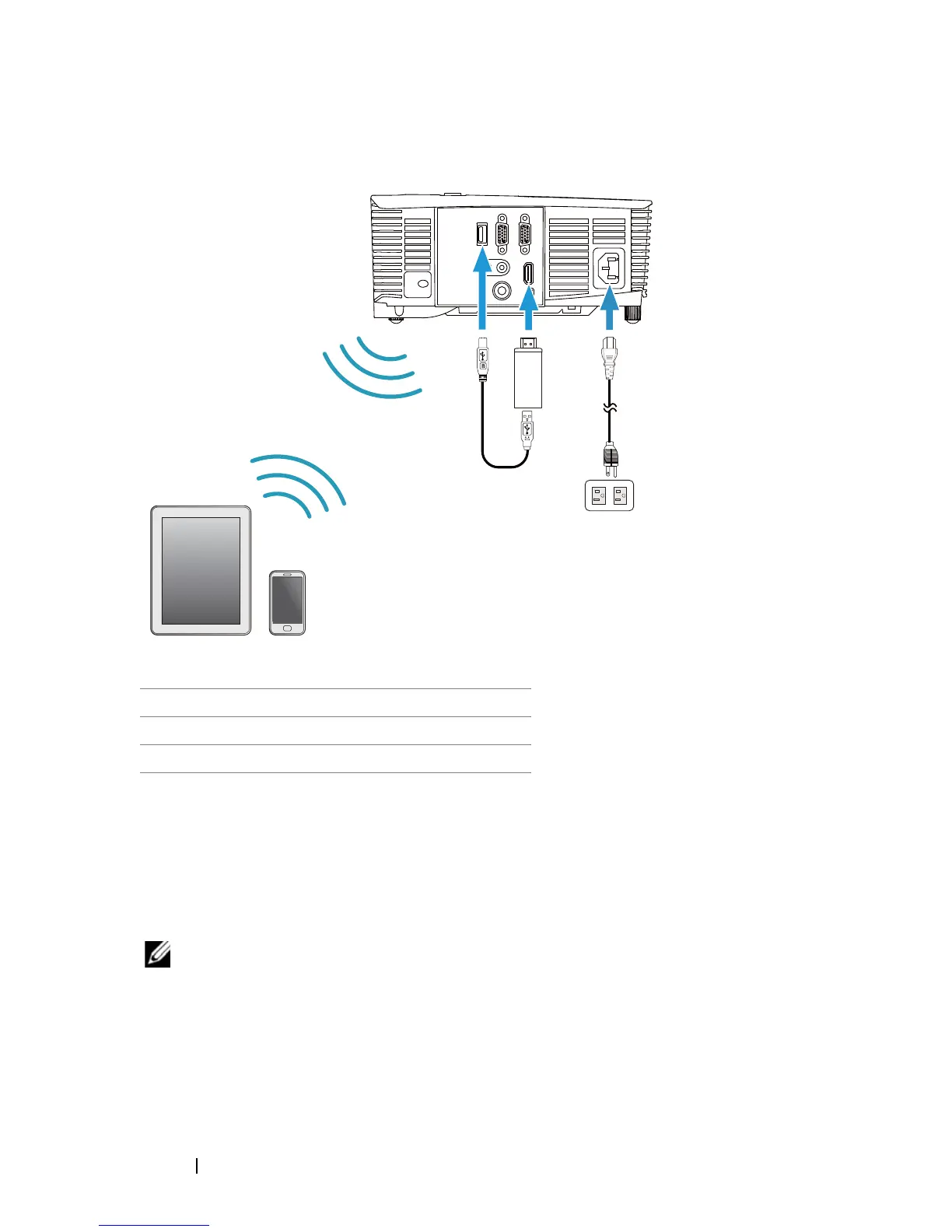
Connecting with Wireless Display Adapter via HDMI (1450 Only)
1
Connect receiver to HDMI port and its USB power cable to the powered
USB port.
2
Switch to HDMI source mode.
3
Complete setup following receiver's setup instructions.
NOTE: The Wireless Display Adapter is not shipped with your
projector. You can purchase Wireless Display Adapter on the Dell
website at
www.dell.com
.
1 Power cord
2 Wireless Display Adapter
3 USB-A to Mini USB-B cable
MOLEX
2
3
1



 To Next Page