Back to Contents Page
Operating the Monitor
Dell™ S2240L/S2340L Monitor User's Guide
Using the Right Side Panel Controls
Using the On-Screen Display (OSD) Menu
Setting the Maximum Resolution
Using the Tilt
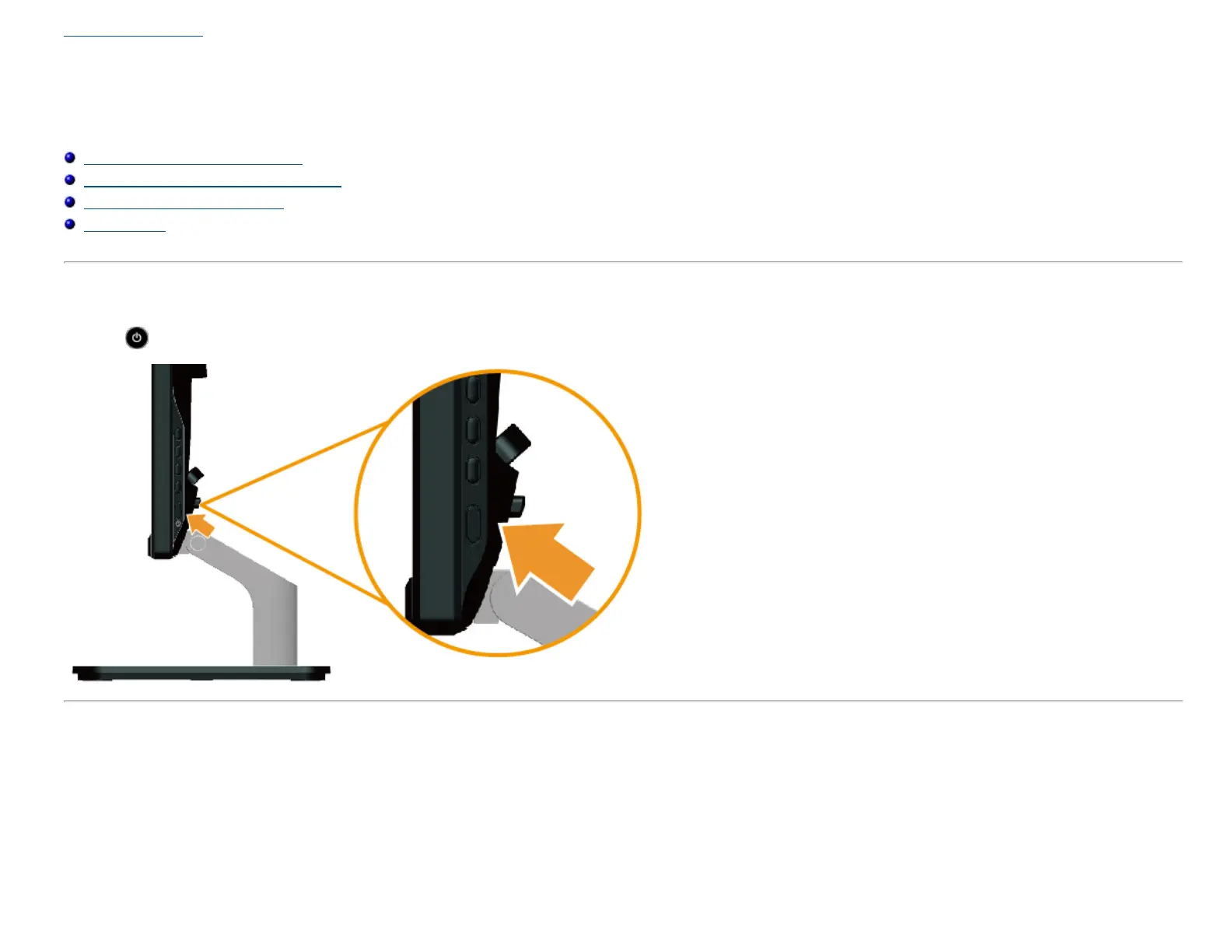
Power On the Monitor
Press the button to turn on the monitor.
Using the Right Side Panel Controls
Use the keys on the Right side of the monitor to adjust the image settings.



 To Next Page