12 | Setting Up the Monitor
Setting Up the Monitor
Connecting the Stand
NOTE: The stand is detached when the monitor is shipped from the factory.
NOTE: The following steps is applicable for a monitor with a stand.
2
1
1
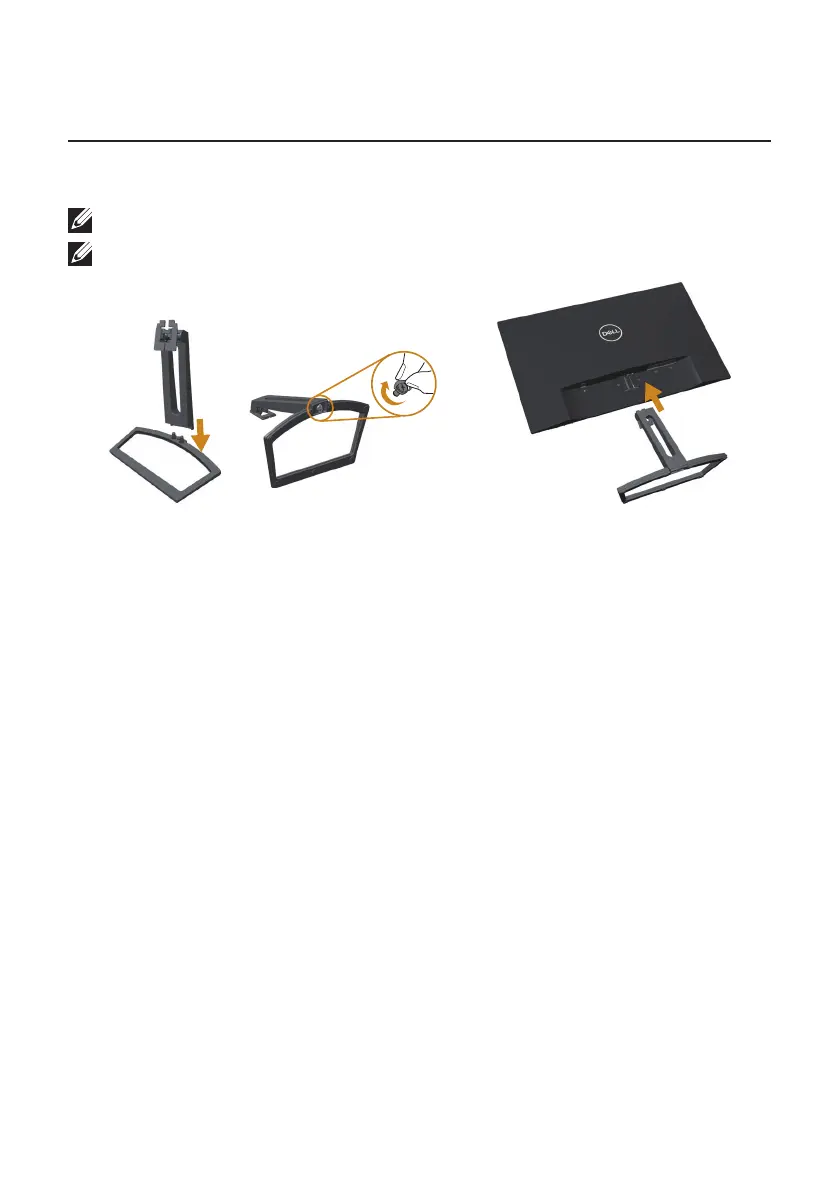
To attach the monitor stand:
1.
Fit the stand riser and stand base together, and then turn in the stand base.
2.
Fit the two tabs on the upper part of the stand to the groove on the back of the
monitor.Press the stand until it snaps into place.



 To Next Page