28 | Operating Your Monitor
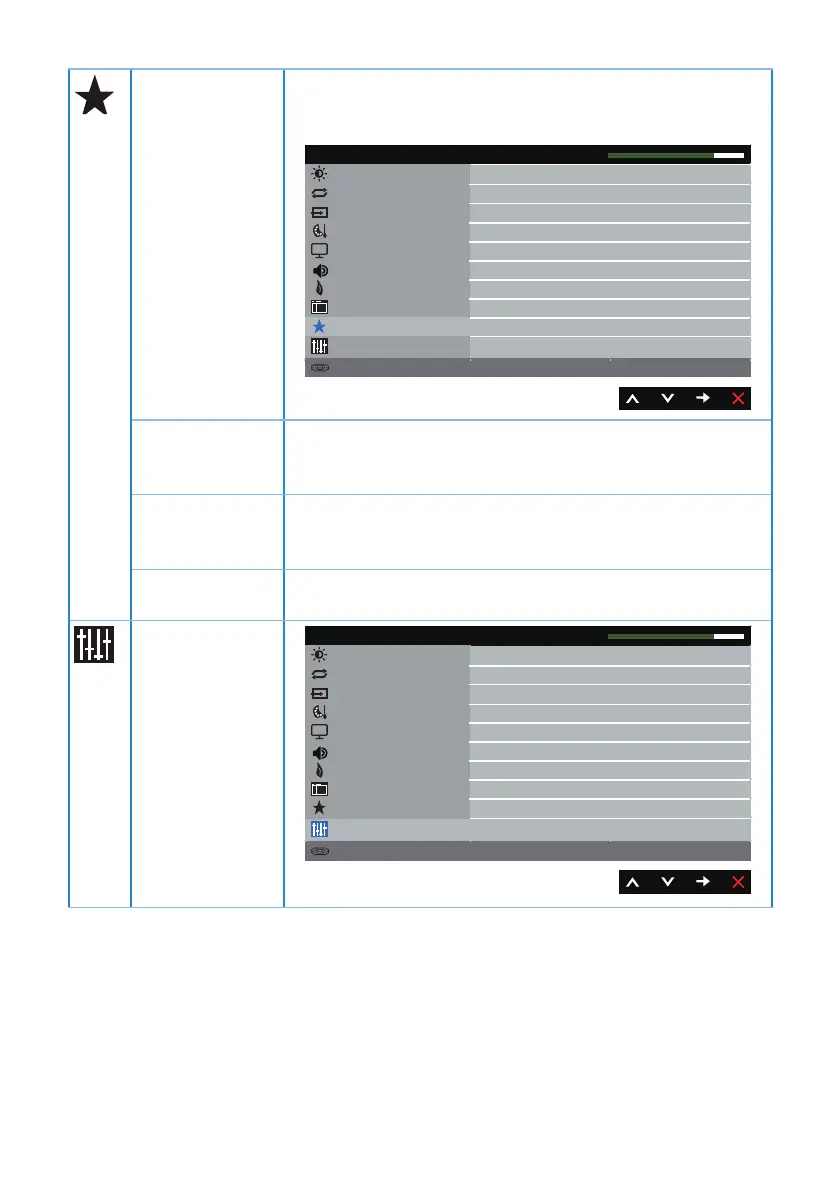
Personalize Users can choose a feature from Shortcut Key 1, Shortcut
Key 2, Reset Personalization, Preset Modes or Brightness/
Contrast and set it as a shortcut key.
Brightness / Contrast
Energy
Others
Resolution: 1920x1080, 60Hz
Dell S2318HN/NX Energy Use
Auto Adjust
Input Source
Color
Display
Menu
Personalize
Shortcut Key 1Preset Modes
Shortcut Key 2Brightness/Contrast
Reset Personalization
Audio
Shortcut Key 1 User can select one of the followings: Preset Modes,
Brightness/Contrast, Auto Adjust, Input Source and
Aspect Ratio to set the Shortcut Key 1.
Shortcut Key 2 User can select one of the followings: Preset Modes,
Brightness/Contrast, Auto Adjust, Input Source and
Aspect Ratio to set the Shortcut Key 2.
Reset
Personalization
Allows you to restore shortcut key to the default setting.
Others
Brightness / Contrast
Energy
Personalize
Resolution: 1920x1080, 60Hz
Dell S2318HN/NX Energy Use
Auto Adjust
Input Source
Color
Enable
Disable
Display
DDC/CI
LCD Conditioning
Reset Other
Factory Reset
Menu
Others
Audio



 To Next Page