10 | About your monitor
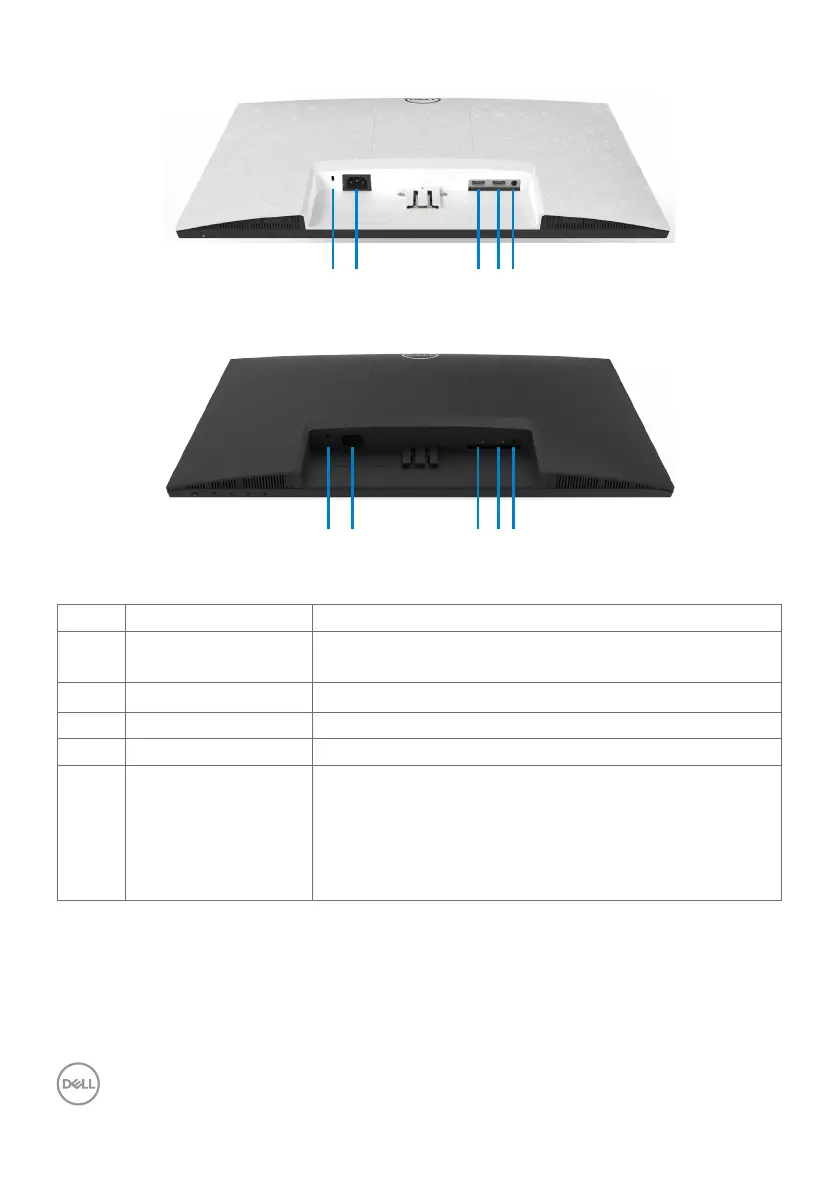
Bottom view
21 3 4 5
S2421HN/S2721HN
21 3 4 5
S2421NX/S2721NX
Label Description Use
1 Security lock slot Secures monitor with security cable lock (sold
separately).
2 Power connector Connect the power cable (shipped with your monitor).
3 HDMI port 1 Connect your computer with HDMI cable.
4 HDMI port 2 Connect your computer with HDMI cable.
5 Audio Line-out port Connect speakers to playback audio coming through
HDMI audio channel.
Only two-channel audio is supported.
NOTE: The audio line-out port does not support
headphones.



 To Next Page
 Loading...