20 Using Your Projector
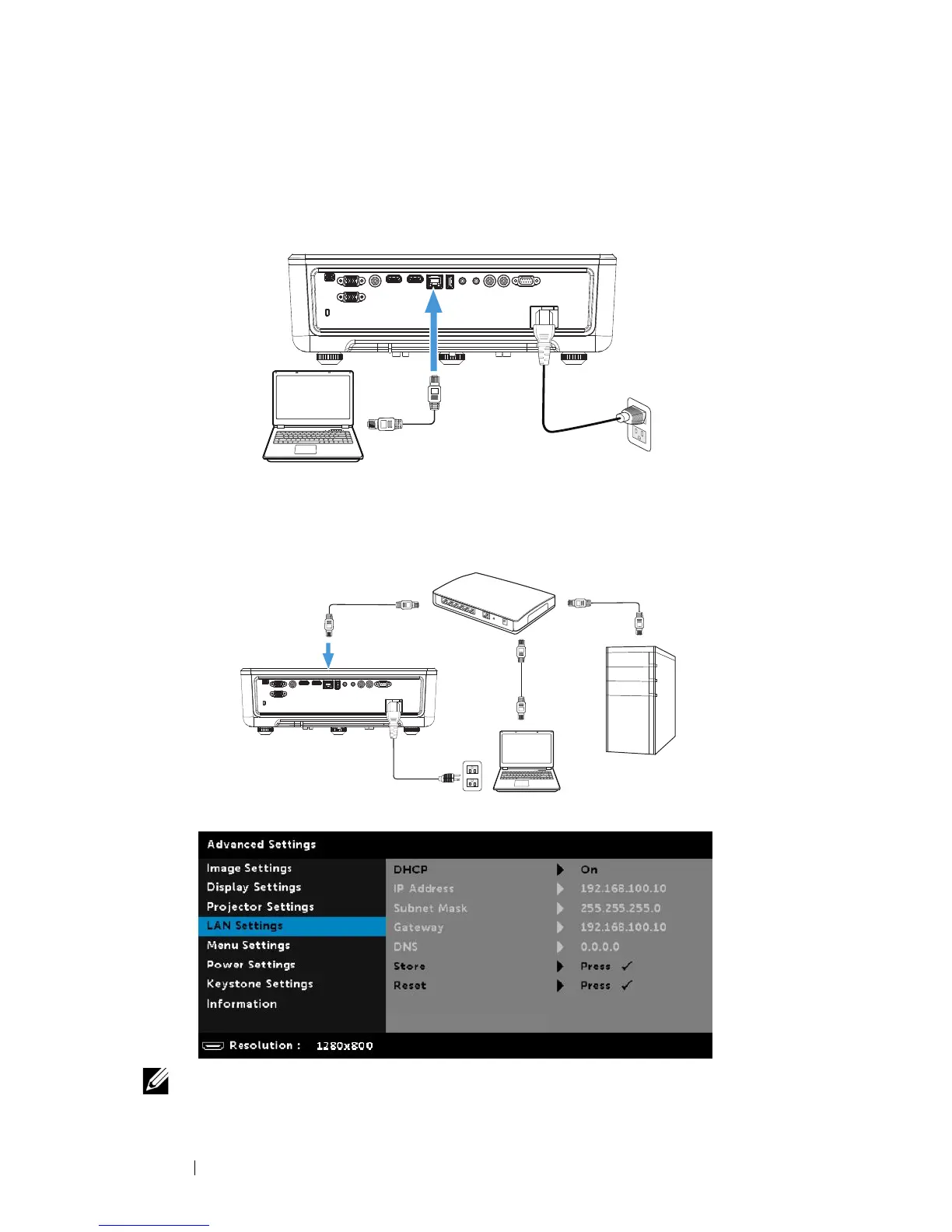
Connect Projector Directly to the Computer
A.Direct cable connection
5
Connect the LAN cable to the projector and the computer.
B.Network switch
6
Connect the LAN cable to the projector and the computer via the switch
source.
7
DHCP of LAN Settings switches to
On
.
NOTE: If the DHCP setting is set to On, the IP sharing device will
automatically assign a set of IP Address, Subnet Mask, and Gateway.



 To Next Page