Back to Contents Page
Setting Up the Monitor
Dell™ST2320L/ST2321LmonitorUser'sGuide
Attaching the Base
Connecting the Monitor
Attaching the Soundbar (Optional)
Removing the Monitor Stand
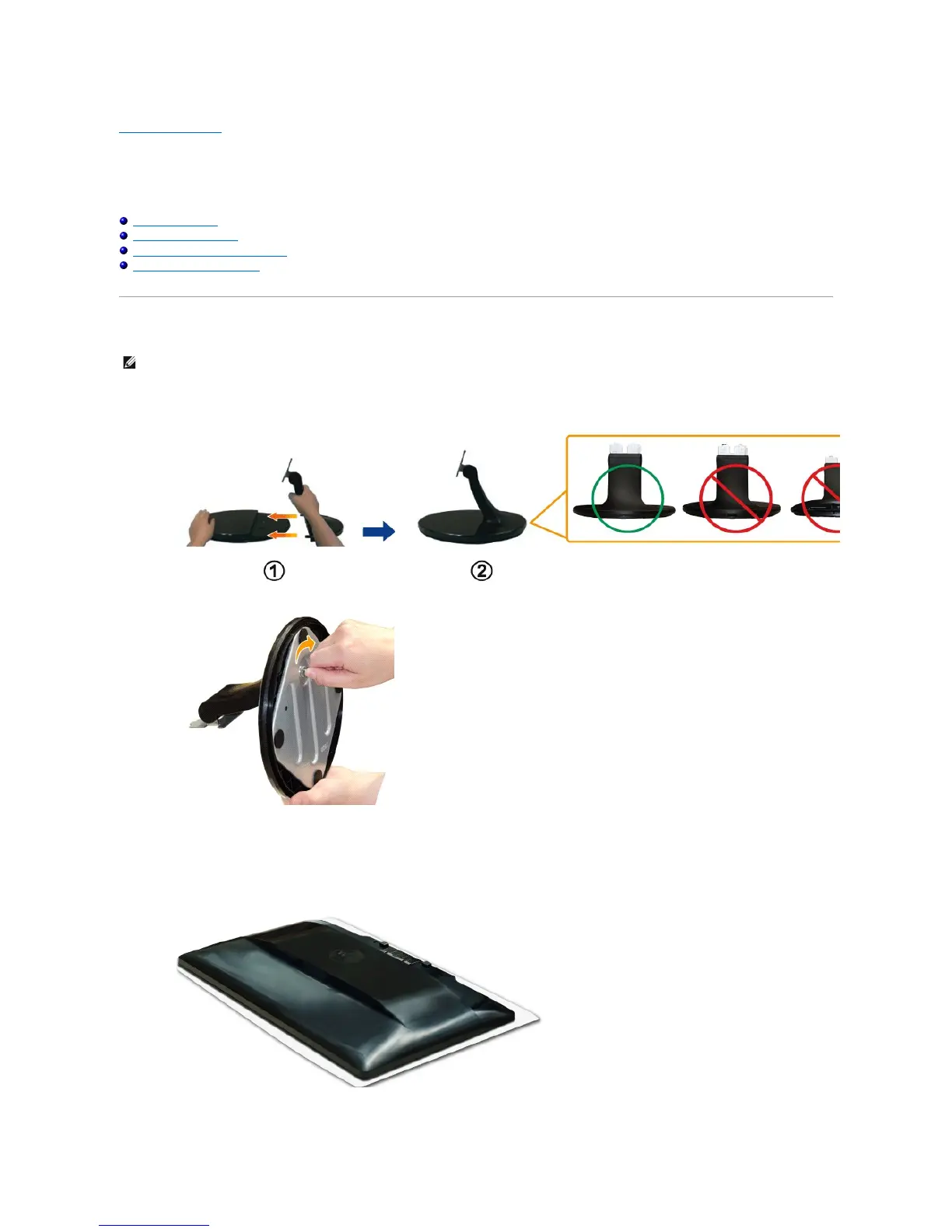
Attaching the Base
1. Assemble the stand riser to stand base.
a. Place the stand riser on top of the stand base. Slide the stand riser horizontally until the tabs are fully inserted into the stand base grooves.
b. Tighten the thumbscrew below the stand base.
2. Attach the stand assembly to the monitor.
a. Place the monitor on a soft cloth or cushion near the edge of desk.
b. Align the stand assembly bracket to the monitor groove.
c. Insert the bracket towards monitor until it locked in place.



 To Next Page