6
Setting Up Your Studio 540
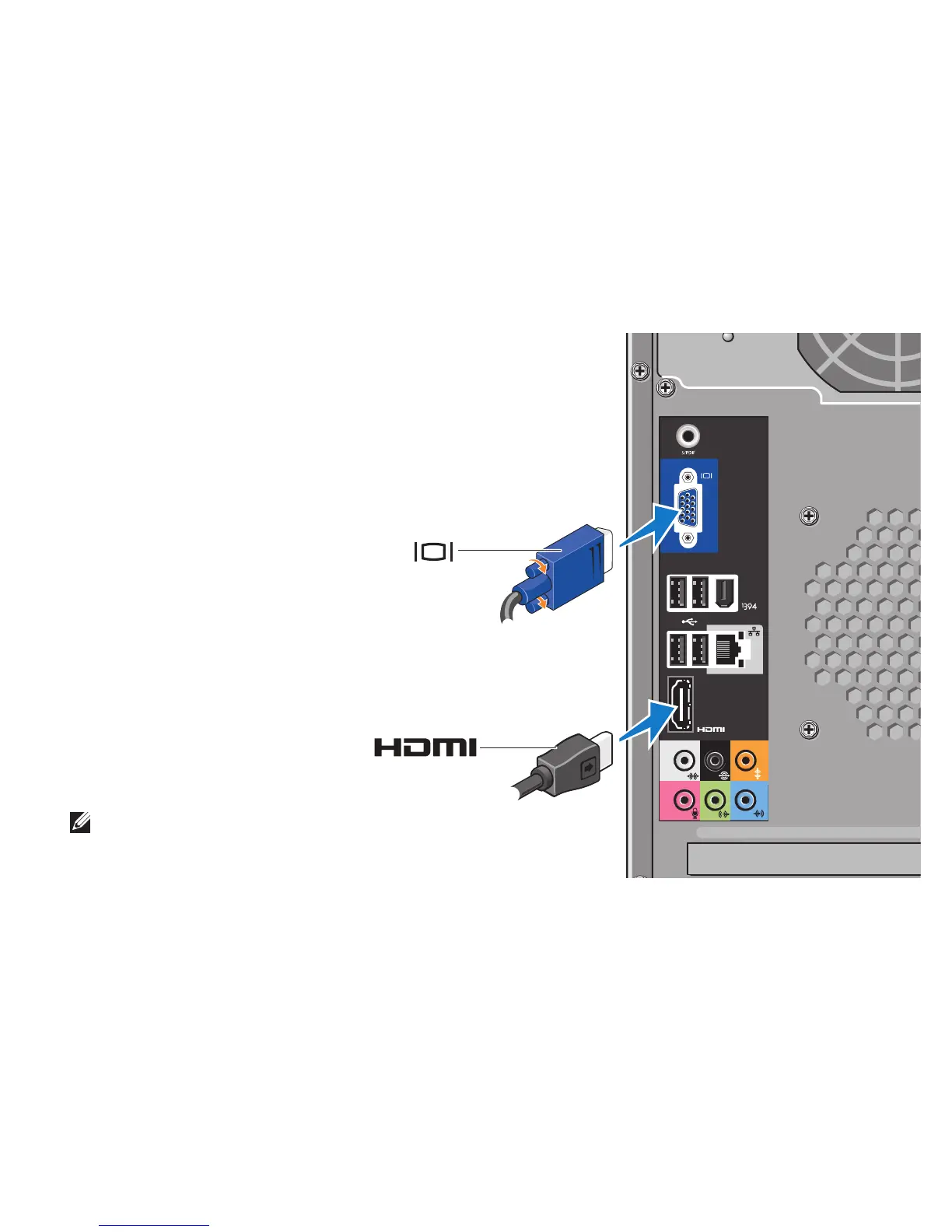
Connect the Display
Your computer uses one of two
different connectors for connecting
the display. The HDMI connector is a
high‑performance digital connector
that carries both video and audio
signals for displays such as TVs and
monitors with integrated speakers.
The VGA connector carries only video
signals for displays such as monitors
and projectors.
NOTE: A DVI connector may be available on
your computer if you purchased an optional
discreet graphics card.
‑OR‑







 To Next Page