Options Actions
Enables the application to be unpinned from the start
screen.
Enables to uninstall the application.
Enables to turn off the live update on the running
applications. Example: Weather
Enables to resize the application. You can resize the
application to Wide, Medium, and Small sizes.
Enables to clear all the selections made.
How to access the Start screen
Follow either method to access the Start screen:
• Press the Windows button .
• Swipe from the right edge of the display to access the Charms bar, and then touch the Start icon .
Get to know Windows 8.1
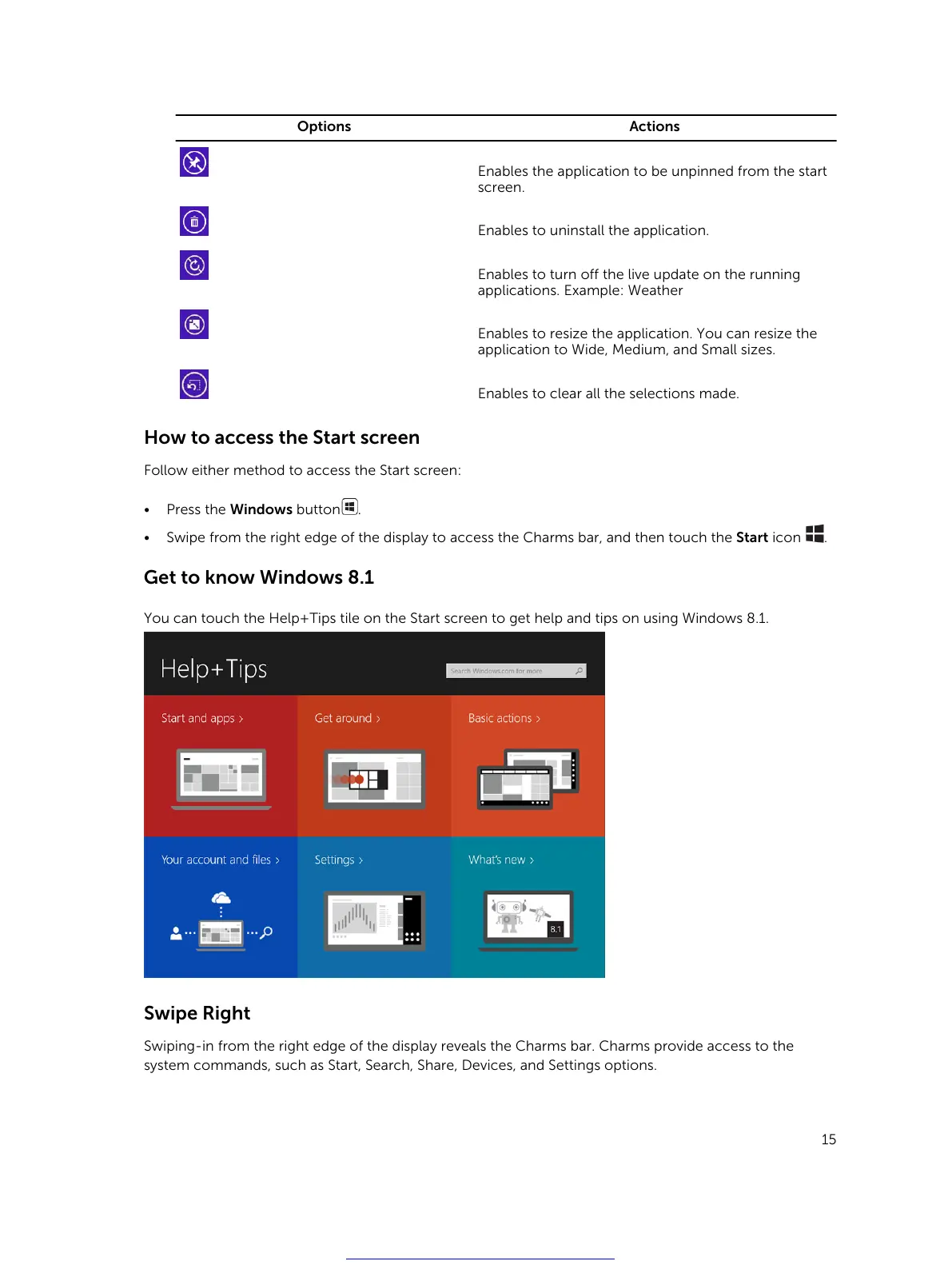
You can touch the Help+Tips tile on the Start screen to get help and tips on using Windows 8.1.
Swipe Right
Swiping-in from the right edge of the display reveals the Charms bar. Charms provide access to the
system commands, such as Start, Search, Share, Devices, and Settings options.
15
Get other manuals https://www.bkmanuals.com



 To Next Page