NOTE: DisplayPort output supports only direct DisplayPort-to-DisplayPort or active DisplayPort
adapters. Passive adapters are not supported by DisplayPort.
NOTE: The desktop dock is sold separately and is not shipped with the tablet.
NOTE: When you connect your tablet to HDMI connector or DisplayPort connector, you can select
the following options on the external display:
• Tablet only
• Duplicate
• Extended
• External only
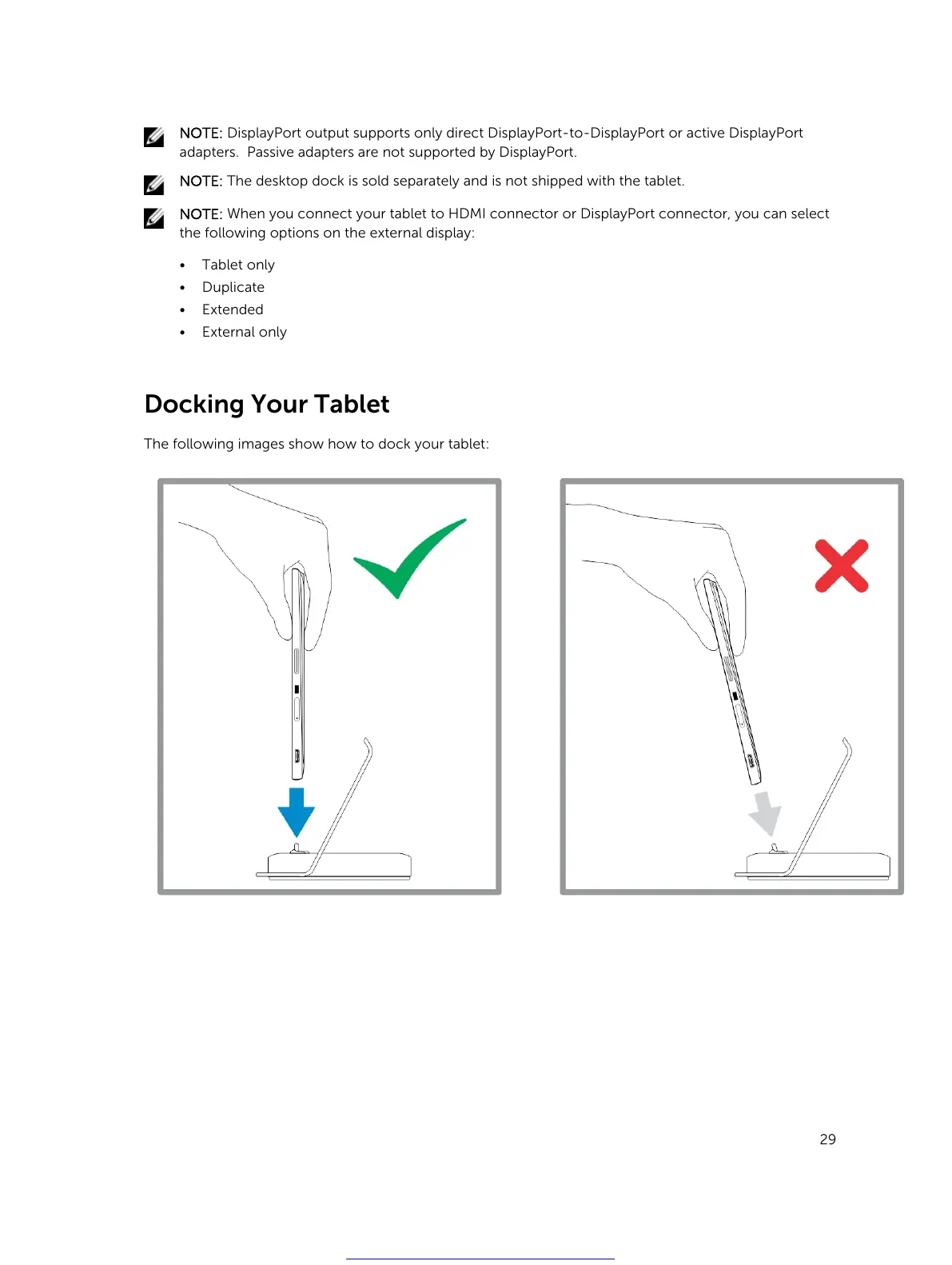
Docking Your Tablet
The following images show how to dock your tablet:
29
Get other manuals https://www.bkmanuals.com



 To Next Page