7
Desktop Dock Features
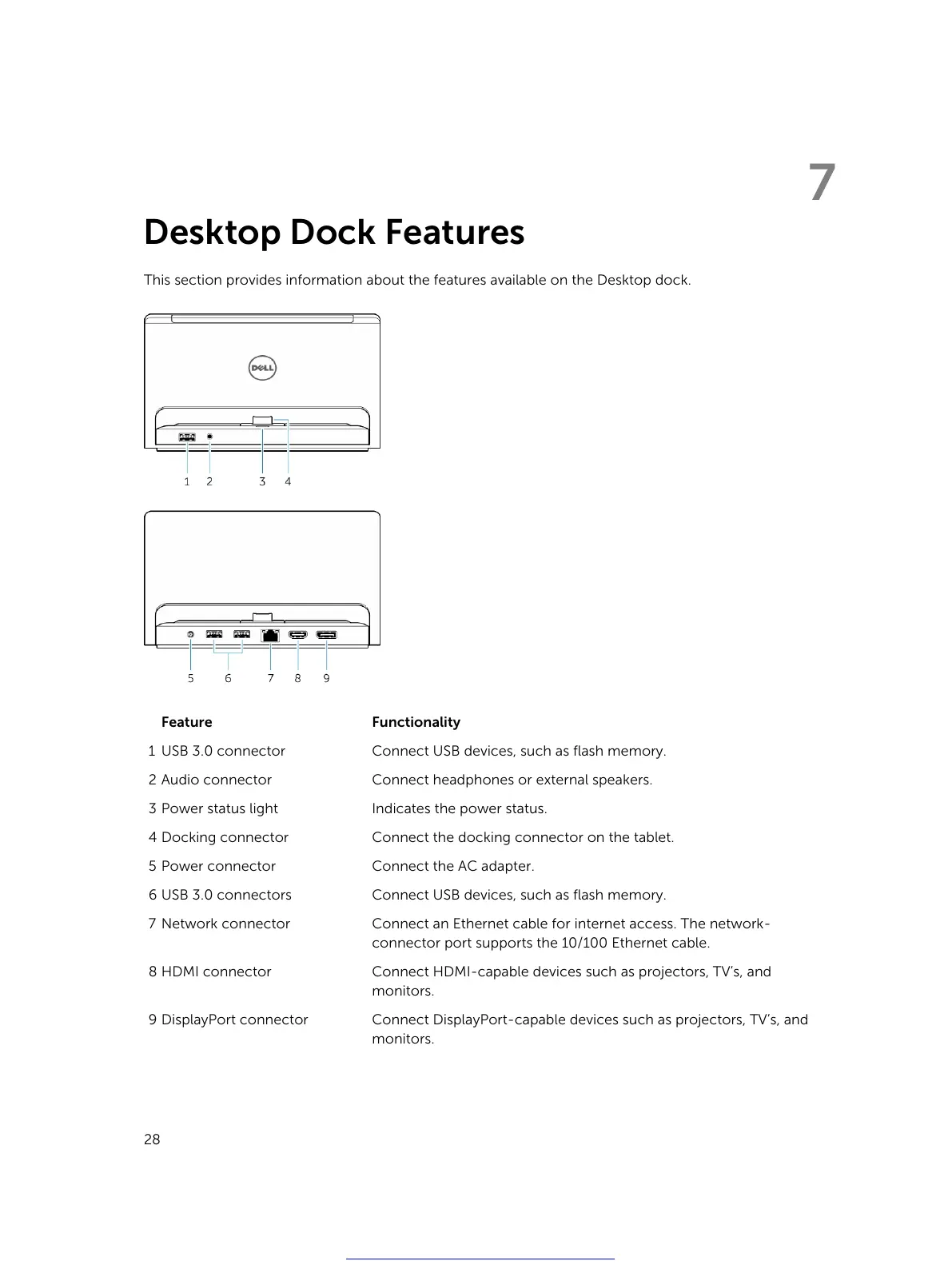
This section provides information about the features available on the Desktop dock.
Feature Functionality
1 USB 3.0 connector Connect USB devices, such as flash memory.
2 Audio connector Connect headphones or external speakers.
3 Power status light Indicates the power status.
4 Docking connector Connect the docking connector on the tablet.
5 Power connector Connect the AC adapter.
6 USB 3.0 connectors Connect USB devices, such as flash memory.
7 Network connector Connect an Ethernet cable for internet access. The network-
connector port supports the 10/100 Ethernet cable.
8 HDMI connector Connect HDMI-capable devices such as projectors, TV’s, and
monitors.
9 DisplayPort connector Connect DisplayPort-capable devices such as projectors, TV’s, and
monitors.
28
Get other manuals https://www.bkmanuals.com



 To Next Page