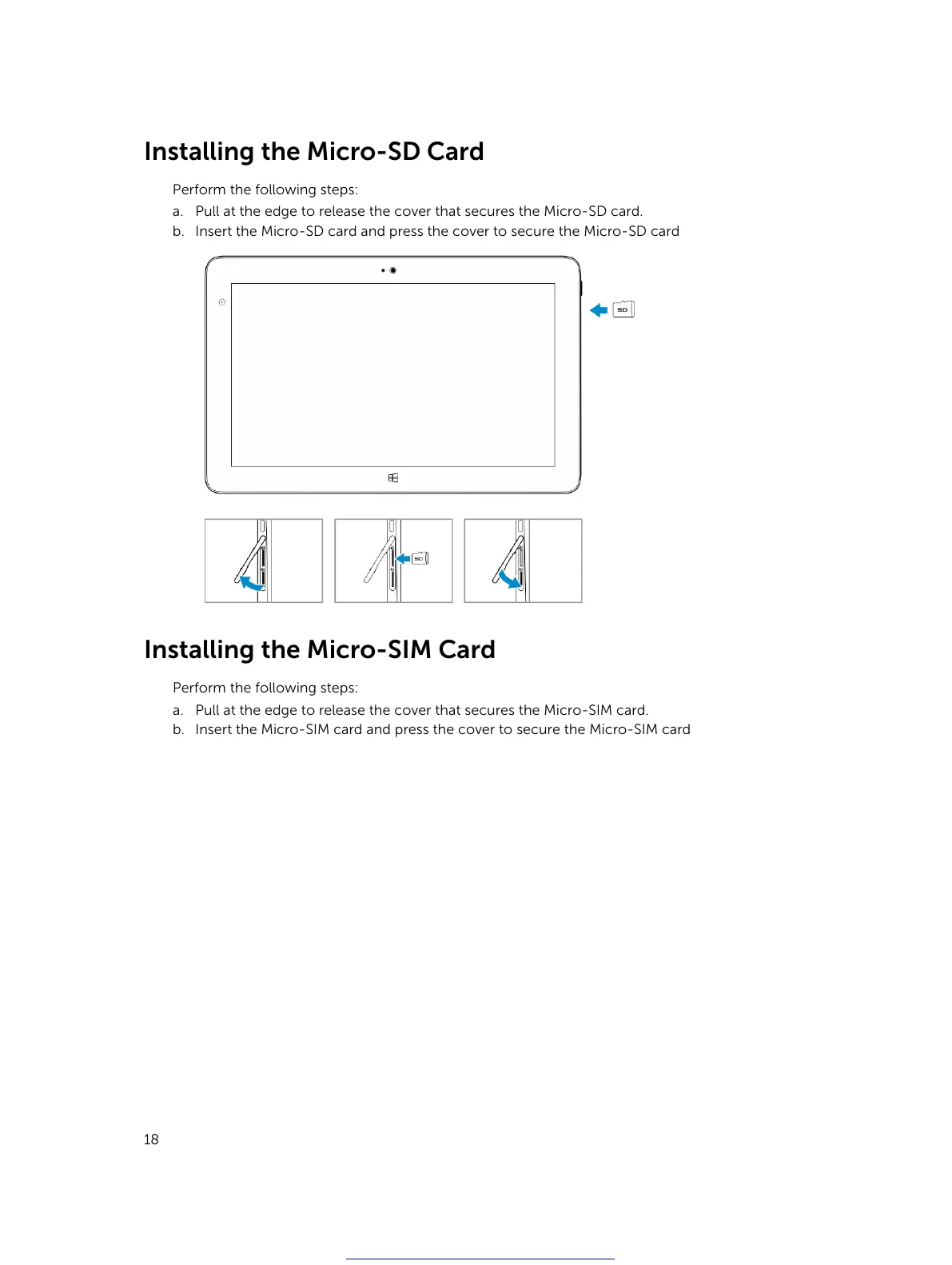
Installing the Micro-SD Card
Perform the following steps:
a. Pull at the edge to release the cover that secures the Micro-SD card.
b. Insert the Micro-SD card and press the cover to secure the Micro-SD card
Installing the Micro-SIM Card
Perform the following steps:
a. Pull at the edge to release the cover that secures the Micro-SIM card.
b. Insert the Micro-SIM card and press the cover to secure the Micro-SIM card
18
Get other manuals https://www.bkmanuals.com



 To Next Page