Back to Contents Page
Operating the Monitor
Dell™ U2713HM Flat Panel Monitor User's Guide
Using the Front Panel Controls
Using the On-Screen Display (OSD) Menu
Setting the Maximum Resolution
Using the Dell Soundbar AX510/AX510PA only (Optional)
Using the Tilt, Swivel, and Vertical Extension
Rotating the monitor
Adjusting the Rotation Display Settings of Your System
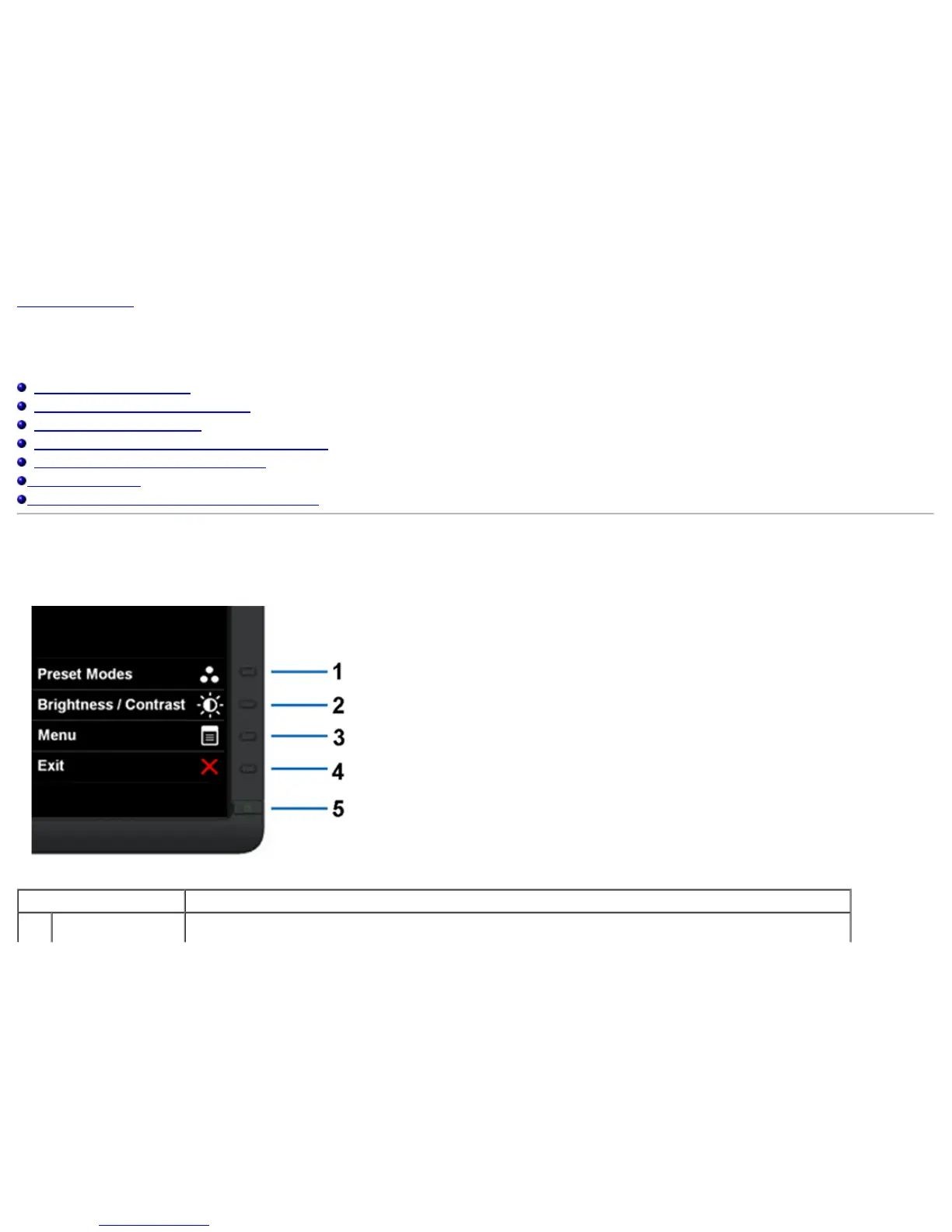
Using the Front Panel
Use the control buttons on the front of the monitor to adjust the characteristics of the image being displayed. As you use these buttons to adjust the controls, an OSD shows the
numeric values of the characteristics as they change.
The following table describes the front panel buttons:
Front panel Button Description
1 Use this button to choose from a list of preset color modes.


 To Next Page