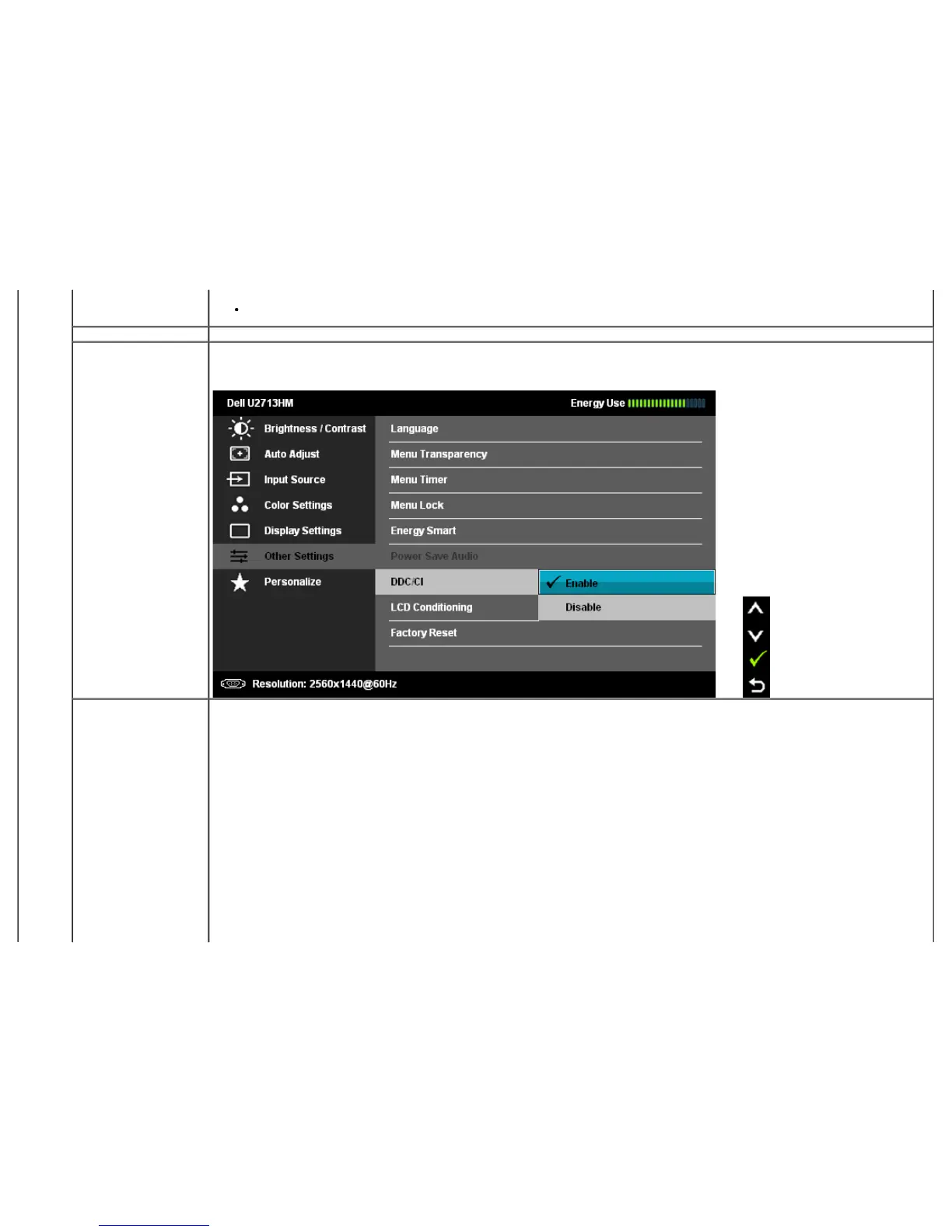
When Energy Smart is On, The 'Energy Use indicator' on OSD menu should response to the changes in the screen content.
Power Save Audio To turn on or off Audio Power during Power Save mode.
DDC/CI DDC/CI (Display Data Channel/Command Interface) allows your monitor parameters (brightness, color balance etc) to be adjustable via
software on your computer. You can disable this feature by selecting "Disable".
Enable this feature for best user experience and optimum performance of your monitor.
LCD Conditioning Helps reduce minor cases of image retention. Depending on the degree of image retention, the program may take some time to run. You
can enable this feature by selecting "Enable".


 To Next Page