
 Need help?
Do you have a question about the Dell UltraSharp U4919DW and is the answer not in the manual?
Defines the meaning of NOTE, CAUTION, and WARNING messages for safe operation.
Lists the components included in the monitor package.
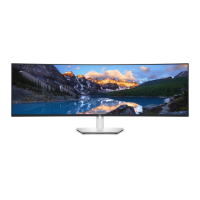
Details the key features and specifications of the Dell U4919DW monitor.
Identifies the front panel buttons and controls of the monitor.
Identifies the ports and labels on the back of the monitor.
Identifies the connectors and ports on the bottom of the monitor.
Details the display technology, aspect ratio, pixel pitch, and viewing angles.
Covers scan ranges, maximum resolution, supported video modes, and preset display modes.
Details electrical input signals, voltage, and physical dimensions/weight.
Lists compliant standards, operating temperature, humidity, altitude, and thermal dissipation.
Explains how the monitor manages power consumption and its ENERGY STAR compliance.
Details the pin configuration for the DisplayPort connector.
Details the pin configuration for the HDMI connector.
Explains how the monitor interacts with systems using Plug and Play technology.
Provides information on the monitor's USB ports, including Super-Speed USB 3.0 and Type-C.
Details the pinouts for the USB upstream and downstream connectors.
Details the pinout for the USB Type-C connector and lists available USB ports.
Information regarding the monitor's pixel policy and quality standards.
Provides instructions and precautions for cleaning the monitor safely.
Step-by-step instructions for attaching the monitor stand.
Instructions for mounting the monitor using VESA-compatible brackets.
Guide on how to connect the monitor using an HDMI cable and adjust settings.
Guide on how to connect the monitor using a DisplayPort cable.
Instructions for connecting the monitor via USB Type-C.
Instructions for connecting the monitor using USB 3.0 cables for single/dual computer setups.
Tips for managing and organizing cables connected to the monitor.
Step-by-step instructions for detaching the monitor stand.
How to turn the monitor on and off using the power button.
Overview and function of the monitor's front panel buttons for settings adjustment.
Steps to launch and navigate the monitor's On-Screen Display (OSD) menu.
Adjusting brightness, contrast, input source, color, preset modes, aspect ratio, and sharpness.
Configuring PBP, USB functions, menu settings, and personalization options.
Viewing display info, DDC/CI, LCD conditioning, firmware, and resetting settings.
Displays common warning messages seen in the OSD and their meanings.
Steps to set the monitor's maximum resolution in Windows operating systems.
Steps to set KVM as shortcut and illustrates connection scenarios for multiple computers.
How to adjust the monitor's tilt, swivel, and vertical extension for comfortable viewing.
Recommended configuration for a dual-monitor setup.
Procedures for running monitor self-tests and built-in diagnostics.
Solutions for common issues like no video, poor focus, color problems, and intermittent malfunctions.
Troubleshooting for specific issues like screen size, resolution, USB interface, and Type-C power.
Information on safety, FCC, regulatory compliance, and how to contact Dell support.
 General
| 3D | - |
|---|---|
| DDC/CI | Yes |
| HD type | UltraWide Dual Quad HD |
| Pixel pitch | 0.234 x 0.234 mm |
| Pixel density | 109 ppi |
| Response time | 8 ms |
| Backlight type | W-LED |
| Display diagonal | 49 \ |
| Screen curvature | 3800 mm |
| Display resolution | 5120 x 1440 pixels |
| Display technology | LCD |
| Native aspect ratio | 32:9 |
| Vertical scan range | 24 - 86 Hz |
| Maximum refresh rate | 60 Hz |
| Response time (fast) | 5 ms |
| Supported video modes | 480p, 576p, 720p, 1080i, 1080p |
| Viewable size diagonal | 1244.6 mm |
| Screen curvature rating | 3800R |
| Viewable size, vertical | 336.96 mm |
| sRGB coverage (typical) | 99 % |
| Contrast ratio (typical) | 1000:1 |
| Display number of colors | 1.073 billion colors |
| Viewable size, horizontal | 1198.08 mm |
| Display brightness (typical) | 350 cd/m² |
| Supported graphics resolutions | 5120 x 1440 |
| Input current | 3 A |
| AC input voltage | 100 - 240 V |
| Power supply type | Internal |
| AC input frequency | 50 - 60 Hz |
| Energy efficiency scale | A to G |
| Power consumption (max) | 230 W |
| Power consumption (off) | 0.2 W |
| Power consumption (standby) | 0.4 W |
| Power consumption (typical) | 47 W |
| Power consumption (PowerSave) | 35.25 W |
| Operating altitude | 0 - 3048 m |
| Non-operating altitude | 3048 - 12192 m |
| Storage temperature (T-T) | -20 - 60 °C |
| Operating temperature (T-T) | 0 - 40 °C |
| Storage relative humidity (H-H) | 10 - 90 % |
| Operating relative humidity (H-H) | 20 - 80 % |
| Tilt angle range | -5 - 21 ° |
| Cable lock slot type | Kensington |
| Panel mounting interface | 100 x 100 mm |
| Color name | Silver |
| Feet color | Black/Silver |
| Certification | TCO |
| Product color | Black, Silver |
| Market positioning | Business |
| USB hub version | 3.2 Gen 1 (3.1 Gen 1) |
| DisplayPort version | 1.4 |
| USB upstream port type | USB Type-B |
| VGA (D-Sub) ports quantity | 0 |
| USB Type-A downstream ports quantity | 5 |
| Cables included | AC, DisplayPort, HDMI, USB, USB Type-C |
| Dell E-Value Code | u4919dw |
| Doesn't contain | PVC |
| Sustainability certificates | RoHS, EPEAT Gold, ENERGY STAR |
| Package type | Box |
| Package depth | 1404.87 mm |
| Package width | 325.12 mm |
| Package height | 532.89 mm |
| Package weight | 26430 g |
| Harmonized System (HS) code | 85285210 |
 Weight and Dimensions
| Bezel width (top) | 12.2 mm |
|---|---|
| Bezel width (side) | 11 mm |
| Depth (with stand) | 252.6 mm |
| Height (with stand) | 458.6 mm |
| Weight (with stand) | 17200 g |
| Bezel width (bottom) | 17.4 mm |
| Depth (without stand) | 109.3 mm |
| Width (without stand) | 1215.1 mm |
| Height (without stand) | 371 mm |
| Weight (without stand) | 11400 g |






 To Next Page