EasyManua.ls Logo

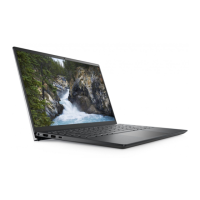
Dell Vostro 14 5415 - User Manual

Dell Vostro 14 5415
77 pages
Print Icon
To Next Page IconTo Next Page
Loading...
Vostro 14 5415
Service Manual
Regulatory Model: P143G
Regulatory Type: P143G002
August 2021
Rev. A01

Table of Contents

Other manuals for Dell Vostro 14 5415

Questions and Answers

  • C
    Craig AdamsAug 19, 2025
    What to do if Dell Vostro 14 5415 battery is swollen?
    • T
      tonya28Aug 20, 2025
      If the lithium-ion battery in your Dell laptop is swollen, immediately stop using the laptop. Disconnect the AC adapter and allow the battery to fully discharge. It is recommended to replace the swollen battery and dispose of it properly. You may also contact Dell product support to explore options for replacing the battery under your warranty or service contract.
  • D
    Dominique GeorgeAug 21, 2025
    What to do if Dell Laptop no memory / RAM detected?
    • M
      maria71Aug 21, 2025
      If your Dell Laptop does not detect memory/RAM, ensure that the memory module is correctly installed. If the problem continues, consider replacing the memory module.
  • D
    Daniel BellAug 25, 2025
    What to do if Dell Laptop memory / RAM failure?
    • C
      carly36Aug 25, 2025
      If the Dell Laptop's memory/RAM fails, try resetting and swapping the memory modules between the slots. If the issue remains, replace the memory module.
  • S
    sweeneybrendaAug 26, 2025
    What to do if Dell Laptop invalid memory installed?
    • N
      Nicholas BensonAug 26, 2025
      If an invalid memory is installed on your Dell Laptop, try resetting and swapping the memory modules between the slots. If the problem persists, consider replacing the memory module.
  • J
    John BlankenshipAug 28, 2025
    How to fix Dell Vostro 14 5415 BIOS recovery image not found?
    • A
      Amanda SextonAug 28, 2025
      If the BIOS recovery image is not found on your Dell Laptop, flash the latest BIOS version. If the problem continues, replace the system board.
  • R
    Ronald WoodAug 29, 2025
    How to fix Dell Vostro 14 5415 BIOS recovery image found but invalid?
    • T
      Taylor KimAug 30, 2025
      If the BIOS recovery image found on your Dell Laptop is invalid, flash the latest BIOS version. If the problem persists, replace the system board.
  • R
    Ronnie MitchellAug 31, 2025
    What to do if Dell Vostro 14 5415 Laptop CPU failure?
    • J
      James CarsonAug 31, 2025
      If your Dell Laptop experiences a CPU failure, run the Intel CPU diagnostics tools. If the problem continues, replace the system board.
  • D
    Donald LopezSep 2, 2025
    What to do if Dell Vostro 14 5415 system board failure?
    • E
      elizabeth64Sep 3, 2025
      If your Dell Laptop experiences a system board failure, including BIOS corruption or ROM error, flash the latest BIOS version. If the problem persists, replace the system board.
  • T
    Tony IbarraSep 5, 2025
    What to do if Dell Laptop system board / Chipset Error?
    • A
      Alexandra GuzmanSep 5, 2025
      If your Dell Laptop experiences a system board/chipset error, replace the system board.
  • W
    wrobinsonSep 7, 2025
    What to do if Dell Vostro 14 5415 LCD failure (SBIOS message)?
    • M
      markpopeSep 7, 2025
      If your Dell Laptop's LCD fails and shows an SBIOS message, replace the LCD module.

Dell Vostro 14 5415 Specifications

General IconGeneral
ProcessorAMD Ryzen 5 5500U
RAM8GB DDR4
Storage512GB SSD
Display14-inch FHD (1920 x 1080)
GraphicsAMD Radeon Graphics
Operating SystemWindows 11 Home
Battery3-cell 42Whr
WirelessWi-Fi 6, Bluetooth 5.1
Camera720p HD
AudioStereo speakers, Waves MaxxAudio Pro
Ports1 x USB-C, 2 x USB-A, 1 x HDMI, 1 x SD card reader, 1 x headphone/microphone combo

Related product manuals