
 Need help?
Do you have a question about the Dell VxRail VP-760 and is the answer not in the manual?
Access support resources, register account, link with VxRail Manager.
Create account for documentation, license files, software updates.
Identifies resources for obtaining support for the VxRail.
Use Solve Online for procedures to avoid data loss during hardware replacement/software upgrade.
Provides methods to find the VxRail serial number in VxRail Manager or on the physical unit.
Steps to find the serial number within the VxRail Manager interface.
Instructions to find the physical serial number on the VxRail chassis.
How to access VxRail information using the QRL or Service Tag.
Describes components and indicators on the front panel of the system.
Details ports, panels, and slots available on the rear of the system.
Provides an overview of the internal components of the system.
Explains the location and content of system information labels on the unit.
Information regarding rail solutions and rack compatibility for the system.
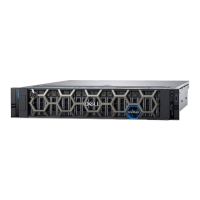
Details the chassis dimensions and physical design of the VxRail VP-760.
Outlines the supported Intel Xeon scalable processors for the VxRail VP-760.
Describes the specifications for the AC and DC Power Supply Units (PSUs) used in the system.
Information on the operating systems supported by the VxRail VP-760.
Details the specifications for the different types of cooling fans used in the system.
Information about the system's coin-cell battery.
Details the specifications for the expansion card risers and PCle slots.
Outlines the supported memory types, speeds, and capacities for the system.
Lists the supported storage controller cards for the VxRail VP-760.
Describes the supported drive configurations and disk group options.
Details the specifications for the various ports and connectors on the system.
Provides specifications for the integrated graphics controller.
Details the physical and environmental operating specifications for the system.
Specifies limitations for particulate and gaseous contamination.
Outlines thermal restrictions for different configurations and components.
Guidance for performing a self-deployment of the VxRail system.
Step-by-step instructions for unpacking, installing, and powering on the system.
Information on configuring the Integrated Dell Remote Access Controller (iDRAC) for system management.
Details various interfaces to configure the iDRAC IP address for network communication.
Instructions on how to log in to the iDRAC interface using different user types.
Overview of options for managing pre-OS applications like System Setup and Boot Manager.
How to access and configure BIOS settings, iDRAC, and device settings via System Setup.
Information on accessing and navigating the System BIOS settings.
Details on viewing system model, BIOS version, and service tag within System BIOS.
Configuration options for system memory, including size, type, speed, and testing.
Options for configuring processor features, performance, and security settings.
Configuration options for the embedded SATA controller and drives.
Configuration options for NVMe boot modes and drivers.
Options to set the system boot mode (UEFI/BIOS) and boot order.
Configuration for network settings within the BIOS.
Settings for integrated system devices like USB ports, NICs, and video controllers.
Configuration for serial ports, including console redirection and port addressing.
Settings for system profiles, CPU power management, memory frequency, and turbo boost.
Options for system passwords, TPM settings, Intel TXT, and secure boot.
Configuration for redundant operating system boot options.
Settings for system time, date, asset tag, and other miscellaneous options.
Describes how iDRAC validates system configuration during POST.
Details common error messages (HWC8010, HWC8011) and their resolution.
Emphasizes using Solve Online for procedures to avoid data loss during replacement.
Lists components that are customer-replaceable (CRU) vs. field-replaceable (FRU).
Guidelines for installing and configuring DDR5 memory modules in the system.
General best practices for memory installation to ensure proper function.
Instructions and diagrams for installing expansion cards in the system's PCIe slots.
Shows connectors on the 24 x 2.5-inch drive backplane.
Overview of system board jumpers and connectors with diagrams and tables.
Details jumper settings for features like BIOS password and NVRAM clearing.
Instructions on how to disable system and software password features using jumpers.
Explains the meaning and corrective actions for system status LEDs.
Describes the system health and system ID indicator lights and their states.
Explains the indicator codes for the iDRAC Direct port.
Details the indicator codes for the optional iDRAC Quick Sync 2 module.
Describes the activity and link status indicators for Network Interface Cards (NICs).
Explains the indicator codes for Power Supply Units (PSUs) indicating power status or faults.
Details the drive status indicator codes and what they signify.
Guidance on running system diagnostics to troubleshoot hardware issues.
Information about the ePSA diagnostics for testing system hardware.
How to run diagnostics when the system does not boot.
How to run diagnostics using the Dell Lifecycle Controller.
Information on system board LEDs for POST and hardware issue identification.
Explains the benefits of secure connect gateway for automated technical support.
 General
| Product Type | Hyper-converged infrastructure appliance |
|---|---|
| Manufacturer | Dell EMC |
| Model | VxRail VP-760 |
| Management Software | VxRail Manager |
| Processor | Intel Xeon Scalable |
| Storage | Up to 38TB raw |
| Maximum Storage Capacity | Up to 38TB raw |
| Drive Bays | 24 |
| Drive Types Supported | SSD |
| RAID Support | Hardware RAID |
| Network Interface | 10GbE, 25GbE |
| Networking | 10GbE, 25GbE |
| Hypervisor | VMware vSphere |
| Form Factor | 2U |
| Power Supply | Redundant power supplies |
| Supported Protocols | iSCSI, NFS, SMB |






 To Next Page