
 Need help?
Do you have a question about the Dell SC5020 and is the answer not in the manual?
General safety advisories for installation and operation, including lifting and environmental concerns.
Guidance on avoiding laser exposure from Fibre Channel systems.
Steps for unpacking and identifying the SC5020 storage system components.
Instructions for attaching and securing the front bezel to the storage system.
Information on how the SC5020 connects to other drives and enclosures.
Details on the Redundant Array of Independent Disks (RAID) controller and management.
Description of connectors on the back panel of the storage controller.
Explanation of LED indicators on the front panel, hard drive carrier, and storage controller.
Specifications for Power Supply Units (PSU) including power ratings and operating ranges.
Power consumption details for hard drive slots in the system.
Operational limits for altitude and airborne contaminant levels.
The Dell SC5020 Storage System is a robust and scalable solution designed for data storage and management in various IT environments. Its primary function is to provide a reliable and high-performance platform for storing and accessing data, supporting a wide range of applications and workloads. The system is engineered to integrate seamlessly into existing network infrastructures, offering flexibility in connectivity options and management.
One of the core usage features of the SC5020 is its support for dedicated SAN networks, which Dell recommends for optimal data transmission, especially when utilizing Fibre Channel or iSCSI storage. This ensures efficient and high-speed data transfer between the storage system and host servers. To enhance reliability and data availability, the system emphasizes the configuration of redundant data paths. This critical feature ensures that if one data path becomes disabled, alternate paths are available, preventing service interruptions and maintaining continuous data access. This redundancy is a cornerstone of its design, aiming to minimize downtime and protect against single points of failure.
Before connecting any cables, the manual strongly advises physically labeling each port and connector between the storage system, host server, or expansion enclosure. This practice significantly simplifies troubleshooting and maintenance by providing clear identification of connections. Proper power-up and power-down procedures are also highlighted as essential for cycling power across the network, ensuring the stability and integrity of all connected components. Furthermore, it is recommended to verify that critical network components are on separate power circuits, adding another layer of resilience against power-related issues.
The SC5020 is intended for restricted access locations, such as dedicated equipment rooms or closets, underscoring its role as a critical infrastructure component that requires a controlled environment. A significant warning is issued regarding installation in closed or multi-unit rack assemblies: the operating ambient temperature within the rack environment may exceed room ambient temperature. Therefore, careful consideration must be given to installing the equipment in an environment that is compatible with the maximum ambient temperature (Tma) specified by the manufacturer, to prevent overheating and potential data loss.
Safety is a paramount concern during installation, particularly due to the system's weight. A fully configured SC5020 storage system weighs approximately 43 kg (95 lb), necessitating a two-person lift. The manual includes a clear "TWO PERSON LIFT REQUIRED" caution, along with a recommendation to use appropriate lifting methods to prevent injury. For Fibre Channel storage systems, specific warnings related to laser radiation are provided. Users are cautioned about Class I laser radiation when the system is open, advising to avoid exposure to the beam. A general warning about laser radiation also emphasizes avoiding direct exposure to the beam, ensuring user safety during handling and operation.
The system is certified to conform to DHHS 21 CFR, chapter 1 Subchapter J for Class I laser products in the U.S., and IEC 60825-1:2007 elsewhere. These certifications confirm that Class I laser products are not considered hazardous, and the laser system is designed to prevent human access to laser radiation above a Class I level during normal operation, user maintenance, or prescribed service conditions.
For ease of support and identification, each storage system is equipped with a unique service tag and Express Service Code, found on the front information tag or a sticker on the chassis. This information is crucial for Dell to route support calls to the appropriate personnel. Additionally, a Quick Resource Locator (QRL) code on the information tag allows users to scan it with a smartphone or tablet for immediate access to system-specific information, streamlining support and information retrieval.
Regarding installation and configuration, the SC5020 requires a 3U space in the lower 20U of a rack. If installation above the lower 20U is necessary, a customer-provided mechanical lift is required to prevent injury, reinforcing the importance of safe handling. The unpacking process involves identifying several components, including documentation, the storage system itself, rack rails, USB cables, power cables, and a front bezel.
The installation of the storage system in a rack is detailed, with Dell recommending two people for installing the rails. The SC5020 ships with a ReadyRails II kit, available in tool-less and tooled styles, with detailed instructions provided in the rail kit box. The process involves positioning the left and right rail end pieces (labeled FRONT) facing inward, aligning them with the appropriate U space holes, and engaging the back and front ends of the rail until they fully seat and latch. The system is then aligned with the rails and slid into the rack. Finally, latches on each side of the front panel are lifted, and screws are tightened to secure the system to the rack. If expansion enclosures are part of the system, their installation follows similar steps, with instructions provided separately.
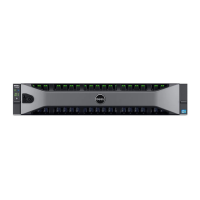
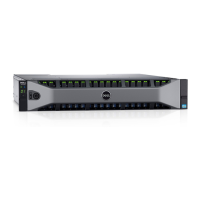
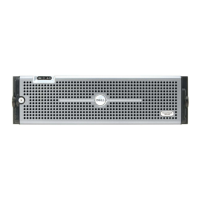
Installing the front bezel involves hooking its right end onto the storage system, inserting the left end into the securing slot until the release latch snaps into place, and then securing the bezel with the keylock. This step not only provides aesthetic completion but also helps protect the front components of the system.
Connecting the power cables is a critical step. Users must ensure that the power switches are in the OFF position before connecting the cables. The power cables are then securely connected to both power supply/cooling fan modules in the storage system chassis. Velcro straps are provided to secure the power cables to the chassis, preventing accidental disconnections. The other end of the power cables should be plugged into a grounded electrical outlet or a separate power source, such as an uninterrupted power supply (UPS) or a power distribution unit (PDU), to ensure stable and protected power delivery.
Maintenance features are implicitly supported by the design, such as hot-swappable storage controllers and hard drives, which allow for component replacement without system downtime. The internal battery backup unit in each storage controller ensures that write cache data can be saved to an SSD within the controller during a power failure, preserving data integrity. RAID management is performed using the Dell Storage Manager Client, providing a centralized interface for monitoring and configuring storage.
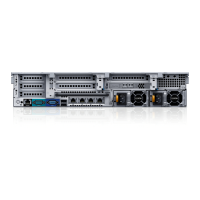
The system's back-panel ports offer various connectivity options, including Fibre Channel, iSCSI, or SAS front-end connectors for host server connections, and MGMT Ethernet ports (1 Gbps or 10 Gbps) for Storage Center management. SAS back-end connectors (12 Gb SAS, SFF-8644 compliant) facilitate connections to expansion enclosures. A serial connector (micro USB) is included for initial configuration and support-only functions, providing a direct interface for system setup and diagnostics.
LED indicators on the front panel, hard drive carriers, and storage controllers provide visual cues for system status, power status, activity, port activity, system faults, and system identification, aiding in quick diagnostics and monitoring. For power supply units, dual-color LED handles indicate power supply and cooling fan status. These indicators are essential for quick visual checks of the system's operational health.
Overall, the Dell SC5020 Storage System is designed for high availability, ease of management, and robust performance, with a strong emphasis on safety and best practices for installation and operation in a professional IT environment.
 General
| Form Factor | 2U |
|---|---|
| Controllers | Dual controllers |
| RAID Levels | RAID 0, 1, 5, 6, 10 |
| Drive Bays | 30 x 2.5-inch drives |
| Host Connectivity | 8 x 16Gb Fibre Channel or 8 x 10Gb iSCSI |
| Product Type | Storage Array |
| Power Supply | Dual, hot-swappable |




 To Next Page


