EasyManua.ls Logo

Dell SC9000 - User Manual

Dell SC9000
18 pages
Print Icon
To Next Page IconTo Next Page
Loading...
Dell Storage Center
SC9000 Storage System
Owner's Manual
Regulatory Model: E09J, E10J
Regulatory Type: E09J001, E10J001

Other manuals for Dell SC9000

Question and Answer IconNeed help?

Do you have a question about the Dell SC9000 and is the answer not in the manual?

Summary

About This Guide

Revision History

Details previous versions and changes made to the manual.

Intended Audience

Identifies the target users for this document.

Contacting Dell Support

Provides information on how to get support from Dell.

SC9000 Hardware Components

Storage System Overview

Provides a high-level description of the storage system components.

Front Panel Features and Indicators

Details the features and indicators on the front panel of the SC9000 storage controller.

Back Panel Features and Indicators

Describes the features and indicators located on the back panel of the storage controller.

SC9000 Monitoring and Diagnostics

LCD Panel Features

Explains the functionality and display of the LCD panel on the storage controller.

Home Screen

Describes the user-configurable information displayed on the Home screen.

Setup Menu Options

Details available configuration options for the storage system via the LCD menu.

View Menu Options

Details information accessible through the View menu on the LCD panel.

Replacing SC9000 Storage System Components

Safety Precautions

Lists essential safety measures to prevent injury and equipment damage.

Replacing the Front Bezel

Provides step-by-step instructions for removing and installing the front bezel.

Pre-Replacement Procedures

Outlines necessary steps before replacing components like rack rails.

Replacing Rack Rails

Details the process for removing and installing rack rails for the storage controller.

Post-Replacement Procedures

Describes actions to perform after component replacement, including startup.

Technical Specifications

Processor Specifications

Details the processor type and core count for the SC9000.

Power Specifications

Provides information on power supply wattage, heat dissipation, and voltage.

Expansion Bus and Slots

Describes the PCI Express bus type and expansion slot configurations.

Memory Architecture

Details the memory type, minimum, and maximum RAM supported.

Connectors Overview

Lists and describes the various connectors on the front, back, and internal components.

Physical Dimensions and Weight

Provides the physical height, width, depth, and maximum weight of the system.

Environmental Operating Conditions

Details temperature, humidity, and other environmental requirements for operation.

Operating Temperature De-rating

Explains how temperature limits are adjusted based on altitude.

Particulate Contamination Guidelines

Specifies requirements for air filtration and dust levels to prevent damage.

Summary

About This Guide

Revision History

Details previous versions and changes made to the manual.

Intended Audience

Identifies the target users for this document.

Contacting Dell Support

Provides information on how to get support from Dell.

SC9000 Hardware Components

Storage System Overview

Provides a high-level description of the storage system components.

Front Panel Features and Indicators

Details the features and indicators on the front panel of the SC9000 storage controller.

Back Panel Features and Indicators

Describes the features and indicators located on the back panel of the storage controller.

SC9000 Monitoring and Diagnostics

LCD Panel Features

Explains the functionality and display of the LCD panel on the storage controller.

Home Screen

Describes the user-configurable information displayed on the Home screen.

Setup Menu Options

Details available configuration options for the storage system via the LCD menu.

View Menu Options

Details information accessible through the View menu on the LCD panel.

Replacing SC9000 Storage System Components

Safety Precautions

Lists essential safety measures to prevent injury and equipment damage.

Replacing the Front Bezel

Provides step-by-step instructions for removing and installing the front bezel.

Pre-Replacement Procedures

Outlines necessary steps before replacing components like rack rails.

Replacing Rack Rails

Details the process for removing and installing rack rails for the storage controller.

Post-Replacement Procedures

Describes actions to perform after component replacement, including startup.

Technical Specifications

Processor Specifications

Details the processor type and core count for the SC9000.

Power Specifications

Provides information on power supply wattage, heat dissipation, and voltage.

Expansion Bus and Slots

Describes the PCI Express bus type and expansion slot configurations.

Memory Architecture

Details the memory type, minimum, and maximum RAM supported.

Connectors Overview

Lists and describes the various connectors on the front, back, and internal components.

Physical Dimensions and Weight

Provides the physical height, width, depth, and maximum weight of the system.

Environmental Operating Conditions

Details temperature, humidity, and other environmental requirements for operation.

Operating Temperature De-rating

Explains how temperature limits are adjusted based on altitude.

Particulate Contamination Guidelines

Specifies requirements for air filtration and dust levels to prevent damage.

Overview

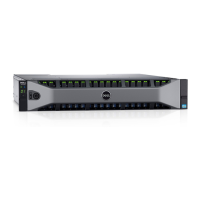
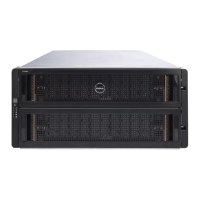
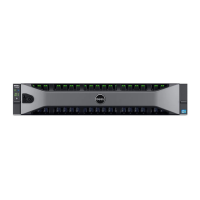
The Dell Storage Center SC9000 Storage System is an enterprise-class storage solution designed for high performance, scalability, and availability. It consists of two storage controllers, enterprise-class switches, and one or more expansion enclosures.

Function Description:

The storage controllers are the central processing units for the Storage Center Operating System, Dell Storage Client application software, and RAID storage management. Each storage controller is equipped with two Intel Xeon CPUs, a cache card, an Integrated Dell Remote Access Controller 8 (iDRAC8), a four-port Intel network daughter card, and up to six I/O cards installed in three full-height and three low-profile slots. The Storage Center Operating System is stored on an embedded SSD within each controller.

The I/O cards are categorized into front-end and back-end ports. Front-end ports facilitate host, server, or Network Attached Storage (NAS) appliance access to storage via iSCSI, Fibre Channel, or FCoE I/O cards through network switches. These ports are located on the back of the storage controller. Back-end ports connect directly to SAS ports on the storage controllers, forming a private network between the controllers and expansion enclosures that house the physical disks for back-end storage.

The system features an LCD panel on the front for displaying system ID, status, and error information. The LCD backlight is blue during normal operation and amber when attention is required, indicating an error code and descriptive text. If the storage controller is connected to a power source and an error is detected, the LCD lights amber regardless of whether the controller is on or off. The LCD panel also allows navigation through menus for setup and viewing system information.

Important Technical Specifications:

  • Processor: Two Intel Xeon 3.2 GHz 8-core processors.
  • Power Supply: Each power supply unit (PSU) is 1100 W, 100-240 V AC, autoranging, 50/60 Hz.
  • Heat Dissipation: Maximum 4100 BTU/hr (with 1100 W PSU).
  • Expansion Bus: PCI Express Generation 3.
    • Riser 1: (Slot 1) One half-height, low-profile x8 link.
    • Riser 2: (Slot 2) One half-height, low-profile x8 link; (Slot 3) One half-height, low-profile x8 link; (Slot 4) One full-height, full-length x16 link; (Slot 5) One full-height, full-length x8 link.
    • Riser 3: (Slot 6) One full-height, full-length x8 link; (Slot 7) One full-height, full-length x8 link.
  • Memory: 2133 MT/s DDR4 registered, load-reduced Error Correcting Code (ECC) DIMMs.
    • Minimum RAM: 128 GB with a single processor.
    • Maximum RAM: 256 GB with dual processors.
  • Connectors (Back):
    • NIC: Two 1 Gbps plus two 10 Gbps.
    • Serial: 9-pin, DTE, 16550-compatible.
    • USB: Two 4-pin, USB 3.0-compliant.
    • Video: 15-pin VGA.
  • Connectors (Front):
    • USB: One 4-pin, USB 2.0-compliant; one USB management port/iDRAC Direct.
    • Video: 15-pin VGA.
    • External vFlash card: One flash memory card slot with iDRAC8 Enterprise card.
  • Connectors (Internal):
    • USB: One 4-pin, USB 3.0-compliant.
  • Physical Dimensions:
    • Height: 8.73 cm (3.44 inch).
    • Width: 48.2 cm (18.98 inch).
    • Depth: 75.58 cm (29.75 inch).
    • Maximum configuration weight: 44 lb.
  • Environmental (Temperature):
    • Storage: -40° to 65°C (-40° to 149°F).
    • Continuous operation (altitude < 950 m): 10°C to 35°C (no direct sunlight).
    • Expanded operating temperature (<1% annual operating hours): -5°C to 45°C.
    • Temperature de-rating: Max temperature reduced by 1°C/300m (1°F/547ft) above 950m for 35-40°C, and 1°C/125m (1°F/228ft) above 950m for 40-45°C.
  • Environmental (Humidity):
    • Storage: 5% to 95% with 33°C (91°F) maximum dew point (non-condensing).
    • Operating: 10% to 80% with 29°C (84.2°F) maximum dew point.
  • Environmental (Vibration):
    • Operating: 0.26 Grms at 5 Hz to 350 Hz.
    • Storage: 1.88 Grms at 10Hz to 500 Hz for 15 min.
  • Environmental (Shock):
    • Operating: Six consecutive shock pulses of 40 G for up to 2.3 ms.
    • Storage: Six consecutive shock pulses of 71 G for up to 2 ms.
  • Environmental (Altitude):
    • Operating: 3,048 m (10,000 ft).
    • Storage: 12,000 m (39,370 ft).
  • Environmental (Contamination):
    • Air filtration: ISO Class 8 per ISO 14644-1 (data center environments).
    • Conductive dust: Air free of conductive dust, zinc whiskers, etc.
    • Corrosive dust: Air free of corrosive dust; residual dust deliquescent point < 60% relative humidity.
    • Gaseous contamination: Max corrosive contaminant levels <50% relative humidity.
    • Copper coupon corrosion rate: <300 Å/month per ClassG1.
    • Silver coupon corrosion rate: <200 Å/month per AHSRAE TC9.9.

Usage Features:

  • Monitoring and Diagnostics: The Storage Center Operating System generates alerts for temperature, I/O card, fan, and power conditions. These alerts can be viewed using the Dell Storage Client. System messages are recorded in the System Event Log (SEL) and may appear on the LCD panel.
  • LCD Panel Navigation: The LCD panel features Left, Select, and Right buttons for menu navigation. The Home screen displays user-configurable system information.
  • Setup Menu: Allows configuration of network mode (DHCP or Static IP), DNS settings, and display of LCD error messages (SEL or Simple format). Users can also set default information for the Home screen.
  • View Menu: Provides access to iDRAC, asset, power, and temperature information, including IPv4/IPv6 addresses, MAC addresses, system name, asset/service tag, power output (BTU/hr or Watts), and system temperature (Celsius or Fahrenheit).
  • SupportAssist: Facilitates sending diagnostic data to Dell Technical Support Services.

Maintenance Features:

  • Safety Precautions: Emphasizes following safety guidelines to prevent injury and damage, including proper grounding, use of electrostatic wrist guards, and adherence to rack-mounting best practices. Electrical safety precautions include disconnecting power before servicing non-hot-swappable components.
  • Front Bezel Replacement: Detailed steps for unlocking, removing, and replacing the front bezel.
  • Pre-Replacement Procedures: Includes sending diagnostic data via Dell SupportAssist and shutting down a storage controller using the Dell Storage Client. Shutting down one controller causes failover to the other.
  • Rack Rails Replacement: Procedures for replacing rack rails, including labeling cables, disconnecting cables, removing screws, and re-installing the controller and rails. This should be performed during a scheduled maintenance window.
  • Post-Replacement Procedures: Involves starting up the storage controller (if previously shut down) and sending diagnostic data via Dell SupportAssist to confirm the replacement part is recognized and operational.
  • Environmental Guidelines: Detailed specifications for air filtration, conductive and corrosive dust, gaseous contamination, and temperature/humidity ranges to prevent IT equipment damage.
  • Expanded Operating Temperature Restrictions: Notes that system performance may be impacted in expanded temperature ranges, ambient temperature warnings may be reported, cold startups below 5°C are not allowed, redundant power supplies are required, and non-Dell-qualified peripheral cards or cards greater than 25W are not supported.

Dell SC9000 Specifications

General IconGeneral
BrandDell
ModelSC9000
CategoryStorage
LanguageEnglish

Related product manuals