
 Need help?
Do you have a question about the Dell Wireless Keyboard and is the answer not in the manual?
Legal disclaimers regarding the document's content and supplier verification.
Information on compliance with US export control laws for products.
Instructions on how to set up the keyboard and mouse.
Lists the necessary hardware and software for device operation.
Identifies the keys and functions on the keyboard's top surface.
Explains how to lock and unlock the secondary functions of the F1-F12 keys.
Describes the side features, including the battery status light.
Details the battery compartment and palm rest attachment slots.
Identifies the buttons and battery status light on the mouse's top.
Explains the meaning of the blinking amber light on the mouse.
Outlines the optical sensor and power button on the mouse's bottom.
Details the function of the mouse's power button.
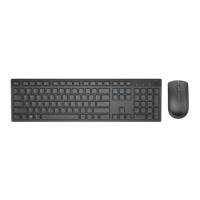
Basic information about the keyboard, including model and connection type.
Details the operating voltage and battery requirements for the keyboard.
Lists the dimensions and weight of the keyboard.
Specifies the operating and storage conditions for the keyboard.
Technical details about the wireless transmission and range for the keyboard.
Basic information about the mouse, including model and connection type.
Details the operating voltage and battery requirements for the mouse.
Lists the dimensions and weight of the mouse.
Specifies the operating and storage conditions for the mouse.
Technical details about the wireless transmission and range for the mouse.
Information regarding the limited warranty and return policies for Dell products.
Certification for hardware compatibility with Microsoft operating systems.
 General
| Connectivity Technology | Wireless |
|---|---|
| Battery Life | Up to 36 months |
| Color | Black |
| Keyboard Layout | QWERTY |
| Operating Distance | Up to 10 meters |
| Battery Type | AA |
| Compatible Devices | PC, Laptop |
| Number of Keys | 104 |

 To Next Page

