Identifying Parts and Controls (Keyboard Features) │ 7
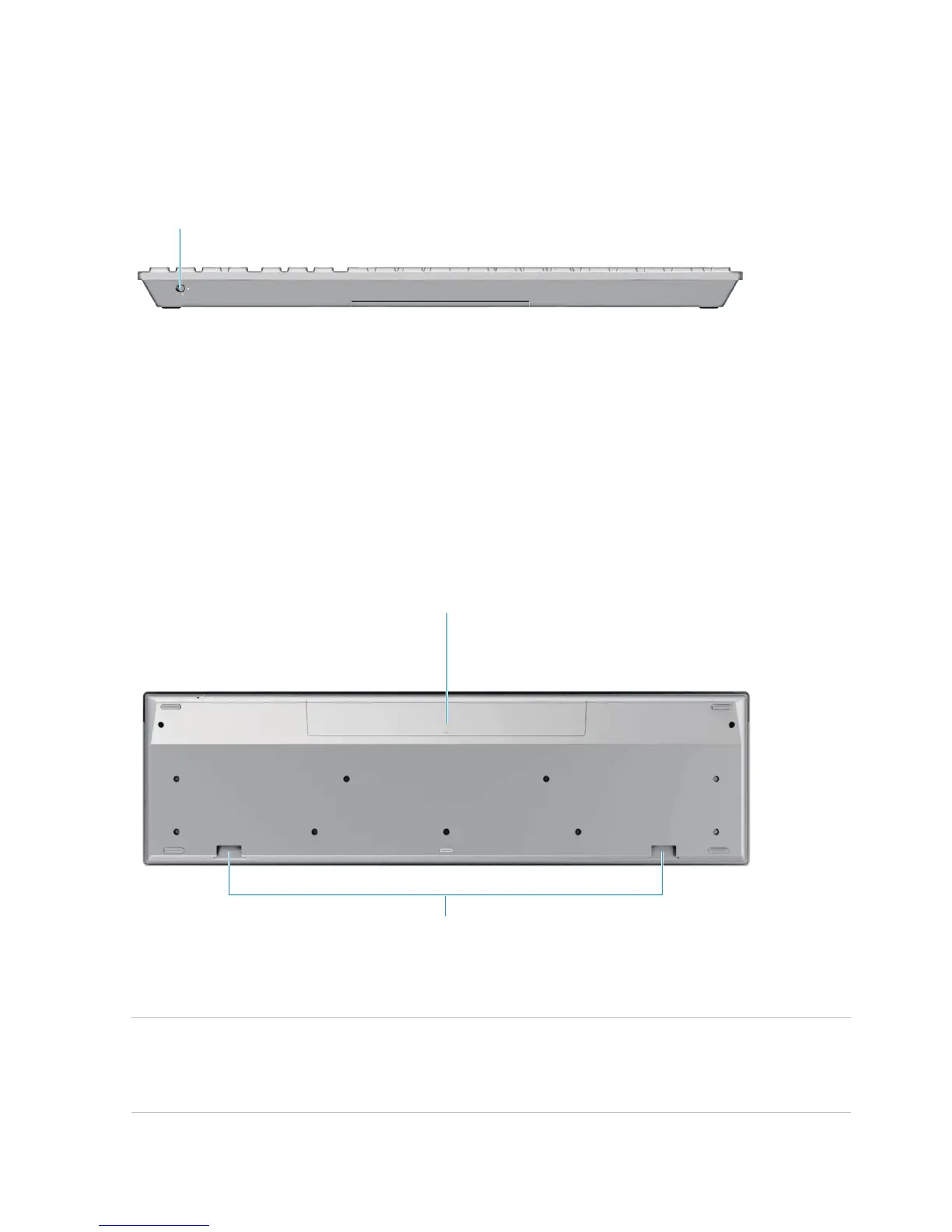
Side View
Battery status light – Indicates the status of the batteries installed in
your keyboard.
• Solid white – Appears for about 15 seconds after the batteries are
installed then turns off
• Blinking amber – Battery level is low. Replace the batteries.
Bottom View
1 Battery compartment – The battery compartment holds two AAA
batteries to power the keyboard.
2 Palm rest attachment slots – Attach the Dell keyboard
palm rest PR216 to the keyboard by inserting the two latches on
the palm rest into these two slots.
1
1
2
1


 To Next Page