System Information Guide 21
Installing a Battery
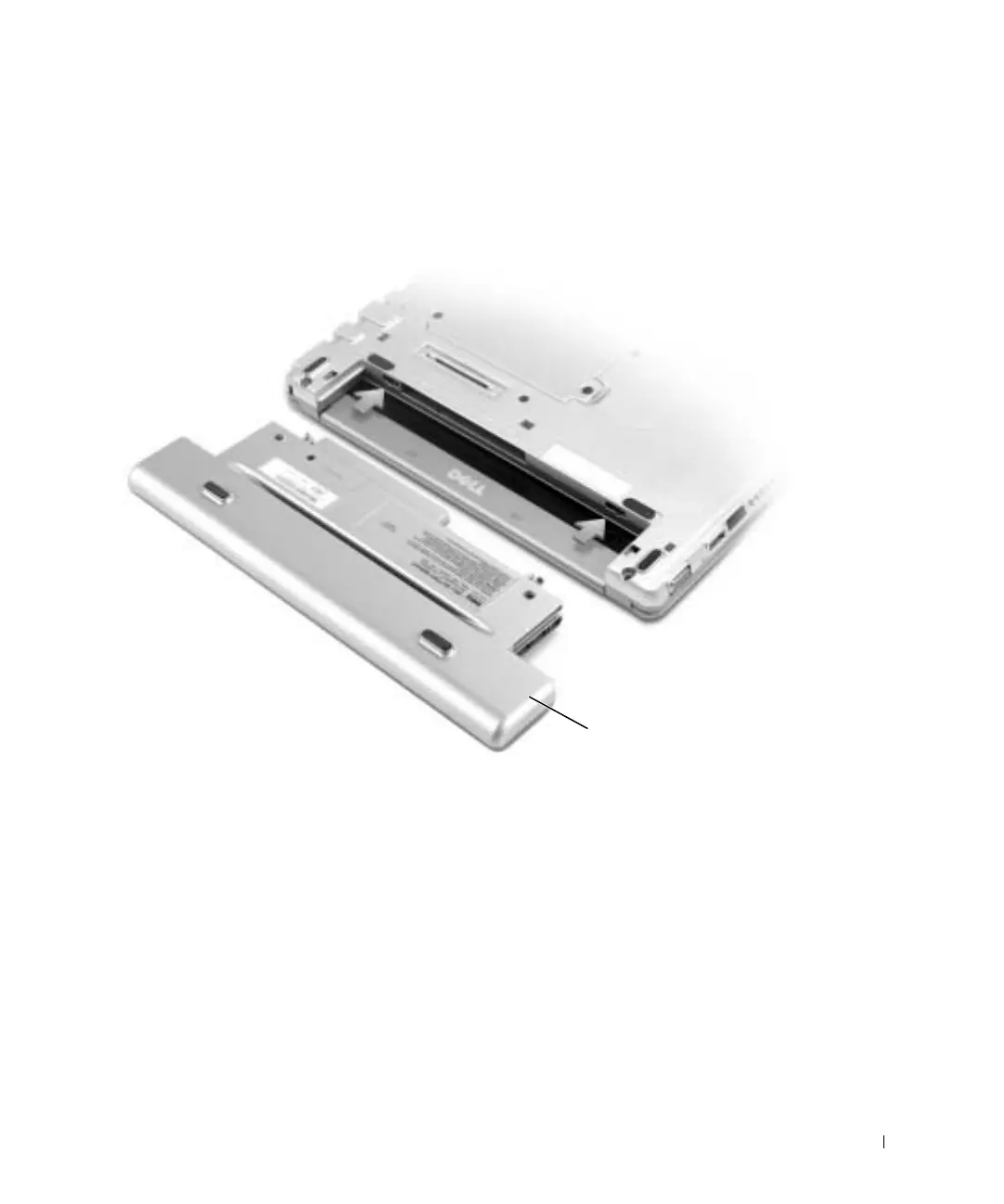
1 Slide the battery into the bay until the latch release clicks.
Installing the Optional Extended Battery
Dell Diagnostics
When to Use the Dell Diagnostics
If you experience a problem with your computer, perform the checks in “Solving Problems”
in your User’s Guide and run the Dell Diagnostics before you contact Dell for technical
assistance. Running the Dell Diagnostics may help you resolve the problem without
contacting Dell. If you do contact Dell, the test results can provide important information
for Dell's service and support personnel.
optional extended battery
T1124bk0.book Page 21 Monday, June 16, 2003 6:49 PM


 To Next Page