EasyManua.ls Logo

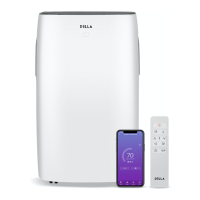
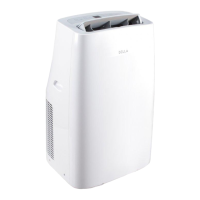
DELLA 048-GM-48265 - User Manual

DELLA 048-GM-48265
24 pages
Print Icon
To Next Page IconTo Next Page
Loading...
Congratulation on your purchase of this DELLA protable Air Conditioner.
NOTICE:
If you are missing any parts or have any questions or concerns regarding installation, please call DELLA customer service
at 1-800-863-4143.
Have this manual open and ready for reference
CUSTOMER SERVICE:
1-800-863-4143
9:00AM - 6:00PM PST (Monday - Friday)
Model# 048-GM-48265
USER’S MANUAL
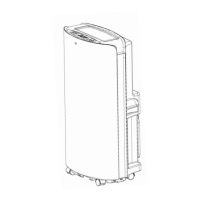
14000 BTU PORTABLE AIR CONDITIONER
CAUTION! WARNING: Do not use this device before reading these instructions.
manufacturer@dellausa.com
www.dellausa.com

Other manuals for DELLA 048-GM-48265

Questions and Answers

  • M
    Mr. Kyle Brown Jr.Jul 31, 2025
    Why is my DELLA Air Conditioner not cooling or heating properly?
    • D
      Dawn HernandezJul 31, 2025
      If your DELLA Air Conditioner isn't cooling or heating well, make sure that you close the window curtain to block direct sunlight. Also, close any open doors and windows, eliminate any nearby heat sources, and think about adding more air conditioners. Check the filter and clean or replace it if it's dirty. Finally, ensure that nothing is blocking the air inlet or outlet.
  • M
    martha00Aug 4, 2025
    How to fix DELLA 048-GM-48265 Air Conditioner that fails to start up?
    • A
      Amanda AllisonAug 4, 2025
      If your DELLA Air Conditioner fails to start, first, ensure that it is connected to a working power socket and turned on. If the water tank is full and the corresponding icon is lit, drain the water. The unit is recommended for use between 7-40?. If the ambient temperature is too low or too high, this may also cause the unit to fail to start. Lastly, if you are in cooling mode and the room temperature is lower than the set temperature, or in heating mode and the temperature is higher, adjust the set temperature accordingly.
  • F
    fwilkersonAug 9, 2025
    What to do if my DELLA 048-GM-48265 Air Conditioner displays error 'Displays'?
    • J
      janicegonzalezAug 9, 2025
      If your DELLA Air Conditioner displays the 'Displays' error, it means the water tank in the chassis is full. To resolve this, drain the condensate and restart the unit.
  • J
    Jessica NealAug 13, 2025
    What to do if my DELLA 048-GM-48265 remote control does not work?
    • P
      pvillanuevaAug 13, 2025
      If your DELLA Air Conditioner's remote control isn't working, first, try moving closer to the air conditioner, ensuring a clear path to the signal receptor on the unit. If that doesn't work, replace the batteries in the remote.
  • M
    marycaseyAug 17, 2025
    What does the 'E4' code mean on my DELLA Air Conditioner?
    • C
      charlesramosAug 17, 2025
      If your DELLA Air Conditioner displays an 'E4' code, it indicates anti-freeze protection is active. The unit will automatically restore its functions once the anti-freeze protection is over.
  • A
    allison95Aug 21, 2025
    What does 'CH01' code mean on DELLA 048-GM-48265 Air Conditioner?
    • K
      Kathy DeanAug 21, 2025
      If your DELLA Air Conditioner displays a 'CH01' code, it indicates a room temperature sensor failure. Check the room temperature sensor and related circuits.
  • B
    Brandon BartlettAug 27, 2025
    What does 'CH02' code mean on DELLA 048-GM-48265 Air Conditioner?
    • M
      Mary GarnerAug 27, 2025
      If your DELLA Air Conditioner displays a 'CH02' code, this indicates a tube temperature sensor failure. You should check the tube temperature sensor and its related circuits.

Summary

Safety Precautions

Read All Instructions Before Use

Essential safety guidelines and warnings to follow before operating the appliance.

User Tips and Pre-Installation

General Usage Guidance

Tips for optimal operation in cooling, dehumidifying, and fan modes.

Pre-installation Requirement

Place the unit upright for 1 hour before installation to allow refrigerant to settle.

Product Diagram and Components

Component Identification

Visual overview of the air conditioner's parts and accessories.

Installation Guide: Exhaust Setup

Connecting Hose and Window Adapter

Steps to attach the exhaust hose, connector, and window adapter to the unit.

Adjusting Window Slider Kit

How to adjust the length of the window slider kit to fit your window.

Installation Guide: Window Kit

Horizontal and Vertical Placement

Guidance on correctly installing the window kit horizontally or vertically in the window.

Installation Guide: Grounding

Safety Grounding and Circuit Breaker Testing

Essential grounding information and steps to test the integrated circuit breaker for safety.

User Instructions: Controls

Control Panel and Remote Overview

Detailed explanation of the air conditioner's control panel and remote control buttons and their functions.

User Instructions: Operation

Operating Modes and Functions

How to operate the unit in Cool, Heat, Fan, Dehumidify, and Energy Conservation modes.

Timers, Sleep Mode, and Settings

Instructions for setting timers, sleep mode, auto swing, and toggling temperature units (°F/°C).

User Instructions: Remote Battery

Battery Replacement and Usage

Guidance on inserting/replacing batteries in the remote control and how to use it effectively.

User Instructions: Wi-Fi Function

App Download and Account Registration

Steps to download the 'Tuya Smart' app and register an account for Wi-Fi control.

Adding Device to App

Instructions on adding the air conditioner device within the 'Tuya Smart' app under 'Large Home Appliances'.

Device Pairing and Connection

Steps to initiate pairing mode on the unit and enter Wi-Fi password for connection.

Connection Completion Confirmation

Procedure for waiting for device addition and confirming successful connection for remote control.

Care and Maintenance: Water Drainage

Water Drainage Procedure

Detailed steps for draining condensate water from the unit to maintain proper working condition.

Care and Maintenance: Air Filter

Air Filter Cleaning Instructions

Instructions for cleaning the air filter, including immersion in warm water and mild detergent.

Care and Maintenance: Storage

Storage and Re-use Guidelines

Guidelines for storing the unit for extended periods and preparing it for use again.

Troubleshooting: Unit Issues

Problem Diagnosis and Solutions

A guide to identifying common problems like 'Unit does not work' or 'Unit does not cool properly' and their solutions.

Troubleshooting: Error Codes

Error Code Explanations and Solutions

Explanation of error codes (CH01, CH02, E4, FL) and their corresponding solutions.

Customer Service and Warranty

Support, Returns, and FAQ

Information on contacting customer service, FAQ, product assembly, and the return/refund policy.

Warranty Terms and Conditions

Details on the product warranty, including conditions for returns and seller liability disclaimers.

DELLA 048-GM-48265 Specifications

General IconGeneral
BrandDELLA
Model048-GM-48265
CategoryAir Conditioner
LanguageEnglish

Related product manuals