-7-
English
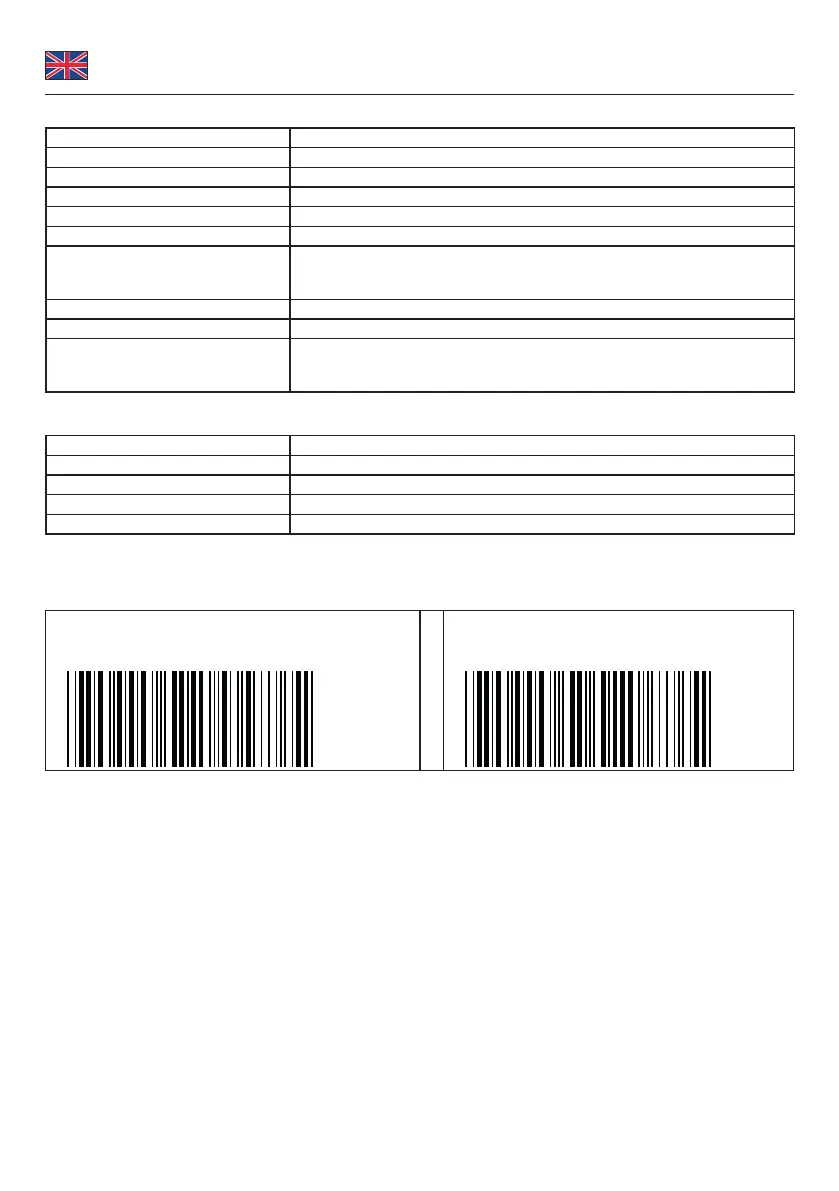
Beep indication
single long beep Scanner is activated
single beep Barcode is read correctly
single short beep The scanner reads a Code39 of ASCII in conguration procedure.
two beeps Bluetooth connected
two short beeps The scanner reads a conguration barcode successfully.
three beeps Bluetooth disconnected
three short beeps 1. The scanner reads a barcodes while disconnected.
2. The scanner reads an unexpected barcode during conguration procedure.
(scan [ABORT] to abort and start over)
four beeps (Hi-Lo-Hi-Lo) out of range / poor connection
ve beeps low rechargeable battery condition
several short beeps The scanner changes during conguration from one communication mode to
another.
LED indicator
o standby or power o
ashing blue ready to connect (pairing) / disconnected
one blue ash Barcode is read correctly
ashing red low rechargeable battery condition
solid red charging
Establish a Bluetooth connection
For the wireless communication there are two dierent modes.
HID (standard):
Disconnect
.E031$
BT mode - HID
.E043$
1. Press the trigger for 1 second to activate the scanner.
2. Scan [DISCONNECT]
3. Scan [BT mode - HID]; the scanner will emit several short beeps.
4. Select "Wireless Scanner" from discovered device list.
5. The wireless application may prompt you to scan a pin code (see Pin Code Setup), which has been generated
automatically.
6. The scanner will beep twice to verify the connection.


 To Next Page