-8-
English
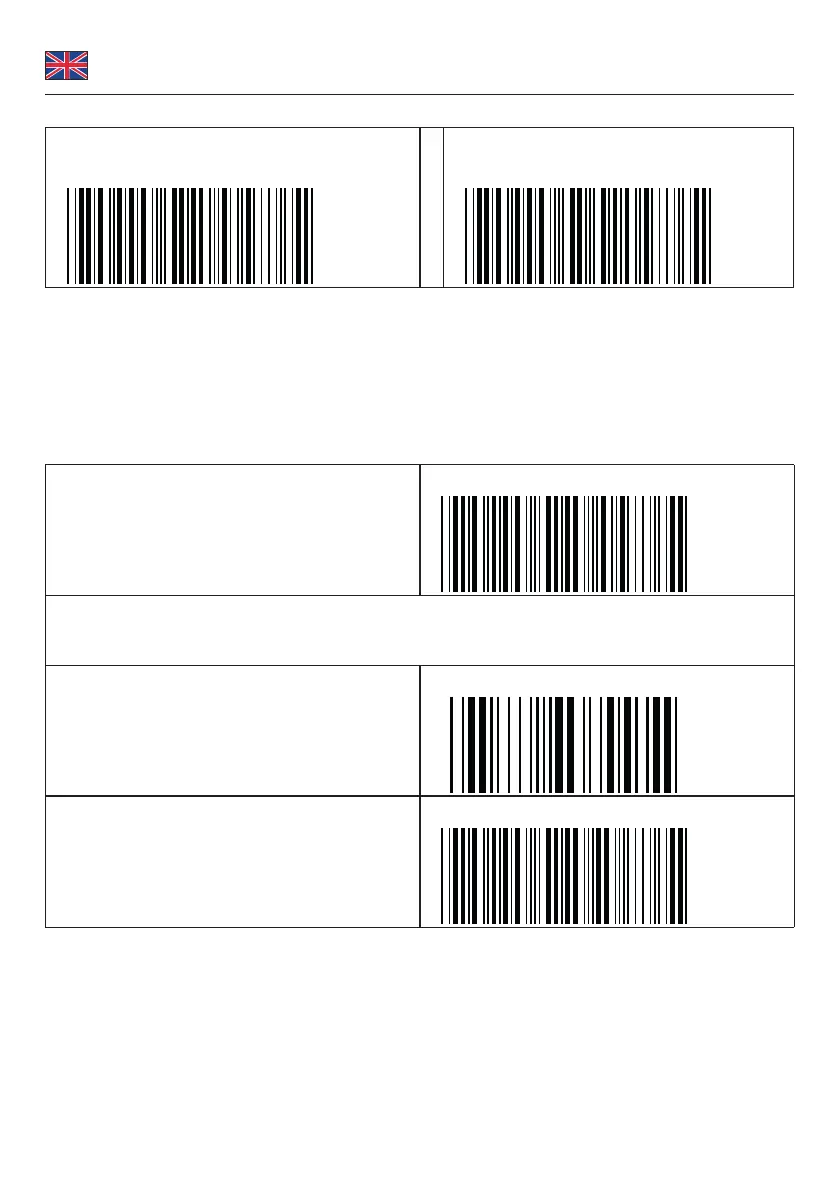
SPP (serial):
Disconnect
.E031$
BT mode - SPP
.E042$
1. Press the trigger for 1 second to activate the scanner.
2. Scan [DISCONNECT]
3. Scan [BT mode - SPP]; the scanner will emit several short beeps.
4. Select "Wireless Scanner" from discovered device list.
5. The default pincode is "1234".
6. The Com Port can now be set up under the Device Manager.
7. The scanner will beep twice to verify the connection.
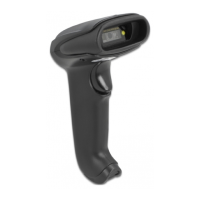
Pin Code Setup
Step 1
Pin Start
.E032$
Step 2
Scan numeric bar codes (see NUMERIC BARCODES on page 3) based on the pin code displayed for the wireless
connection.
Step 3
Enter
$TX
Step 4
Pin Stop
.E033$


 To Next Page