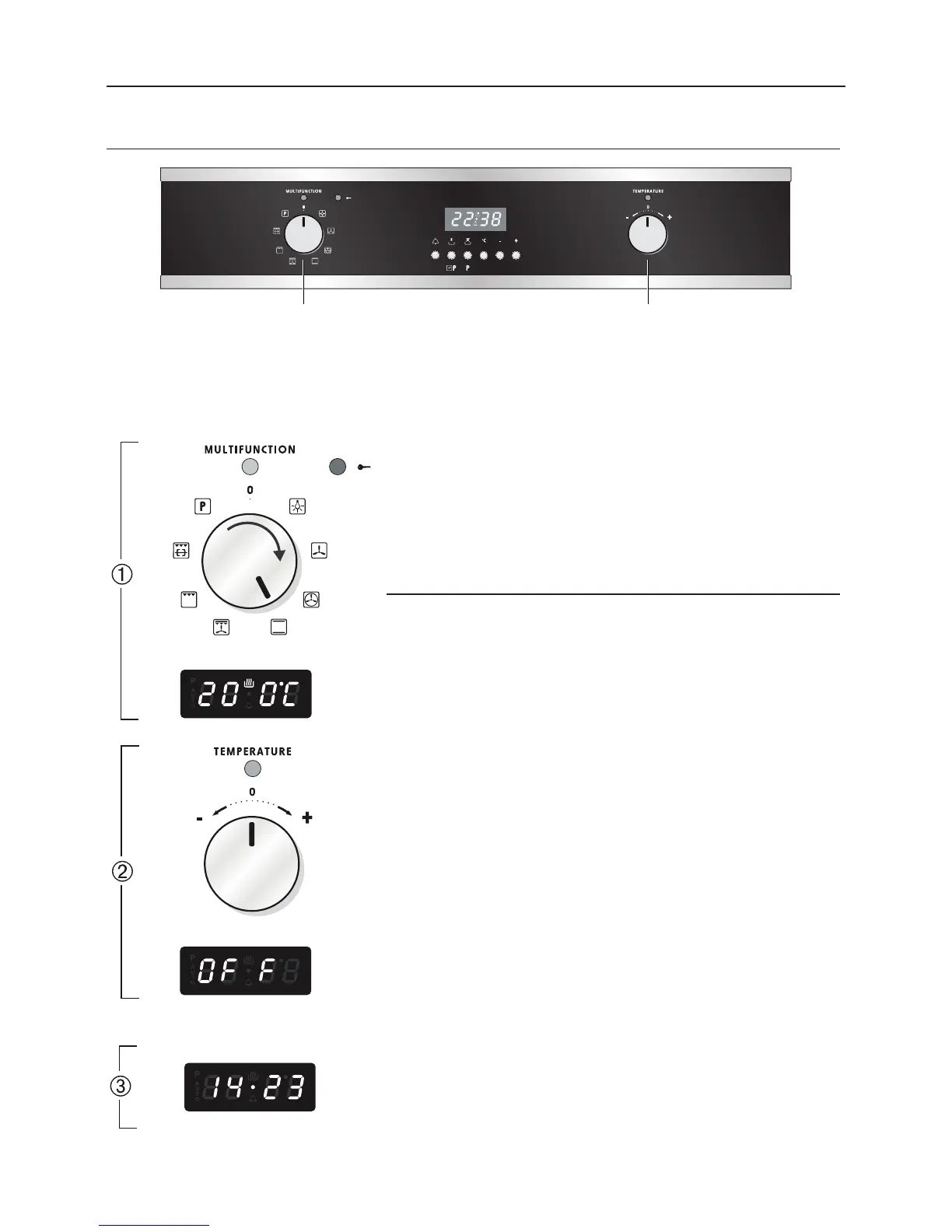
Way 1: SETTING THE COOKING TEMPERATURE WITH THE TEMPERATURE KNOB
(POTENTIOMETER)
NOTE: The temperature knob (potentiometer) turns to right and left only to symbols
+ and -. Forcing the turning could irreparably damage the temperature knob.
I
I
I
I
I
I
I
I
I
I
I
I
I
The temperature set is shown on the electronic pro-
grammer display and can be varied, with 5 °C intervals,
by turning the potentiometer knob.
During the cooking the oven temperature is measured
by a sensor inside the cavity and is shown on the pro-
grammer display.
1. SELECTING THE COOKING FUNCTION
Turn the selector knob to the cooking function
required.
The pre-set temperature appears on the program-
mer display. °C ashes on the display for 3 seconds.
The heating elements start cooking immediately.
2. SETTING THE COOKING TEMPERATURE
Turn the potentiometer knob clockwise to increa-
se the temperature or anticlockwise to reduce it.
The maximum temperature which can be set is
250°C while the minimum temperature is 50 °C.
Note: When °C becomes steady the value shown
on the display indicates the oven cavity tempera-
ture.
Caution: If a temperature below the minimum value
(50 °C) is set the system switches off automatically
and OFF appears. In this case repeat the procedure
from point 2.
3. SWITCHING OFF
Turn the selector knob to position 0 (oven OFF).
The programmer display shows the time.


 To Next Page
 Loading...