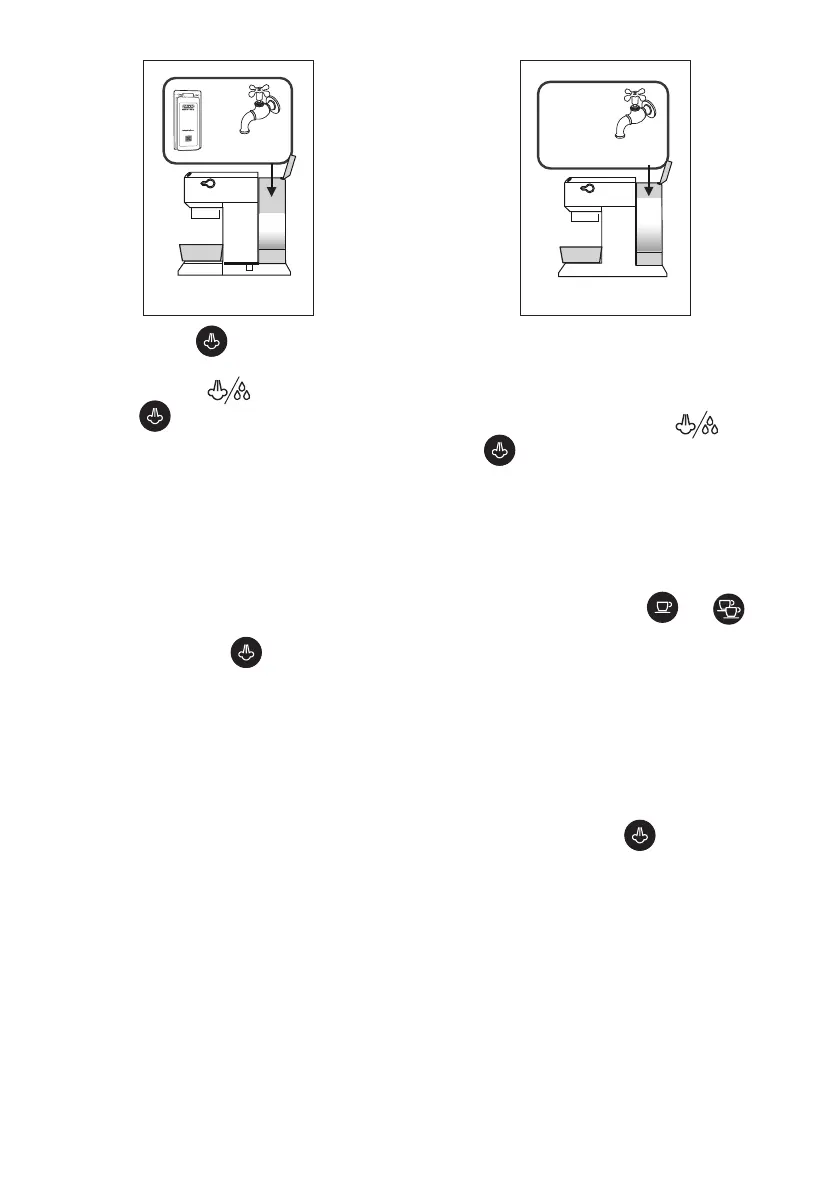
11
+
up to
MAX level
25
.
3. Press and hold the button for 10 seconds until the
three buttons ash in sequence.
4. Turn the steam dial to .
5. Press the button to start descaling.
6. The descaling programme starts and the descaler solution
comes out from the hot water/steam dispenser. The descaling
programme automatically runs a series of rinse cycles at set in-
tervals, removing any limescale deposits from inside the coee
machine until the tank is emptied.
Please note:
During descaling, close the steam dial from time to time to
deliver small quantities of descaler from the coee spouts to
clean the coee circuit.
Delivery stops and the orange light continues to ash to
indicate the descaling cycle is still underway.
You now need to rinse the appliance.
7. Empty the container used to collect the descaler solution
and reposition it under the spouts.
26
MAX
8. The machine is ready for rinsing with fresh, clean water.
Extract the water tank, empty and rinse it under running
water, ll it with fresh water (g. 26) and put it back in the
appliance.
9. Make sure the steam dial is in position , then press
the button to start rinsing. During descaling, close
the steam dial from time to time to deliver small quan-
tities of water from the coee spouts to clean the coee
circuit.
10. Perform a second rinse cycle from points 7 to 9 with the
lter inserted (if present previously).
11. When the water tank is empty, the orange light goes o
and descaling is complete. The and lights
ash.
12. Close the steam dial, setting it to ○.
13. Fill the tank with fresh water.
The machine is now ready for use.
Please note:
• If the descaling cycle is not correctly completed (e.g. elec-
trical power failure), it is recommended to repeat the cycle.
Only for models EC685 EX4, EC685 EX4, EC785 EX4:
If the descaling function is accidentally activated, it can
be stopped by pressing the button for at least 10
seconds.
If the descaling cycle is not completed due to a power fail-
ure, when the power is restored, the appliance will still be
in descaling mode; therefore, wait for the descaling cycle to
end and then the machine will be “ready for use”.



 To Next Page