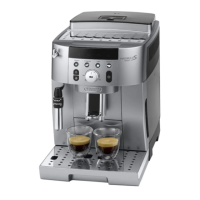
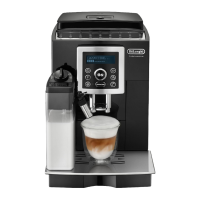
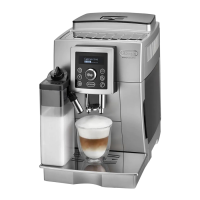
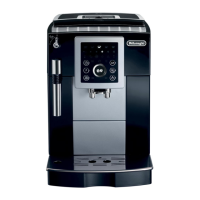
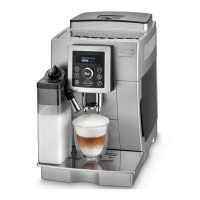
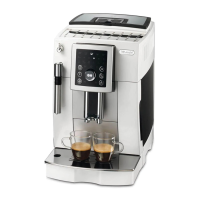
This document describes the De'Longhi ECAM23.12X - ECAM25.12X automatic espresso/cappuccino machine, a household appliance designed for preparing coffee and heating drinks.
Function Description
The machine is an automatic bean-to-cup espresso and cappuccino machine. It allows users to select coffee strength, quantity, and temperature. It can prepare short and long espresso, single or double, using either coffee beans or pre-ground coffee. A cappuccino maker is integrated for preparing cappuccinos and hot milk (frothed or not). The machine also features an automatic preheat and rinse cycle upon startup and shutdown, and an auto-off function for energy saving.
Important Technical Specifications
- Voltage: 220-240 V~50/60 Hz max. 10A
- Absorbed power: 1450W
- Pressure: 15 bar
- Max. capacity water tank: 1.8 litres
- Dimensions (LxHxD): 238x340x430 mm
- Cable length: 1.15 m
- Weight: 9.1 Kg
- Max. capacity beans container: 250 g
The appliance complies with EU directives including EC Regulation 1275/2008 for standby, Low Voltage Directive 2006/95/EC, EMC Directive 2004/108/EC, and EC regulation 1935/2004 for food contact materials.
Usage Features
Control Panel (B):
- Indicator Display (B1): Shows various warnings and operational statuses.
- On/Off Button (B2): Powers the appliance on or off. Flashes during heating, solid when ready.
- Rinse/Descale Button (B3): Initiates rinsing or descaling. White light for rinsing, alternating red and white for descaling required.
- Steam Button (B4): Activates steam for cappuccino and milk-based coffees. Solid light for steam function selected, flashing for steam dial adjustment needed, fading for heating.
- Short Espresso 1 Cup (B5): Makes one short espresso.
- Short Espresso 2 Cups (B6): Makes two short espressos.
- Long Espresso 1 Cup (B7): Makes one long espresso.
- Long Espresso 2 Cups (B8): Makes two long espressos.
- LONG Button (B9): Specifically for making one long coffee.
- Selection Dial (B10): Adjusts coffee strength or selects pre-ground coffee.
Coffee Preparation:
- Coffee Strength Selection: Turn dial (B10) clockwise for stronger coffee (more beans ground), counter-clockwise for milder.
- Coffee Quantity Selection: Default quantities are ~40ml for short espresso and ~120ml for long espresso. These can be reprogrammed by pressing and holding the desired coffee button until the desired level is reached, then pressing again to save.
- Grinder Adjustment (A2): The grind coarseness dial should only be turned while the grinder is in operation. Adjusting clockwise makes coffee coarser (faster delivery, weaker taste), counter-clockwise makes it finer (slower delivery, richer taste, more crema). Adjustments are noticeable after 2 cups.
- Temperature Setting: Can be adjusted (Low, Medium, High) through a specific sequence involving the on/off button and the coffee quantity buttons.
- Using Coffee Beans: Fill the beans container (A7), place cups under the spout (A12), lower the spout for richer crema, then press the desired coffee button.
- Using Pre-ground Coffee: Turn the selection dial (B10) to the pre-ground coffee position (indicated by the spoon symbol), add one level scoop (C1) of pre-ground coffee to the funnel (A6), place a cup, and press the desired coffee button. Only one cup can be made at a time with pre-ground coffee.
Milk-based Drinks:
- Cappuccino and Hot Milk (Not Frothed): Use the cappuccino maker (A19). For cappuccino, ensure the toggle (A20) is in the CAPPUCCINO position. For hot milk without froth, set the toggle to HOT MILK. Immerse the cappuccino maker in milk (preferably cold, skimmed or partially skimmed milk for best froth), then turn the steam dial (A21) to the 'I' position. Steam delivery stops after 3 minutes as a safety measure.
Hot Water:
- Place a container under the cappuccino maker, turn the steam dial (A21) to the 'I' position to dispense hot water, then turn back to '0' to stop.
Water Softener Filter (C3):
- Certain models include a water softener filter. It should be installed by rotating the date indicator disk to show the next two months of use, activating it by running tap water through it, then submerging it in the water tank (A10) before inserting it into the filter housing. The filter lasts about two months or three weeks if the machine is unused.
Maintenance Features
Regular Cleaning:
- Coffee Grounds Container (A14): Empty and clean when the indicator flashes (full) or is solid (needs insertion).
- Drip Tray (A18) and Condensate Tray (A15): Empty and clean regularly, especially when the water level indicator (A17) protrudes from the cup rest (A16).
- Water Tank (A10): Clean monthly with a damp cloth and mild detergent.
- Coffee Spouts (A13): Clean with a sponge or cloth. Use a toothpick if holes are blocked.
- Pre-ground Coffee Funnel (A6): Check monthly for blockages and remove coffee deposits.
- Machine Interior: Check monthly for cleanliness (accessible after removing drip tray). Remove coffee deposits with a sponge or vacuum cleaner.
- Infuser (A12): Clean at least once a month. To remove, ensure the machine is off, remove the water tank, open the infuser door (A11), press the two red release buttons, and pull outwards. Soak in water for 5 minutes, rinse, and clean coffee residues from its support before reinserting. Do not use washing-up liquid.
Descaling:
- The machine requires descaling when the descaling indicator (B3) flashes. Use only De'Longhi descaler (C2).
- Procedure: Turn on the machine, empty the water tank and remove the filter. Pour 100ml of descaler into the tank, add 1 litre of water, and place a 1.5-litre container under the cappuccino maker. Wait for coffee indicators to come on, then press and hold the descaling button (B3) for 5 seconds. Turn the steam dial (A21) to the 'I' position. The machine will perform a series of rinses and pauses. Once the water tank is empty, turn the steam dial to '0'. Empty the container, rinse and refill the water tank with clean water, then turn the steam dial to 'I' again for a final rinse. Turn the steam dial to '0' when the tank is empty.
Water Hardness Setting:
- The machine is set to hardness level 4 by default. Users can measure their local water hardness using the provided indicator paper (C4) and program the machine accordingly to optimize descaling frequency. To set, turn off the machine (main power switch on), press and hold the descaling button (B3) for 6 seconds until ECO and other indicators light up. Press the descaling button (B3) to select the measured hardness level, then press the short espresso 1 cup button (B5) to confirm.
Safety Warnings:
- Always observe electrical safety warnings (never touch with damp hands, unplug by grasping the plug, ensure accessible socket).
- Keep packaging away from children.
- Children over 8 years old and individuals with reduced capabilities can use the appliance under supervision and with proper instruction.
- Beware of scalding from hot water and steam during operation and cleaning. The cup warmer shelf (A3) also gets hot.
- Do not use caramelised or candied coffee beans as they can damage the grinder.
- Do not use solvents, abrasive detergents, or alcohol for cleaning. Do not use metal objects to remove deposits.
- The appliance is for household use only, not commercial.
- Do not install the appliance where temperatures could drop below freezing.
- Ensure proper ventilation around the machine (3cm from sides/rear, 15cm from top).
- Never immerse the machine in water.
- Do not press the main power switch (A8) while the appliance is switched on.

 Need help?
 General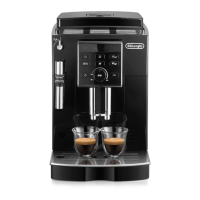



 To Next Page