Doc. Nr.: DSDL_23016_A
[13]
5.3. DISPLAY TEST MODE
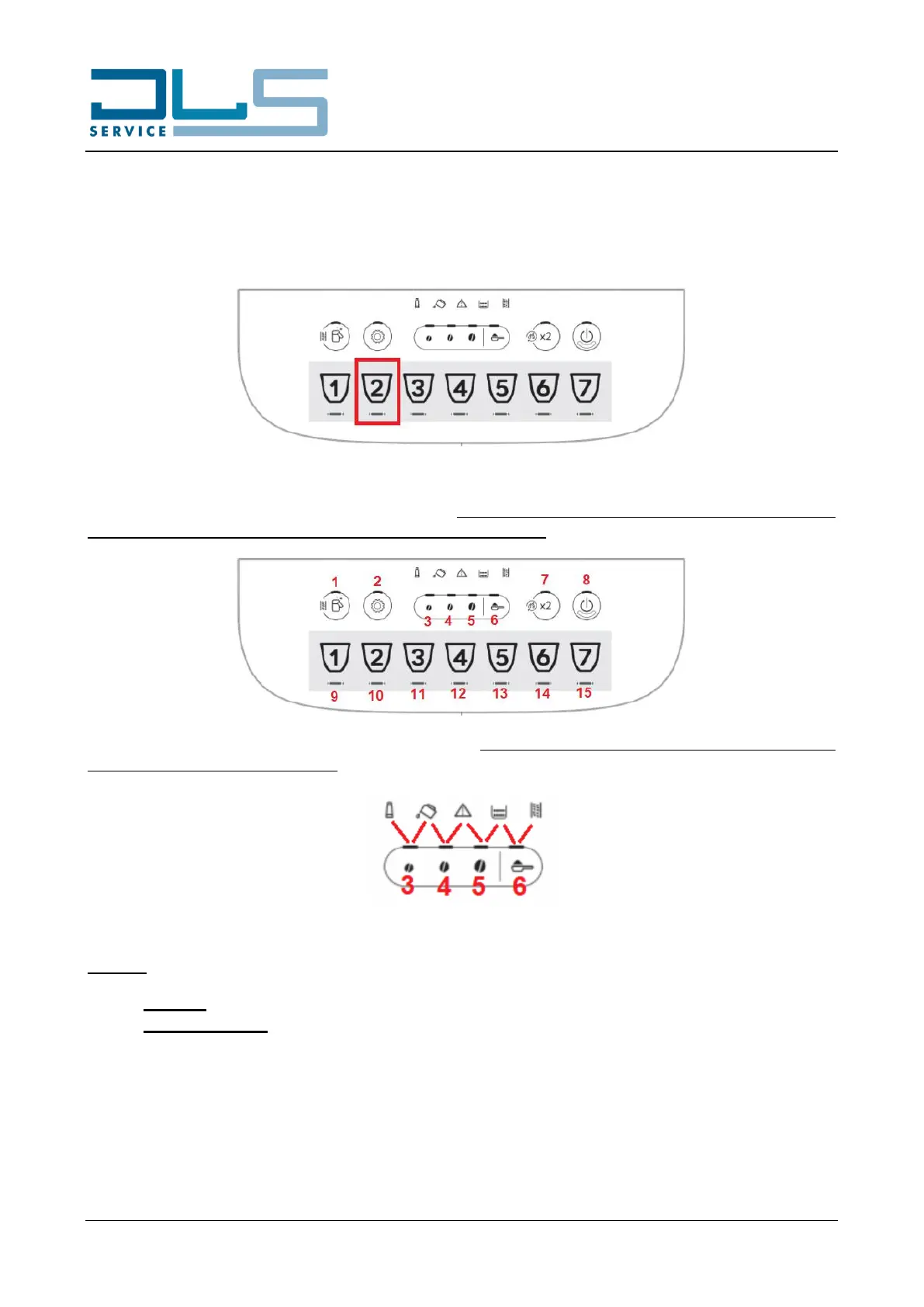
After having accessed the test mode as indicated on paragraph 5.1, press the second beverage icon from the
left (CAPPUCCINO or LATTE MACCHIATO button, depending on the model of coffee machine) to access the
DISPLAY TEST MODE:
During the display test mode all the LEDs are lit up. When a button is pressed, only the LED of that button
remains ON, while those of all the other buttons will be turned OFF:
In particular, by pressing each of the AROMA buttons, in addition to the button LED, also the two neighbor
warning LEDs will illuminate steadily:
NOTICE: The DISPLAY TEST MODE will reset the following settings in the appliance:
First run: the machine will ask again for hydraulic circuit filling.
Filter installation: if the filter installation function was enabled, it will be disabled.





 To Next Page