EasyManua.ls Logo

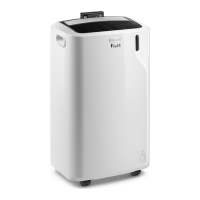
DeLonghi Pinguino Smart - User Manual

DeLonghi Pinguino Smart
40 pages
Print Icon
To Next Page IconTo Next Page
Loading...
5715113201_00_1218 - Printed in China
www.delonghi.com

Questions and Answers

  • H
    Hannah AliAug 7, 2025
    Why my DeLonghi Air Conditioner does not turn on?
    • M
      Mariah JamesAug 7, 2025
      If your DeLonghi Air Conditioner isn't turning on, first, make sure it's properly plugged into a working power outlet. If it is plugged in, there might be a power outage; in that case, wait for the power to be restored. If neither of these is the issue, the internal protection device may have been triggered, requiring you to call the help center.
  • N
    Neil JacksonAug 13, 2025
    What to do if DeLonghi Air Conditioner runs but doesn't cool?
    • R
      Robert RamirezAug 13, 2025
      If your DeLonghi Air Conditioner is running but not cooling, check the following: * Ensure all windows, doors, and drapes are closed. * Remove any heat sources from the room, such as ovens or hair dryers. * Make sure the air exhaust hose is correctly attached to the back of the unit. * Clean or replace the dust filters if they are clogged. * Consider whether the unit's cooling capacity is suitable for the room size.
  • R
    Robert LewisAug 19, 2025
    Why DeLonghi Pinguino Smart works for a short period of time?
    • R
      Robert CohenAug 19, 2025
      If your DeLonghi Air Conditioner only works for a short time, it could be due to a few reasons. Check that the air exhaust hose isn't obstructed or bent; ensure it's correctly positioned with minimal length and curves, avoiding obstructions. Also, verify that nothing is blocking the air exhaust outside; remove any obstacles you find.
  • T
    Tammy HunterAug 25, 2025
    How to get rid of the unpleasant odor from DeLonghi Pinguino Smart?
    • R
      robert85Aug 26, 2025
      If you notice an unpleasant odor in the room when operating your DeLonghi Air Conditioner, the dust filters may be clogged. Try cleaning or replacing the filters as described in the manual.
  • Y
    ycoxAug 31, 2025
    Why DeLonghi Pinguino Smart Air Conditioner does not work for about 3 minutes from restart?
    • C
      Cody HollandAug 31, 2025
      If your DeLonghi Air Conditioner doesn't start immediately after restarting, this is normal. To protect the compressor, there's an internal device that delays startup for about 3 minutes after a restart. Please wait.

Summary

PORTABLE AIR CONDITIONER

ELECTRIC CHARACTERISTICS

Electrical specifications for the appliance.

DESCRIPTION OF APPLIANCE AND ACCESSORIES

Appliance Components

Identifies key parts of the portable air conditioner unit.

Included Accessories

Lists and identifies all accessories provided with the unit.

IMPORTANT SAFEGUARDS AND INFORMATION

General Safety Precautions

Essential safety guidelines for operating the appliance.

R410 A Refrigerant Gas Warnings

Specific safety advice related to R410A refrigerant.

Environmental Information

Details on the appliance's environmental impact and disposal.

INTRODUCTION AND BASIC SETUP

App Integration

Information on downloading and using the De'Longhi App.

Electrical Connection Requirements

Guidelines for connecting the appliance to a power source.

USING THE APPLIANCE

Conditioning Setup

Instructions for setting up the appliance for cooling mode.

INSTALLATION METHODS

Conditioning With Wall Installation

Detailed steps for installing the unit with wall venting.

Conditioning Without Wall Installation

Instructions for setting up the unit without permanent wall venting.

CONTROL PANEL OVERVIEW

Panel Button Descriptions

Explains the function of each button on the control panel.

OPERATING THE APPLIANCE

Turning On;Off

Procedure for powering the appliance on and off.

Mode Selection

How to choose between Air Conditioning, Dehumidifying, and Fan modes.

Temperature and Airflow Settings

Adjusting temperature and fan speed for desired comfort.

REMOTE CONTROL OPERATION

Battery Installation and Usage

How to insert/replace batteries and use the remote.

Remote Control Functions

Detailed explanation of remote control buttons and operations.

ADVANCED FUNCTIONS

Real Feel Technology

Explanation of the Real Feel technology for enhanced comfort.

Swing and WiFi Features

How to use the swing function and connect to WiFi.

CONNECTIVITY AND COMPLIANCE

Timer Setting

How to program the appliance's timer function.

Regulatory Compliance

FCC, IC, and radiation exposure compliance statements.

TROUBLESHOOTING AND USAGE TIPS

Self-Diagnosis Error Codes

Explains error messages and their solutions.

Correct Usage Recommendations

Tips for optimal performance and efficiency.

MAINTENANCE AND SPECIFICATIONS

Cleaning and Care

Instructions for cleaning the appliance and its filters.

Seasonal Operations

Guidance for starting and ending the appliance's season.

Technical Specifications and Limits

Details on power, capacity, and operating limits.

UNIT PROTECTION AND SAFETY

Preventing Unit Damage

Crucial advice to prevent damage during handling and operation.

Electrical Safety Features

Information on the safety plug and its operation.

TROUBLESHOOTING GUIDE

Common Problems and Solutions

Addresses common issues and their resolutions.

DeLonghi Pinguino Smart Specifications

General IconGeneral
TypePortable Air Conditioner
Wi-Fi ConnectivityYes
Power Consumption1300 W
Noise Level50 dB
Dimensions (H x W x D)70 x 45 x 35 cm
Control TypeElectronic
Fan Speed3
Smart FeaturesApp Control, Voice Control

Related product manuals