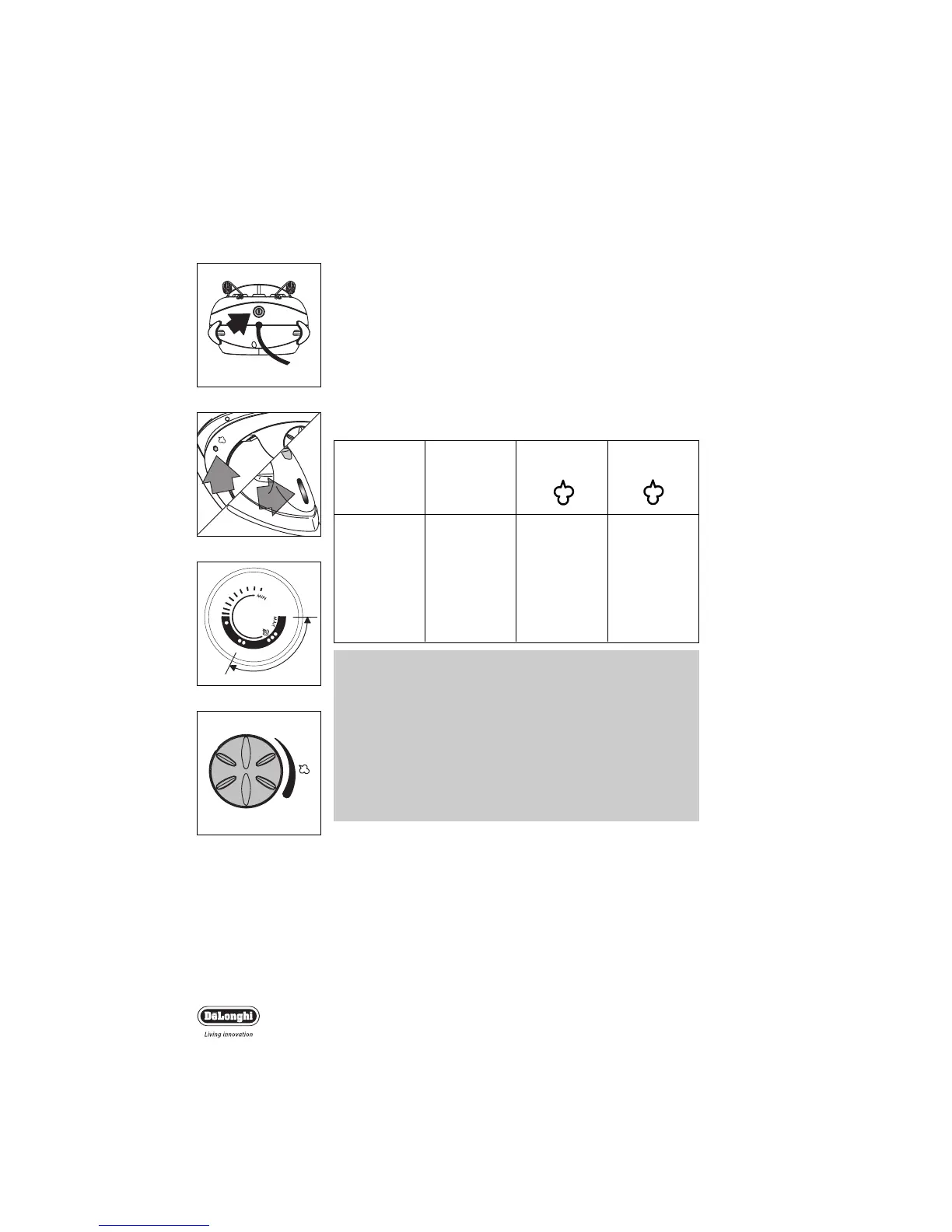
fig. 6
fig. 9
Ironing system
4
••
••
•••
•
Acetate,
acrylic,
nylon,
polyester,
rayon
Silk
Wool,
cotton, fine
linen
Cotton,
linen,
starched
clothes
Using your ironing system
• Plug the ironing system into the mains.
• Push the ON/OFF switch to turn power to the steam genera-
tor on (fig. 6).The steam indicator light and iron temperature
light come on (fig.7).
•Position the thermostat dial on the iron handset within the
steam area indicated in fig 8. (remember to test fabrics first if
unsure of the temperature to iron them at). The thermostat
dial should be positioned according to the type of fabric to be
ironed:
IMPORTANT;
1. When used for the first time the iron may give off fumes
and a ‘new’ smell.This is perfectly normal and will not last
long.
2. The “steam” and “iron” temperature indicator lights will go
on and off intermittently during use, according to the tem-
perature of the iron and the boiler.
3. The steam connecting cord will become warm during use.
4. While in use the steam generator pump injects water into
the boiler making a noise. This is quite normal.
Steam emission control
• Adjust the steam strength by using the steam emission knob
(fig.9) on the base unit.
To increase steam emission, turn the knob clockwise. When it
can be turned no further it is at maximum.
To decrease steam emission, turn the knob anti-clockwise.
When it can be turned no further it is at minimum.
• The system is ready for use when the steam ready indicator
light on the control panel and the iron temperature indicator
light on the iron go out.
fig. 7
fig. 8


 To Next Page