I
STEERING COLUMN
REMOVAL
r
I
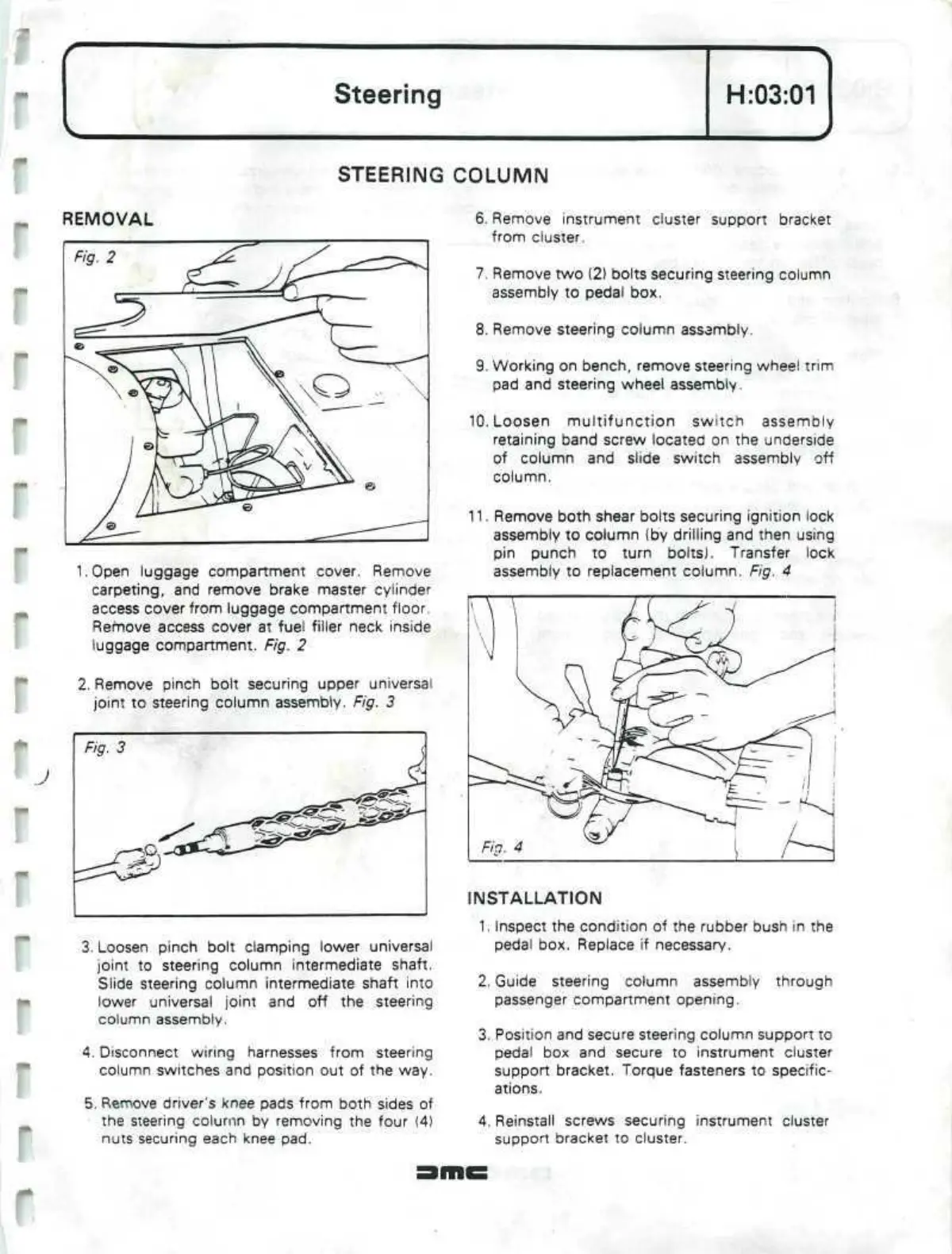
LOpen
luggage compartment cover. Remove
carpeting,
and remove brake master cylinder
access cover from luggage compartment
floor.
Remove access cover at fuel filler neck inside
luggage compartment. Fig. 2
2. Remove pinch bolt securing upper universal
joint to steering column assembly. Fig. 3
3. Loosen pinch bolt clamping lower universal
joint to steering column intermediate shaft.
Slide steering column intermediate shaft into
lower universal joint and off the steering
column assembly.
4.
Disconnect wiring harnesses from steering
column switches and position out of the way.
5. Remove driver's knee pads from both sides of
the steering column by removing the four (4)
nuts securing each knee pad.
6. Remove instrument cluster support bracket
from cluster.
7. Remove two (2) bolts securing steering column
assembly to pedal box.
8. Remove steering column assembly.
9. Working on bench, remove steering wheel trim
pad and steering wheel
assembly
10.
Loosen multifunction switch assembly
retaining band screw located on the underside
of column and slide switch assembly off
column.
11.
Remove both shear bolts securing ignition lock
assembly to column (by drilling and then using
pin punch to turn bolts). Transfer lock
assembly to replacement column. Fig. 4
INSTALLATION
1.
Inspect the condition of the rubber bush in the
pedal box. Replace if necessary.
2.
Guide steering column assembly through
passenger compartment opening.
3. Position and secure steering column support to
pedal box and secure to instrument cluster
support bracket. Torque fasteners to specific-
ations.
4.
Reinstall screws securing instrument cluster
support bracket to cluster.


 To Next Page
 Loading...