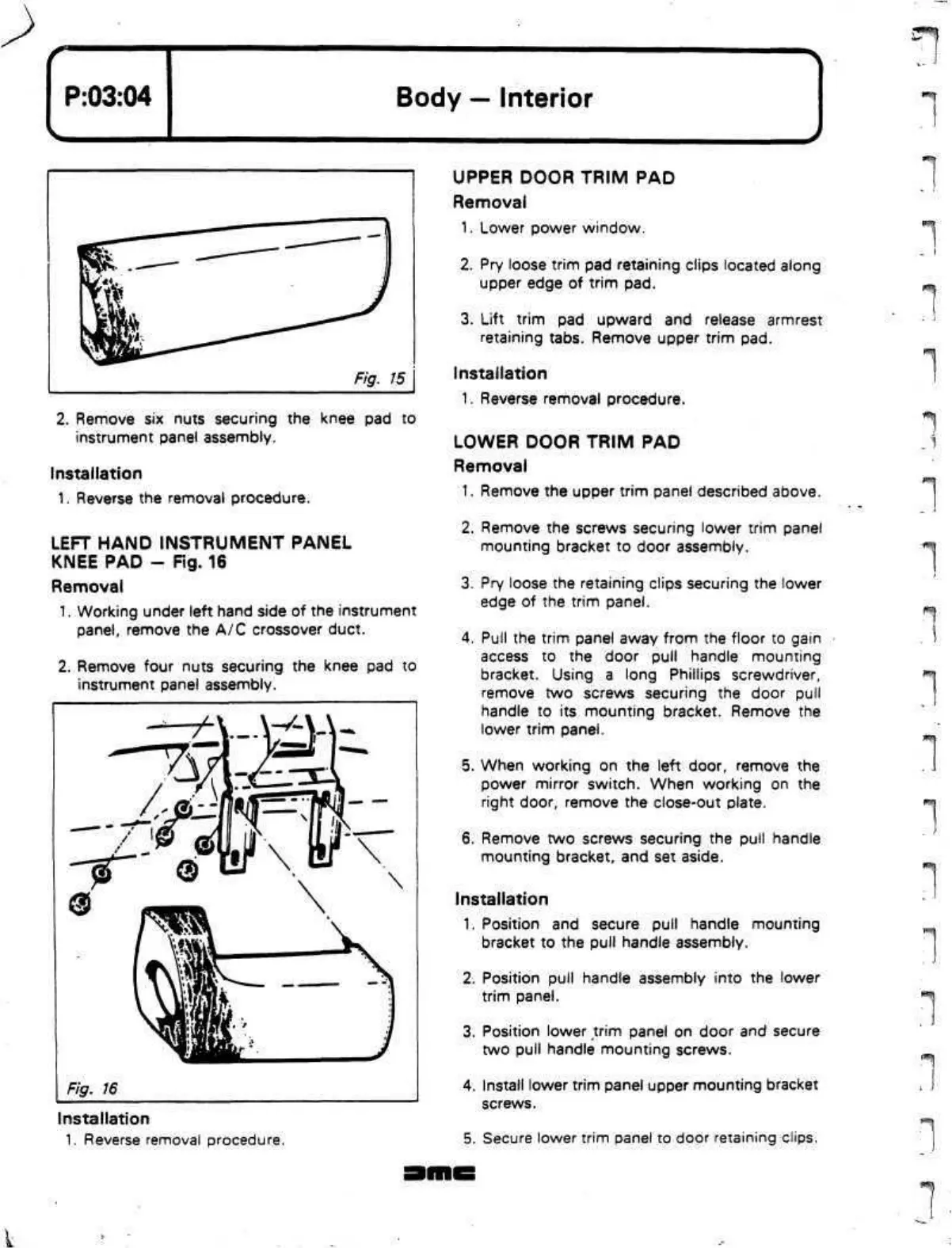
2.
Remove six nuts securing the knee pad to
instrument panel assembly.
Installation
1.
Reverse the removal procedure.
LEFT
HAND
INSTRUMENT PANEL
KNEE PAD - Fig. 16
Removal
1.
Working under left hand side of the instrument
panel,
remove the A/C crossover duct.
2.
Remove four nuts securing the knee pad to
instrument panel assembly.
Installation
1.
Reverse removal procedure.
UPPER DOOR TRIM PAD
Removal
1.
Lower power window.
2.
Pry loose trim pad retaining clips located along
upper edge of trim pad.
3. Lift trim pad upward and release armrest
retaining tabs. Remove upper trim pad.
Installation
1.
Reverse removal procedure.
LOWER DOOR TRIM PAD
Removal
1.
Remove the upper trim panel described above.
2.
Remove the screws securing lower trim panel
mounting bracket to door assembly.
3. Pry loose the retaining clips securing the lower
edge of the trim panel.
4.
Pull the trim panel away from the floor to gain
access to the door pull handle mounting
bracket. Using a long Phillips screwdriver,
remove two screws securing the door pull
handle to its mounting bracket. Remove the
lower trim panel.
5. When working on the left door, remove the
power mirror switch. When working on the
right door, remove the close-out plate.
6. Remove two screws securing the pull handle
mounting bracket, and set aside.
Installation
1.
Position and secure pull handle mounting
bracket to the pull handle assembly.
2.
Position pull handle assembly into the lower
trim panel.
3. Position lower trim panel on door and secure
two pull handle mounting screws.
4.
Install lower trim panel upper mounting bracket
screws.
5. Secure lower trim panel to door retaining clips.
"I
1
"]
"]
^:-j
i^r


 To Next Page
 Loading...