Chapter 3 Creating and Editing Programs|DOP-EXIO Series
Revision March, 2008, Doc. Name: 2007PDD23000014 3-7
Step
Ladder
Symbol
Cursor
Location
Input by clicking the Icon on the
toolbar
Input by using the
Keyboard
10
Row: 4,
Column: 1
Device Name: M
Device Number:1
LDP M1 ↵ or + M1 ↵
11
Row: 4,
Column: 2
F9
12
Row: 4,
Column: 2
CNT Instruction
Operand 1: C Device
Number: 0
Operand 2: K Device
Number: 100
CNT C0 K100 ↵
13
Row: 5,
Column: 1
Device Name: M
Device Number: 1
LDF M1 ↵ or – M1 ↵
14
Row: 6,
Column: 1
END Instruction
END ↵
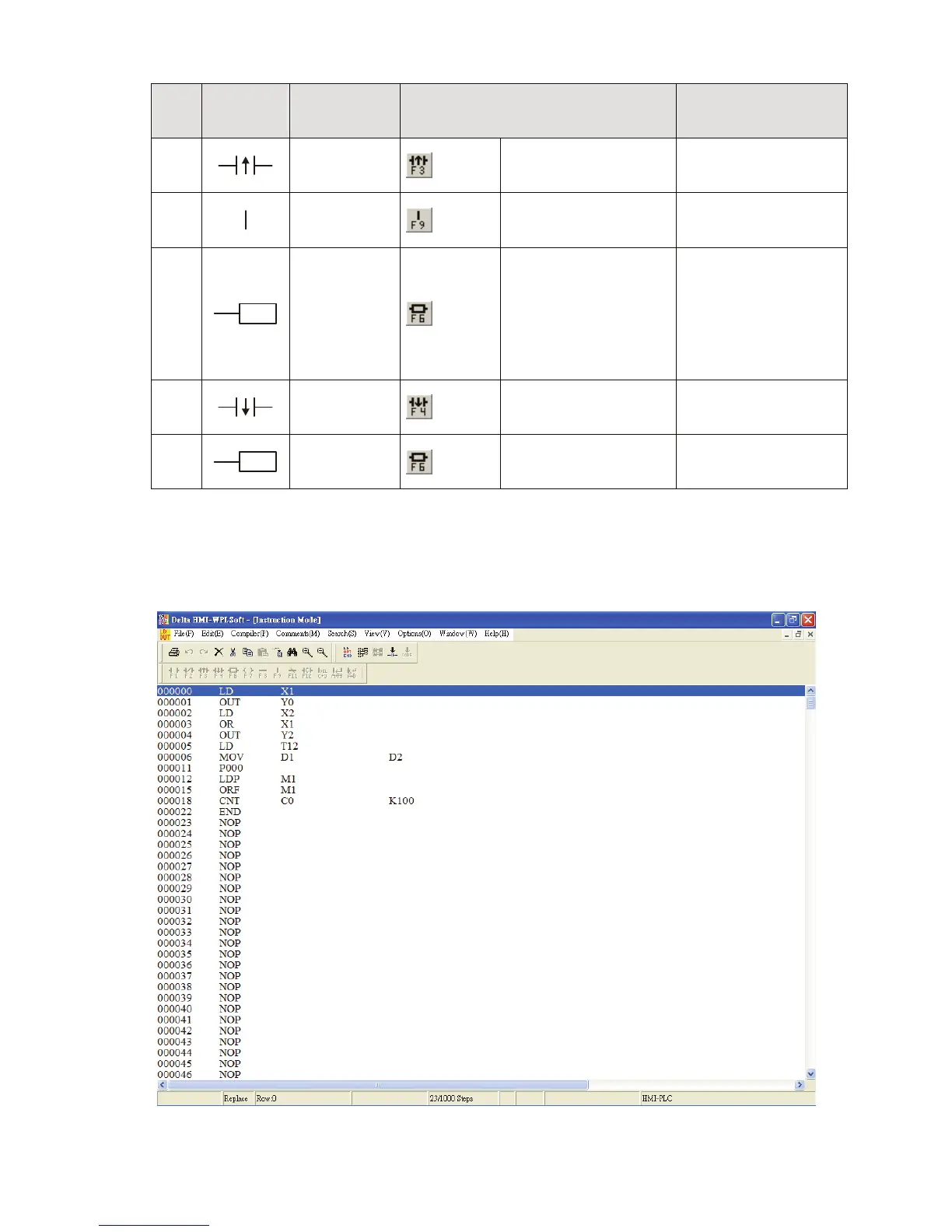
After the ladder diagram is completed, the user can compile and convert the completed
ladder diagram to instruction codes. The ladder diagram which has been converted to
instruction codes is shown as the figure below.



 To Next Page