Chapter 3 Creating and Editing Programs|DOP-EXIO Series
Revision March, 2008, Doc. Name: 2007PDD23000014 3-13
Method 4: Select the row that the user wants to delete. Right clicking the mouse to
select the “Delete” command in the pop-up menu can delete the selected
row immediately. Pressing the Delete key on the keyboard or clicking the
icon on the toolbar can also delete the selected row.
Delete Vertical Line(D) Ö Delete the vertical lines in the ladder diagram.
Method 1: Click “Edit(E)” > “Delete Vertical Line(D)”. Then, the vertical line on the
left-hand side of the editing block will be deleted.
Method 2: Use keyboard shortcuts by pressing keys (Ctrl) + (D).
Method 3: Move the editing block to the right-hand side of the vertical line that the
user wants to delete and click the icon on the toolbar. Then, the
vertical line on the left-hand side of the editing block will be deleted.
Method 4: Move the editing block to the right-hand side of the vertical line that the
user wants to delete. Right click the mouse to get a pop-up menu and
select “Delete Vertical Line(D)” in the pop-up menu. Then, the vertical
line on the left-hand side of the editing block will be deleted.
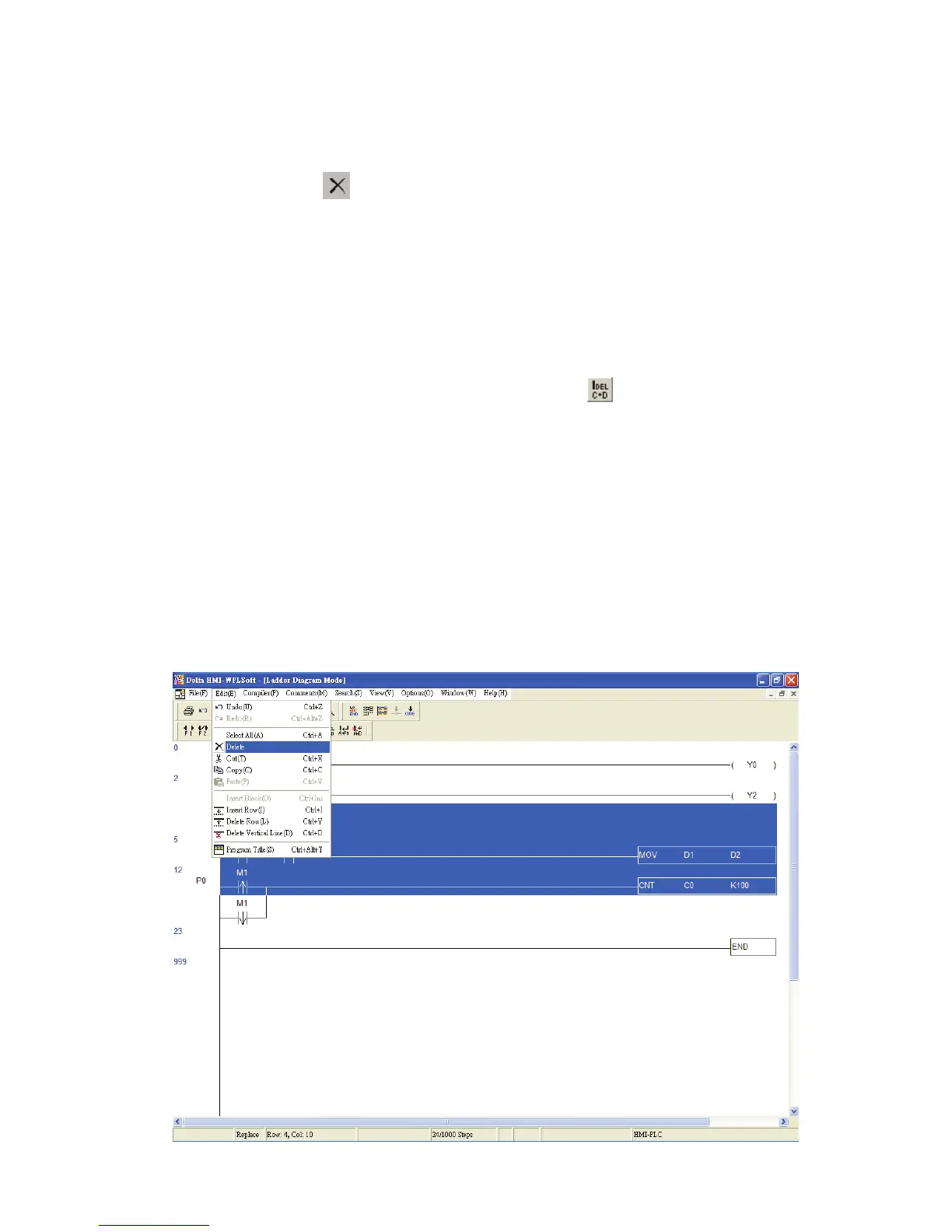
Delete Block Ö Delete the selected block.
Method 1: Click “Edit(E)” > “Delete”. Then, the selected block in the ladder diagram
that the user wants to delete will be deleted immediately.


 To Next Page
 Loading...
