Ethernet Communication Module IFD9507
DVP-PLC Application Manual
35
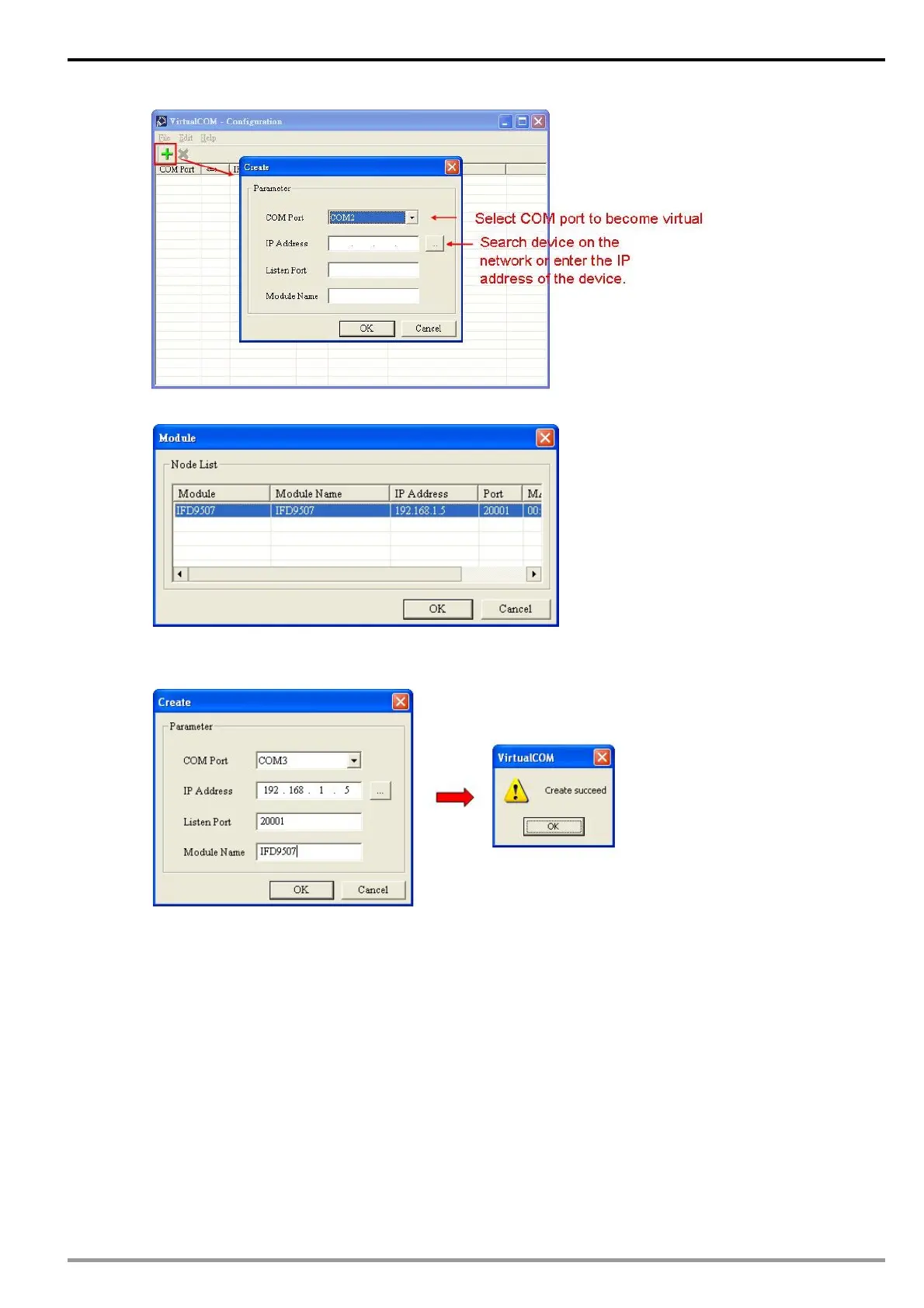
Press “OK”, and you will see all the devices connected on the network.
Select the module you need and press “OK”. Relevant information of the device will be imported
automatically. Press “OK” to complete the setup.
Once the setup is successful, you can see the virtual COM you set in the Device Manager.


 To Next Page