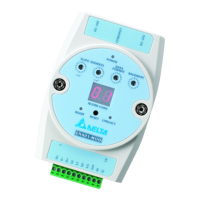
Ethernet Communication Module IFD9507
DVP-PLC Application Manual
2
4.4 In buffer registers (IN) in IFD9507 ............................................................................................ 14
4.5 Out buffer registers (OUT) in IFD9507 ..................................................................................... 15
5 MONITORING FUNCTIONS .............................................................................................................. 15
5.1 Monitor Bit Registers (MB) ....................................................................................................... 15
5.2 Monitor Word Registerss (MW) ................................................................................................ 16
6 SETTING UP DEVICE ADDRESS AND RELAY ADDRESS IN SLAVE MODE (FOR MODBUS TCP
PROTOCOL ONLY) ........................................................................................................................... 17
7 SETTING UP DEVICE ADDRESS AND OTHER NETWORK SETTINGS IN SLAVE MODE ........... 17
8 MODBUS COMMUNICATION ........................................................................................................... 18
8.1 Function Codes Supported....................................................................................................... 18
8.2 Exception Codes Supported..................................................................................................... 18
8.3 Device Type & Device Address................................................................................................. 18
9 ETHERNET/IP COMMUNICATION.................................................................................................... 19
9.1 Service code supported............................................................................................................ 19
9.2 Object supported ...................................................................................................................... 19
9.3 CIP General Status Code (Reference Volume 1:CIP Common Specification Appendix B) ...... 20
9.4 Connection Manager Service Request Error Codes (Reference Volume 1:CIP Common
Specification Table3-5.29) .................................................................................................................. 20
10 SETTING UP THE SOFTWARE - DCISOFT ..................................................................................... 21
10.1 Setting up Communication & Searching for Modules in DCISoft.............................................. 21
10.2 Basic Settings........................................................................................................................... 23
10.3 Network Settings ...................................................................................................................... 24
10.4 Setting up E-Mails .................................................................................................................... 26
10.5 Monitoring Settings................................................................................................................... 27
10.6 IP Filter ..................................................................................................................................... 28
10.7 Ethernet/IP settings .................................................................................................................. 29
10.8 User Defined Settings............................................................................................................... 31
10.9 Virtual COM .............................................................................................................................. 33
10.10 Security Settings....................................................................................................................... 36
10.11 Returning to Default Settings.................................................................................................... 37
11 SETTING UP CONFIGURATION BY HOMEPAGE ........................................................................... 38
11.1 Webpage connection ................................................................................................................ 38
11.2 Basic settings ........................................................................................................................... 39
11.3 Setting up E-Mails .................................................................................................................... 40
11.4 IP filter....................................................................................................................................... 41
11.5 Security Settings....................................................................................................................... 42
11.6 Returning to default setting....................................................................................................... 43
11.7 Monitoring settings ................................................................................................................... 43
11.8 Ethernet/IP................................................................................................................................ 45
11.9 User Define............................................................................................................................... 47


 To Next Page
 Loading...