Ethernet Communication Module IFD9507
DVP-PLC Application Manual
49
12 Application Examples – DCISoft
12.1 Setting up & Unlocking Password
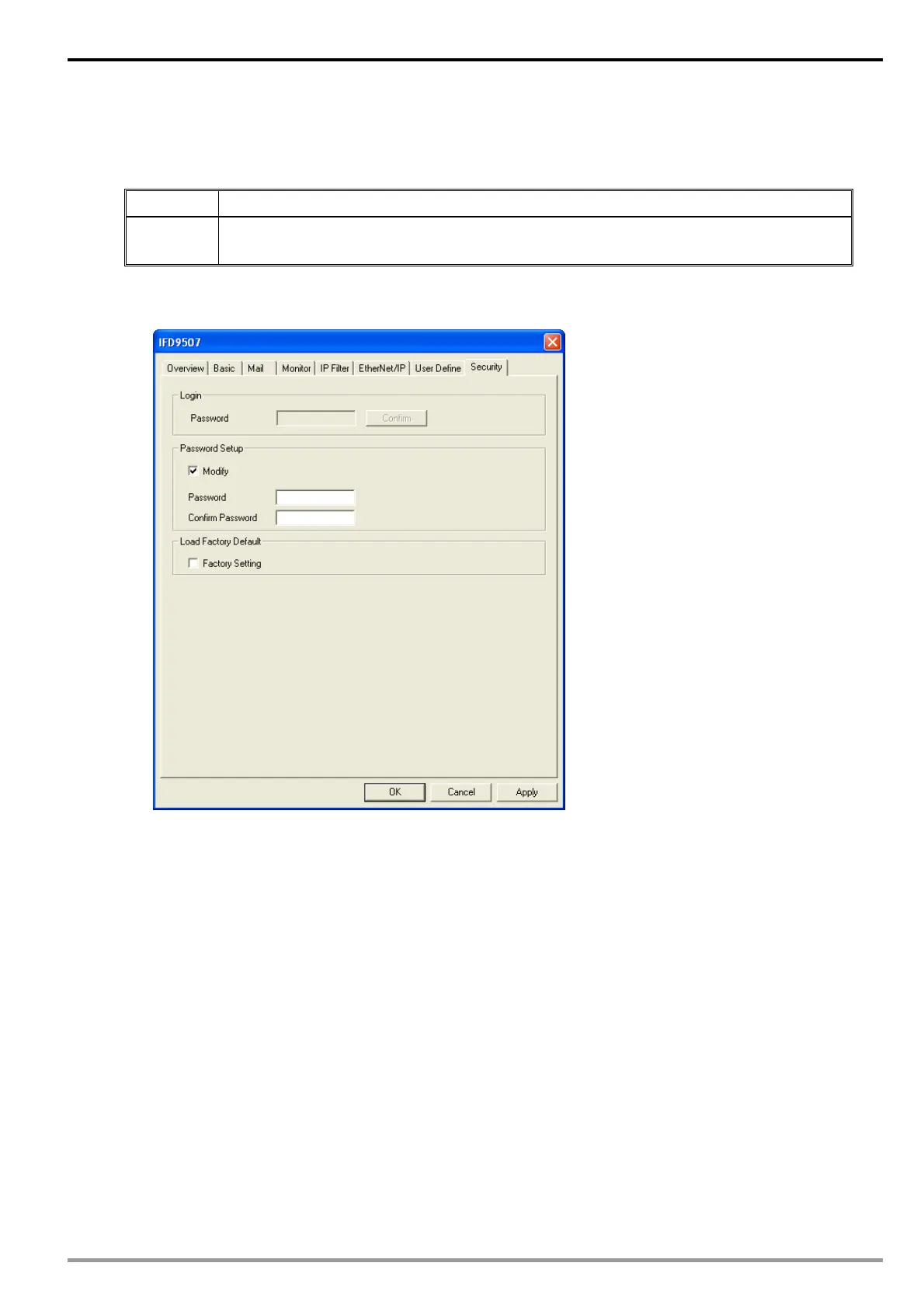
Application Setting up password by IFD9507 configuration
Steps
(1) Set up password in IFD9507.
(2) Unlock IFD9507.
1. See 10.1 for the connection and how to set up the communication.
2. Open the setup page and switch to “Security” page.
3. Check “Modify” and enter “aabb” in “Password” and “Confirm Password” columns. Click on “Apply” to save
the password.


 To Next Page