HELPLINE No. U K / N.IRELAND 0800 328 6020 REP. IRELAND 00800 4467 5888
WEB SUPPORT info@dariolondon.com GT-ZSd-02
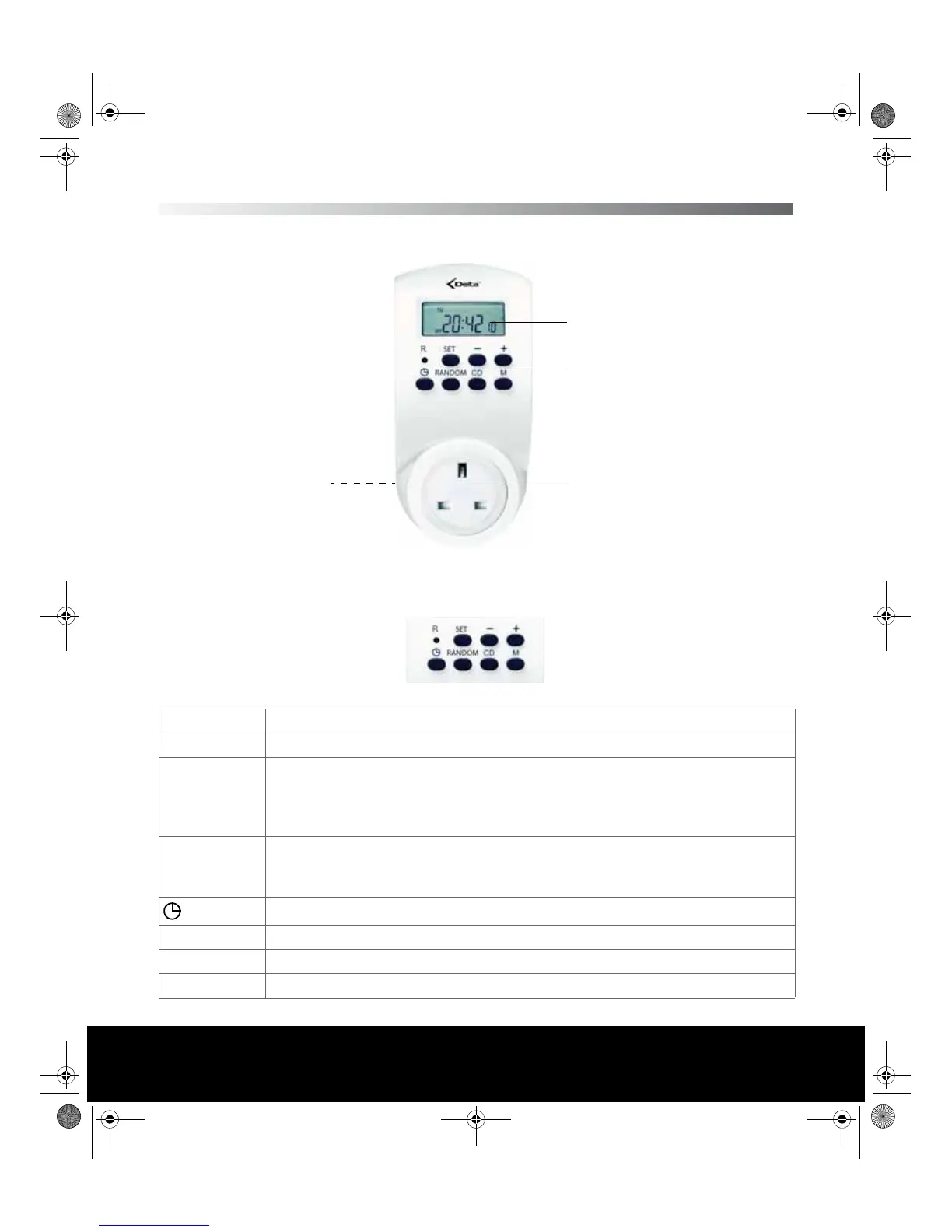
OVERVIEW OF THE DIGITAL TIMER
Buttons of the control panel
R Resets device to delivery condition
SET Enables setting mode, accepts set value
-
z Calls countdown function
z Starts and stops countdown
z Navigates in the menu to the left
z Decreases the displayed value
+
z Opens the setting mode for enterin the activation and deactivation times
z Navigates in the menu to the right
z Increases the displayed value
Switches the device to clock time mode
RANDOM Activates/deactivates the random function
CD Starts and stops the countdown function
M Manually activates and deactivates the timer switch
Mains outlet
Display
Control
panel
Plug
(rearside)
E43247 Digitale Zeitschaltuhr Innen Aldi UK.book Seite 5 Dienstag, 20. Juli 2010 3:07 15


 To Next Page