Need help?
Do you have a question about the Deltaco Gaming GAM-139 and is the answer not in the manual?
Safety guidelines to prevent electric shock, damage, or injury during use.
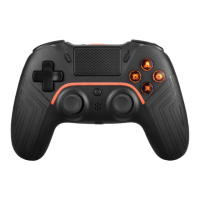
Instructions for charging the controller's 600mAh battery via USB-A to USB-C.
Steps to connect the controller wirelessly to PS4, PS5, PC, and Bluetooth devices.
How to turn off the controller and reset macro settings.
Using the 3.5mm port for microphones, headphones, or headsets.
Details on vibration motors and the six-axis sensor.
Procedure for updating the controller's firmware on a Windows PC.
Configuring and activating custom button sequences (macros) for gameplay.
Recommendations for cleaning and storing the controller.
Where to find warranty details and contact support for product information.
The simplified declaration confirming compliance with Directive 2014/53/EU.
Instructions for proper disposal and recycling of electronic waste.
Contact details for free support via email and phone.
Website address for more information and manufacturing origin.
 General
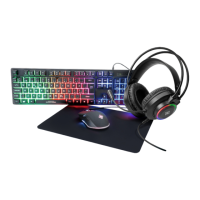
| Product Type | Gaming Mouse |
|---|---|
| Connection Type | Wired |
| Interface | USB |
| Sensor | Optical |
| Lighting | RGB |
| Color | Black |
| Programmable Buttons | Yes |
| Compatibility | Windows |

 To Next Page