
 Need help?
Do you have a question about the Deltaco Gaming PK75 and is the answer not in the manual?
Opens the default media player application.
Functions to decrease or increase system audio volume.
Toggles the audio output mute status.
Controls for stopping, playing, pausing, and skipping media tracks.
Opens email program, web browser, and calculator.
Toggles the functionality of the Windows key to prevent accidental presses.
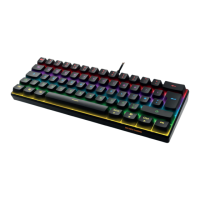
Toggles the keyboard's backlight illumination on or off.
Activates a breathing effect for the backlight, with two distinct modes.
Switches between running RGB and Tetris RGB lighting effects.
Enables a mode for custom assignment of LEDs to keyboard keys.
Selects from seven static color modes or one rainbow colored mode.
Cycles through the available LED illumination modes.
Adjusts the speed of backlight animations, increasing or decreasing it.
Adjusts the overall brightness of the keyboard backlight.
Instructions to enter the keyboard's LED customization mode.
Guide to assigning specific key groups to custom LED configurations.
Procedure to confirm and save custom LED group settings.
Provides the website address for more product details.
Email address for customer support inquiries.
 General
| Key Backlighting | RGB |
|---|---|
| Connection Type | Wired |
| Anti-Ghosting | Yes |
| Dimensions | 435x130x30mm |
| Weight | 630g |
| Keyboard Layout | Nordic |
| Interface | USB |
| Form Factor | Full size |


 To Next Page