
 Need help?
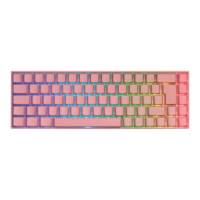
Do you have a question about the Deltaco Gaming PK95R and is the answer not in the manual?
Connect the keyboard via USB-C cable for a stable wired connection.
Utilize the USB receiver for a 2.4 GHz wireless connection.
Connect up to three devices wirelessly via Bluetooth for versatility.
Check battery level by pressing FN + Backspace; keys 1-0 show charge status.
Keyboard enters sleep mode after 120 seconds of inactivity or disconnection.
Connect the USB cable to a computer to charge the keyboard; usable while charging.
 General
| Type | Mechanical |
|---|---|
| Backlight | RGB |
| Key Rollover | N-Key Rollover |
| Connection | USB |
| Form Factor | Full Size |


 To Next Page