5. MONITOR
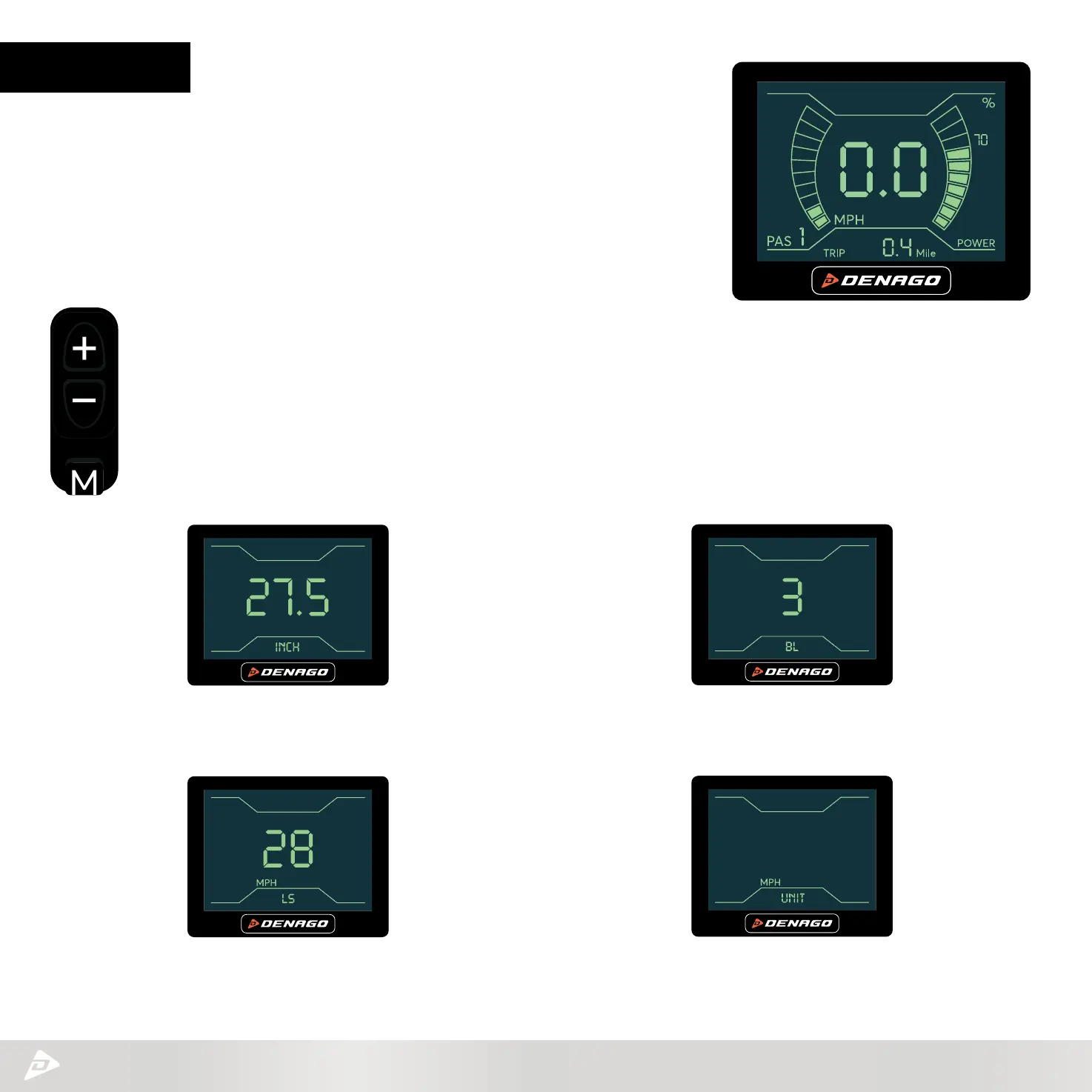
The monitor is connected in a number of ways to your eBike. It interfaces with the
HMI to adjust your PAS levels, advises if you have a problem with your brakes
and alsotracks a number of great features. Like speed, distance, MAX speed,
battery level etc.
The following will show you how to confirm and make needed adjustments.
STEP 1 – Press and hold M (MODE) button until screen turns to either MAX speed or AVE speed.
STEP 2
– Press and hold + - (UP/Down)
simultaneously for 2-4 seconds until screen flashes and goes to setting interface. You have 4 settings, use the
+ - to toggle thru each screen and the M to move to the next setting.
SETTING 1 – inCH: Wheel size setting.
Your Denago City 1.0 is 27.5.
SETTING 2 – LS: Limited Speed.
This is your max speed setting.
SETTING 3 – BL: This is screen brightness.
You have 3 levels.
SETTING 4 – unit: This is the speed
and distance setting MPH or KPH.



 To Next Page