ENGLISH
Basic Operation
3
Use
~
"V
to select the menu, then
press
ENTER
or
[>
to select the file you
want to play.
''''_...,
..
__
.
.....
_''''''''''''."w_,.~
.-
...
,,
__
•
__
......
,
....
.......
.......
_
4
Press
ENTER
or [>.
Playback starts.
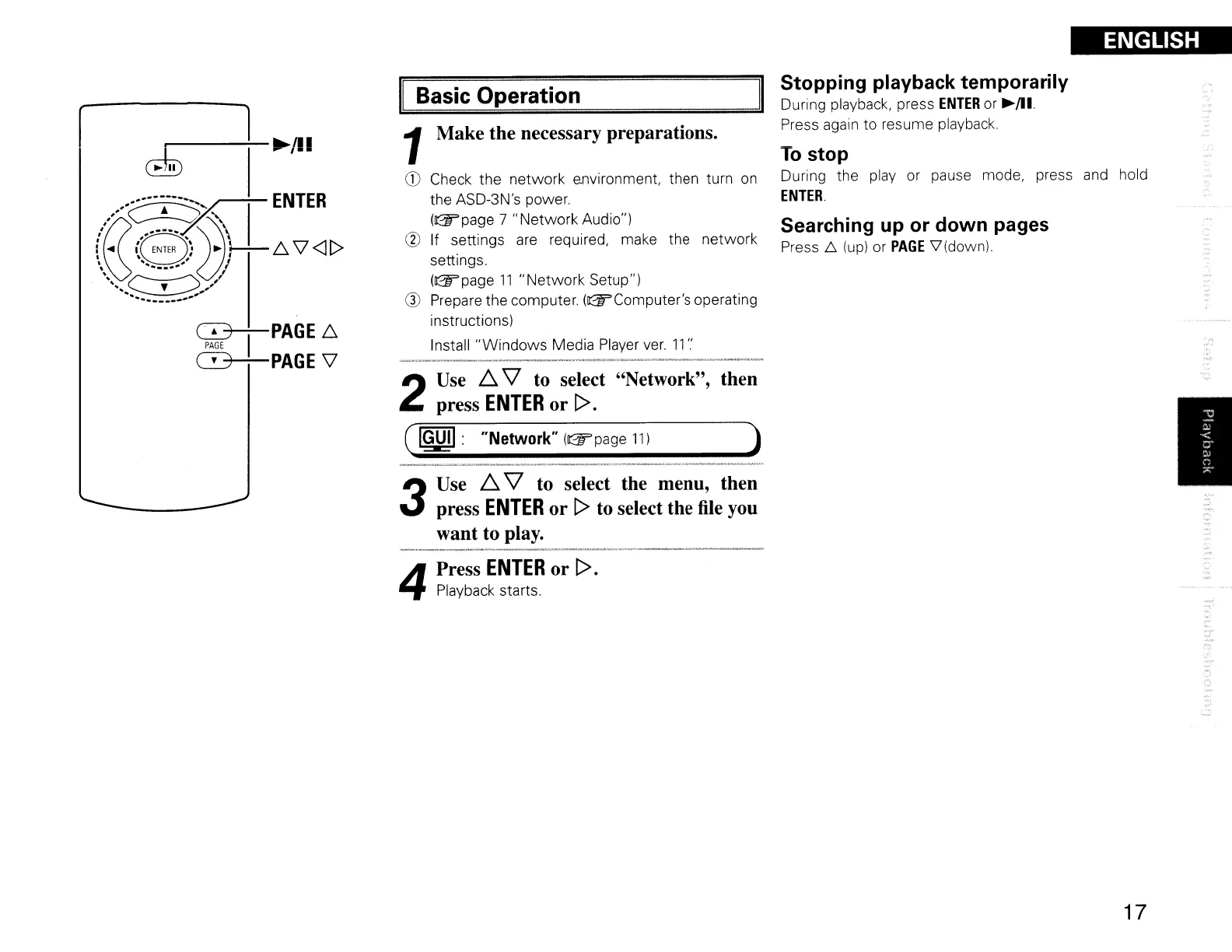
Stopping playback temporarily
During playback, press
ENTER
or
~/Il.
Press again to resume playback.
To
stop
During the play or pause mode, press
and
hold
ENTER.
Searching up or down pages
Press 6
(up)
or
PAGE
V'(down)
)
then
1Make the necessary preparations.
CD
Check the network e.nvironment, then turn
on
the ASD-3N's power.
(~page
7
"Network
Audio")
@ If settings
are
required, make the network
settings.
(~page
11
"Network
Setup")
Q)
Prepare the computer.
(~Computer's
operating
instructions)
Install
"Windows
Media Player
ver.
11
'.'
(
IGUII:
"Network"
(~page
11)
2
Use
~
"V
to select "Network",
press
ENTER
or [>.
~I
PAGE6.
PAGE
C3+-PAGE
\l
r
17



 To Next Page