ENGLISH
n
c
g
I
!it.
Making Detailed Settings (Setup)
(r
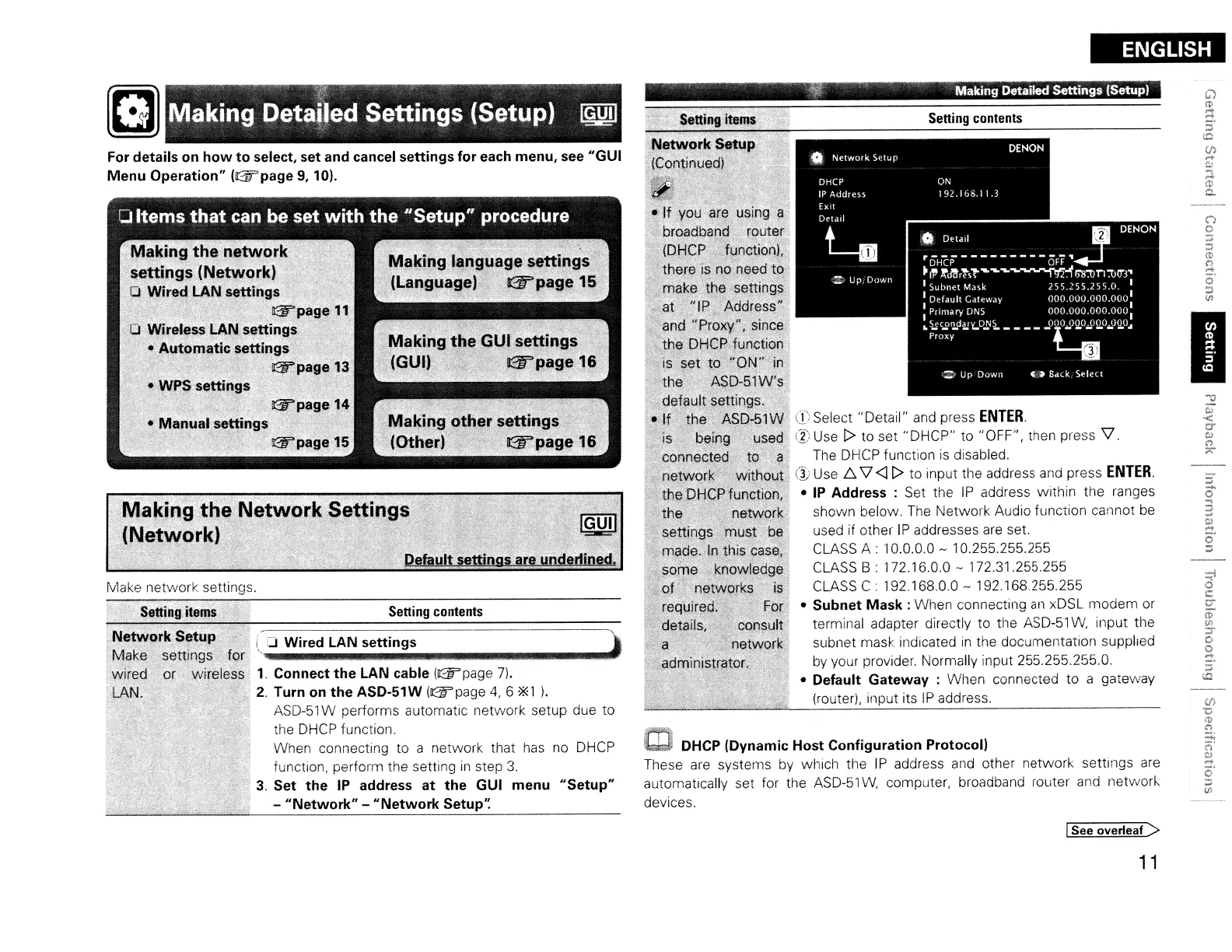
Select "Detail" and press
ENTER.
([lUse
[> to set "DHCP" to "OFF", then press
"\1.
The
DHCP function
is
disabled.
® Use
~
"\1
<l
[> to input the address and press
ENTER.
•
IP
Address: Set the
IP
address within the ranges
shown below. The Netwol'k Audio function cannot be
used if other
IP
addresses
are
set.
CLASS
A:
10.0.0.0 - 10.255.255.255
CLASS
B : 172.16.0.0 - 172.31.255.255
CLASS
C:
192.168.0.0 - 192.168.255.255
• Subnet
Mask:
When connecting
an
xDSL modem or
terminal adapter directly to the
ASD-51
W,
input the
subnet mask indicated
in
the documentation supplied
by
your provider. Normally input 255.255.255.0.
• Default Gateway : When connected to a gateway
(router), input its
IP
address.
DHCP (Dynamic Host Configuration Protocol)
These
are
systems by which the
IP
address and other network settlrlgs
are
automatically set for the
ASD-51
W.
computer, broadband router and network
devices.
~;:!
Making Detailed Settings (Setup)
~
For
details
on
how to select. set and cancel settings for each menu,
see
"GUI
Menu Operation"
(Gf'page
9,
10).
Make network settings.
;'}T;Settinq.iJerti$
, .
Setting
contents
~",etwpr~S~UP
i
'::::i
Wired LAN settings
,"*
Ma~e\
settjngsfo(
' _
.•.
_.
••
.
yVired
~
PI',.
yvireless'
1.
Connectthe LAN cable
(Gf'
page
7).
~LAN.·
'''j
2.
Turn
on
the ASD-51W
(Gf'page
4,6?en
).
ASD-51
W performs automatic network setup due to
the
DHCP
function.
When connecting to a network that
has
no DHCP
function, perform the setting
in
step
3.
3.
Set the
IP
address at the GUI menu "Setup"
- "Network" - "Network Setup':
I
See
overleaf>
11



 To Next Page
 Loading...








